

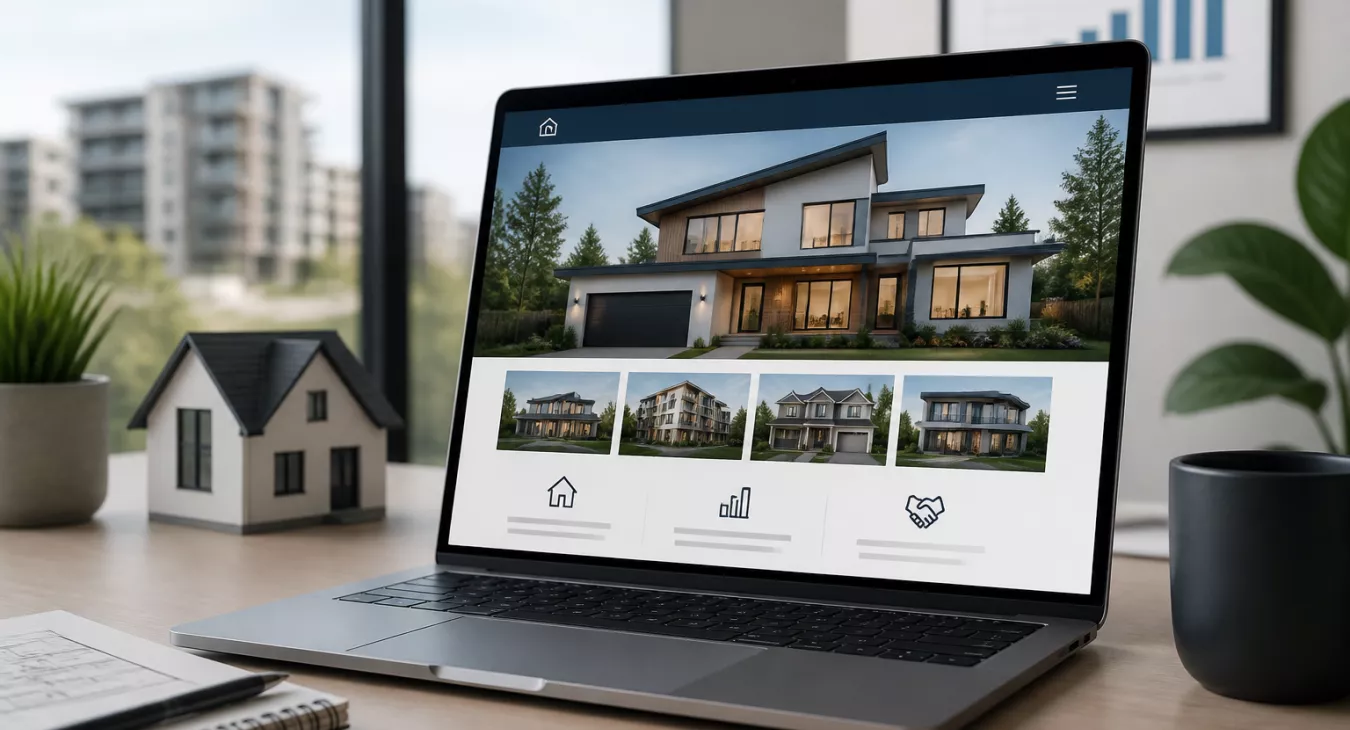
Learn how to build a real estate website that converts leads. Step-by-step guide with tools, best practices & actionable strategies for investors.
Products and Tools Mentioned in this Post

Follow Up Boss
Follow Up Boss is a real estate CRM that helps agents manage leads, automate follow-up, and increase conversions. Streamline your sales process today.

Showcase IDX
Showcase IDX provides real estate agents with professional IDX websites featuring advanced property search, lead capture tools, and mobile-responsive design.

iHomeFinder
iHomeFinder provides IDX website solutions for real estate agents with lead capture, mobile-responsive designs, and MLS integration. Professional tools to grow your business.

Matterport
Matterport creates immersive 3D virtual tours and digital twins for real estate. Capture properties with professional-grade technology and share interactive experiences.

Table of Contents
- Why Real Estate Investors and Agents Need a Website
- Step 1: Choose Your Website Builder Platform
- Step 2: Define Your Digital Identity
- Step 3: Design and Customize Your Website
- Step 4: Highlight Your Property Listings
- Step 5: Add Essential Website Pages and Features
- Step 6: Optimize for Search Engines
- Step 7: Market and Continuously Improve
- Essential Features Checklist for Real Estate Websites
- Common Real Estate Website Mistakes to Avoid
- Post-Launch: Maintaining and Growing Your Website
- Conclusion
- Frequently Asked Questions
Your real estate business deserves more than a business card and a Zillow profile. In 2026, investors and agents without a dedicated website are leaving serious money on the table. Studies show that 97% of homebuyers use the internet during their property search — and the first agent or investor who appears credible online wins the deal. Whether you're wholesaling, flipping, managing rentals, or representing buyers and sellers, knowing how to build a real estate website that actually converts is one of the highest-ROI skills you can develop. Ever wonder why some investors close deals while others don't? It's usually because one had a site that looked professional and the other didn't. This guide walks you through every step — from choosing a platform to launching and marketing your site — with honest comparisons, practical checklists, and actionable advice that works for investors at every technical skill level.
New to finding deals? Start with our Guide to Finding Motivated Sellers.

Why Real Estate Investors and Agents Need a Website
Here's the thing: a professional website gives you something no social media profile or listing portal ever will. Full control. Your brand, your leads, your messaging—all yours.
Building Credibility and Trust With Clients
Before a seller or buyer calls you, they're already Googling you. That's just how it works now. A polished, professional website signals you're the real deal—not some part-timer running things off their phone. The numbers back this up: according to the National Association of Realtors, 51% of buyers found their home on the internet first, and they specifically gravitated toward agents and investors with legit web presences. Want to see what actually works? Check out these best real estate investor websites for 2026.
Generating Leads Around the Clock
Cold calling stops when you sleep. Direct mail sits in a mailbox. Your website? It never sleeps. A motivated seller hitting your site at 2 a.m. can fill out your lead capture form and land straight in your CRM before your alarm goes off. This is passive lead generation that actually scales, especially when you pair it with solid SEO. Looking to figure out which pages convert best? Our guide on real estate investor website pages you need and why breaks it down.
Establishing Your Market Presence
You want to own local search for "sell my house fast [city]" or "real estate investor [market]." And honestly, it's nearly impossible without your own domain and a real content strategy. But here's the play: combine your website with outbound work. Cold calling scripts and best practices paired with organic search visibility create a two-channel machine that actually moves deals.
Back to topStep 1: Choose Your Website Builder Platform


Your platform choice matters more than most investors realize. It'll determine your design flexibility, SEO power, what integrations you can actually use, and what you're spending five years from now. Want the real talk on what works for real estate professionals? Here it is.
| Platform | Starting Price/Mo | Ease of Use | Real Estate Templates | SEO Tools | IDX/MLS Integration | Best For |
|---|---|---|---|---|---|---|
| Wix | $17 | ⭐⭐⭐⭐⭐ | Yes (20+ RE templates) | Built-in | Via apps | Beginners, solo agents |
| Squarespace | $23 | ⭐⭐⭐⭐ | Yes (limited) | Built-in | Limited | Design-focused agents |
| Jimdo | $9 | ⭐⭐⭐⭐⭐ | Basic | Basic | No | Budget-conscious beginners |
| WordPress.org | $5–$15 (hosting) | ⭐⭐⭐ | Yes (via plugins) | Advanced (Yoast, RankMath) | Yes (IDX Broker, iHomeFinder) | Investors serious about SEO |
| Carrot | $49–$149 | ⭐⭐⭐⭐ | Yes (investor-specific) | Advanced (investor-focused) | Optional | Wholesalers, flippers, investors |
Here's the bottom line: WordPress and Carrot deliver the best long-term ROI for most investors. You get superior SEO control and serious lead capture capabilities. And if you're an agent who cares more about looking good than tinkering with code? Wix or Squarespace will get you live in days, not weeks. Need to compare investor platforms specifically? Check out our detailed breakdown of Carrot vs. LeadPropeller.
Back to topStep 2: Define Your Digital Identity
Think of your domain name as your street address online. It's got to be memorable, professional, and easy to spell — because when a motivated seller's googling you at 10 PM, you want them to find you on the first try. You can nail this entire step in under 30 minutes, but the payoff lasts years.
Choosing the Right Domain Name
- Use your name or business name: JohnSmithHomes.com or AtlantaFastCash.com work because they're instantly clear about what you do.
- Keep it under 15 characters — shorter is better. People remember it faster and type it without errors.
- Avoid hyphens and numbers. When you're telling someone your URL over the phone, these create friction and confusion.
- Choose the right extension: .com dominates for a reason — it screams credibility. But if you're going niche, .realtor (NAR members only) and .properties can position you differently.
Branding Consistency
Once you've registered your domain ($10–$15/year through Namecheap, GoDaddy, or Google Domains), the real work starts. Build consistent branding across your entire site. And I mean consistent — pick 2–3 colors max, design a professional logo, and use typography that doesn't break on mobile. This consistency does something powerful: it builds trust before anyone even reads your first sentence.
Back to topStep 3: Design and Customize Your Website
You don't need a designer on payroll to launch something that looks professional. Every major platform has pre-built templates made specifically for real estate agents and investors. Your job? Customize them with your brand and content.
Start With a Real Estate Template
Property listing grids. Photo galleries. Contact forms. Agent bios. These elements are already baked into templates designed for real estate. Building from scratch? That's a time sink — and you'll usually end up with worse results than tweaking a solid template anyway.
Mobile-First Design Is Non-Negotiable
Here's the reality: over 60% of real estate website traffic comes from mobile devices. You can't ignore that. Every platform on this list offers responsive templates, but don't just assume it works. Test your site on an actual phone before you go live. Check button sizes. Look at form field spacing. Watch image load times. Test your navigation menus on a small screen.
Timeline for Building a Real Estate Website
| Phase | Tasks | Estimated Time |
|---|---|---|
| Platform & Domain Setup | Choose builder, register domain, set up hosting | 1–2 hours |
| Template Selection & Branding | Choose template, set colors, logo, fonts | 2–4 hours |
| Content Creation | Write About, Services, Contact pages; agent bio | 4–8 hours |
| Property Listings Setup | Add photos, descriptions, IDX integration | 3–6 hours |
| SEO Optimization | Meta tags, local keywords, Google verification | 2–4 hours |
| Testing & Launch | Mobile testing, form testing, speed check | 1–2 hours |
| Total (DIY) | 13–26 hours (1–2 weeks part-time) |
Step 4: Highlight Your Property Listings

Your listings are your storefront. Period. How you present them directly impacts inquiry volume—and that's not theoretical. Professional presentation isn't optional anymore. Today's buyers and sellers expect it, and if you don't deliver, they're moving on to the next agent in five seconds.
Property Listing Best Practices
| Element | Minimum Standard | Best Practice |
|---|---|---|
| Photos per listing | 10 photos | 25–40 professional photos |
| Description length | 100 words | 250–400 words with keywords |
| Key details included | Beds, baths, sq ft, price | + HOA, utilities, school district, lot size, year built |
| Virtual tour | Optional | Highly recommended (increases views by 87%) |
| Call-to-action | Contact form link | Inline CTA button + scheduling tool |
| Video walkthrough | Not required | Strongly recommended for $500K+ properties |
Virtual Tours and 3D Walkthroughs
Want a concrete reason to invest in virtual tours? Listings with 3D tours get up to 87% more views and spend significantly less time on market. It's the closest thing to an in-person showing without flying someone out. Matterport, iGuide, and similar tools integrate seamlessly with WordPress and most website builders—no technical headaches. For the full breakdown of what's out there, check out our guide to the best 3D tour software for real estate in 2026. Serious investors aren't treating virtual tours as a nice-to-have anymore.
Lead Capture on Every Listing Page
Here's what kills deals: a prospect lands on your listing, gets interested, and then can't figure out how to contact you. Every property page needs a contact form or inquiry button that's impossible to miss. And keep it simple. Name, email, phone number—that's it. Every additional field you add drops conversion by roughly 10%. Wire these forms into your CRM so leads hit your inbox automatically. Manual follow-up is where deals die.
Back to topStep 5: Add Essential Website Pages and Features

Your real estate website does way more than display listings. These core pages build credibility, turn browsers into buyers, and make Google take you seriously with SEO.
Must-Have Pages
- Homepage: Show your value upfront. Feature your best listings, add a strong CTA button, and back it up with social proof — review count, years in business, whatever proves you deliver results.
- About Page: Here's the thing: this page gets hit second most after your homepage. Professional photo, your actual story, credentials, and the real reason clients should work with you instead of your competition.
- Listings/Properties Page: Make it searchable. Make it filterable. High-quality images aren't optional here.
- Services Page: Don't bury the lead. Tell people exactly what you do — buyer rep, seller services, property management, investor acquisitions, or whatever your niche is.
- Testimonials/Reviews Page: Verified client reviews work. Names and photos hit harder if you've got them.
- Blog: This is your long-term SEO engine. Fresh content targeting local search queries positions you as the expert. Agents who blog consistently crush their competitors in organic rankings.
- Contact Page: Phone, email, address, embedded Google Maps, and a contact form. No friction.
IDX Integration for Live Listings
Want live MLS listings on your site automatically? IDX (Internet Data Exchange) does that. Plug in platforms like IDX Broker, iHomeFinder, or Showcase IDX and you're pulling real-time data straight into WordPress. You get map search, saved searches, and lead capture baked in. Budget $50–$100/month for solid IDX. And if you're doing agent work? This pays for itself fast through higher time-on-site and repeat visitors.

CRM Integration for Lead Management
Every lead disappearing into the void? That's the cost of no CRM integration. One missed lead in real estate costs you tens of thousands in lost commissions. Your website contact forms need to dump directly into a CRM system automatically. Check out the best CRM options for real estate investors and pick one that plays nice with your website platform. HubSpot, Follow Up Boss, and REI/kit all integrate with standard website forms out of the box.
Back to topStep 6: Optimize for Search Engines
You can build the most stunning website in your market. But if nobody finds it, you've just wasted money on a digital brochure. SEO — search engine optimization — is the difference between a pretty site and an actual lead-generating machine. For the full playbook tailored to real estate investors, check out our deep-dive on SEO for real estate investors.
Local Keyword Targeting
Real estate doesn't scale nationally — it's hyperlocal. Your strategy needs to target the exact phrases your buyers and sellers are searching: "sell my house fast [city]," "homes for sale in [neighborhood]," "real estate investor [metro area]." These keywords belong in:
- Page titles and H1/H2 headings
- Meta descriptions (under 155 characters)
- URL slugs (e.g., /sell-my-house-fast-atlanta)
- Image alt text
- First paragraph of each page
Technical SEO Essentials
- Page speed: You're aiming for under 3 seconds load time. Use TinyPNG or ShortPixel to compress images. Google's Core Web Vitals directly impact your rankings — no way around it.
- SSL certificate: Every major platform includes this now. Your site isn't HTTPS? You're bleeding trust signals and ranking positions.
- XML sitemap: Submit it to Google Search Console within 48 hours of launch.
- Google Business Profile: Verify your business and connect it to your website. This is how you show up in local map results — non-negotiable.
- Schema markup: RealEstateListing schema tells Google exactly what your property data is. It shows up in rich results.
Using AI for Content and SEO
AI can cut your content production time in half. Property descriptions, keyword research, gap analysis — these tools do it faster than your team ever could. And smaller investors? They gain a real competitive edge here. Find the right combination of tools by exploring our full breakdown of AI tools for real estate investors.
Back to topStep 7: Market and Continuously Improve
Launching your website? That's just the starting line. The investors who actually make money long-term don't set it and forget it. They treat their website like a rental property — constantly monitoring returns, reinvesting in improvements, and cutting what doesn't perform based on actual numbers, not gut feel.
Promoting Your Website
- Social media: Post new listings, blog content, and market updates on Facebook, Instagram, and LinkedIn. But here's the key: every single post needs to drive back to your website. That's where conversions happen.
- Email marketing: Capture emails through your lead forms, then send monthly market updates, new listings, and investor tips. Mailchimp and ActiveCampaign integrate seamlessly with most builders. You're building an asset you actually own — not renting followers from Zuckerberg.
- Google Ads and Facebook Ads: Paid traffic gets you fast results while SEO compounds over months. Target by zip code, income, and buyer behavior signals to find motivated sellers in your market. Spend smart here and you'll see deal flow within weeks.
- Lead purchasing: Organic is great, but why wait? Supplement with purchased leads to fill your pipeline now. We break down the 6 best places to buy real estate leads — vetted sources that actually work.
Analytics and Performance Tracking
Install Google Analytics 4 the day your site goes live. Don't skip this step. Check these metrics every week without fail:
- Organic traffic: How many visitors are actually finding you through search?
- Lead conversion rate: What percentage converts to a form submission? Industry sits at 1–3%, but top investor sites routinely hit 5–10%. You should be aiming there.
- Bounce rate: People landing and leaving instantly? Your page isn't compelling enough.
- Top-performing pages: Find your winners and feed them more traffic.
- Traffic sources: Is it search driving deals, or social, or email, or paid ads? You need to know.
Run A/B tests on headlines, CTAs, and form layouts. It sounds simple, but optimizing a single high-traffic page can double your lead volume without touching your ad spend. That's where real ROI lives. For a complete toolkit that plugs into your site, check out the best real estate marketing tools for 2026.
Back to topEssential Features Checklist for Real Estate Websites
| Feature | DIY Builder (Wix/Squarespace) | WordPress | Investor Platform (Carrot) |
|---|---|---|---|
| Mobile Responsive Design | ✅ Included | ✅ Included | ✅ Included |
| Lead Capture Forms | ✅ Included | ✅ Via plugin | ✅ Included |
| CRM Integration | ⚠️ Limited | ✅ Full support | ✅ Included |
| IDX/MLS Integration | ⚠️ Via apps | ✅ Via plugins | ⚠️ Optional add-on |
| Blog/Content Management | ✅ Included | ✅ Best-in-class | ✅ Included |
| SEO Tools | ⚠️ Basic | ✅ Advanced | ✅ Investor-focused |
| Virtual Tour Integration | ⚠️ Embed only | ✅ Plugin support | ✅ Embed support |
| Analytics Dashboard | ⚠️ Basic built-in | ✅ GA4 + plugins | ✅ Built-in + GA4 |
| GDPR-Compliant Forms | ✅ Included | ✅ Via plugin | ✅ Included |
| SSL Certificate | ✅ Included | ✅ Via hosting | ✅ Included |
Common Real Estate Website Mistakes to Avoid

You're losing deals right now. Even smart investors and agents make preventable mistakes that tank their lead flow and tank their credibility. Let's fix them.
- Poor mobile optimization: Your site probably looks fine on your desktop. But have you actually tested it on a real phone? Don't trust the platform's preview tool—grab an iPhone and Android device and go live before launch. Mobile visitors are your bread and butter, and if they're bouncing because your site doesn't work on their device, that's a direct hit to your bottom line.
- Outdated listings: Nothing kills trust faster than a sold property sitting on your site marked as available. Set a weekly listing audit on your calendar. Better yet, use IDX integration to push updates automatically so you never have to think about it again.
- Slow loading times: Every single second your page takes to load costs you roughly 7% in conversions. That's not theoretical—that's money walking out the door. Compress your images before uploading. Kill the autoplay videos on the homepage. Speed matters.
- Buried contact information: Your phone number and email need to live in the header. They need to live in the footer. And they need to be on every single listing page. A motivated buyer shouldn't have to hunt for how to reach you—make it impossible to miss.
- Weak or missing CTAs: "Click here" converts nobody. Neither does "Learn more." What actually works? Specific, action-oriented language. "Request a Cash Offer Today." "Schedule Your Free Consultation." Be direct about what happens next.
- Stock photography overload: Your visitors know a generic stock photo when they see one. Spend money on professional headshots of yourself. Hire a photographer for your properties. This is one of the highest-ROI marketing expenses you'll make in real estate—don't cheap out on it.
- No tracking setup: Launch without Google Analytics? That's flying blind. You won't know who's visiting, where they're coming from, or what they're actually looking at. Install Analytics and Search Console before you publish your first page.
- Ignoring GDPR compliance: Got European visitors—or just want to build the right way? Add a cookie consent banner and a real privacy policy. Most platforms handle this in minutes, so there's no excuse to skip it.
Post-Launch: Maintaining and Growing Your Website
Here's the thing: your real estate website compounds returns over time. But you've got to actually maintain it. Neglect it for six months and you'll watch your organic traffic tank.
Commit to these non-negotiables after launch:
- Publish at least 2 blog posts per month targeting local search terms and investor FAQs.
- Audit your listings weekly to remove sold properties and add new ones.
- Update your testimonials page every time you close a deal — fresh reviews signal an active business.
- Check your site speed quarterly using Google PageSpeed Insights and address any new issues.
- Review your analytics monthly to identify traffic trends and conversion opportunities.
- Keep plugins and themes updated (WordPress users especially) to avoid security vulnerabilities.
And when your business scales? Start thinking about financial management tools. Your website's generating leads, but are you tracking ROI on those deals alongside your ad spend? That's where organized accounting matters.
Check out the best real estate accounting software for 2026 — you'll find solutions that integrate cleanly with your lead gen workflow.
Back to topConclusion
You don't need a coding background or deep pockets to build a real estate investor website that actually works. What you need is a solid strategy, the right platform for your specific goals, and the discipline to treat your site like a real business asset—not a set-it-and-forget-it vanity project.
Follow the roadmap we've laid out here. Pick your platform. Define your brand clearly. Nail your local SEO. Track your metrics obsessively and iterate based on what the data tells you. Do those things, and you'll have a lead-generating machine that builds authority in your market and scales as your portfolio grows.
The investors and agents winning their local markets five years from now? They're the ones starting today.
Move forward consistently. Your website will become one of your most powerful tools in real estate—if you commit to building it right.
Back to top
Frequently Asked Questions
How much does it cost to build a real estate investor website?
It depends on what route you take. Wix or Squarespace? You're looking at $17–$30/month all-in. WordPress is cheaper on hosting ($5–$15/month) but you'll add plugin costs ($0–$200/year). Then there's Carrot and platforms built specifically for investors, running $49–$149/month. And if you want a custom developer building something from scratch, expect $2,000–$10,000 for a solid build. Here's the thing: most investors launch something effective for under $100/month.
Do I need coding skills to build a real estate website?
No. Drag-and-drop builders like Wix, Squarespace, and Carrot handle everything for you. WordPress has a bigger learning curve, but page builders like Elementor and Divi let you skip the code entirely. The only time you'd actually need coding knowledge is if you're doing deep customization or building advanced plugin functionality—and that's rare.
How long does it take to build and launch a real estate website?
You can have a functional, professional site live in 1–2 weeks of part-time work. That's roughly 13–26 hours total. Hiring a developer or agency? Add 4–8 weeks to your timeline. But investor-specific platforms like Carrot come with pre-built templates that get you online in just hours.
What's the most important feature for a real estate investor website?
Lead capture. Period.
Without a friction-free way for motivated sellers or buyers to reach you, nothing else matters. Your contact forms, CTA buttons, and CRM integration need to be locked in first. Forget about design polish and blog content until this part works.
Should I use an investor-specific platform or a general website builder?
Ask yourself: what's your main business model? Wholesalers, flippers, and buy-and-hold investors chasing motivated seller leads should go with Carrot or similar platforms—they're dialed in for "sell my house fast" conversions. Agents working buyers and sellers get more mileage from WordPress with IDX integration or even Wix/Squarespace for the template selection and flexibility. Not sure which investor platform is right for you? Check the Carrot vs. LeadPropeller comparison.
Back to top