

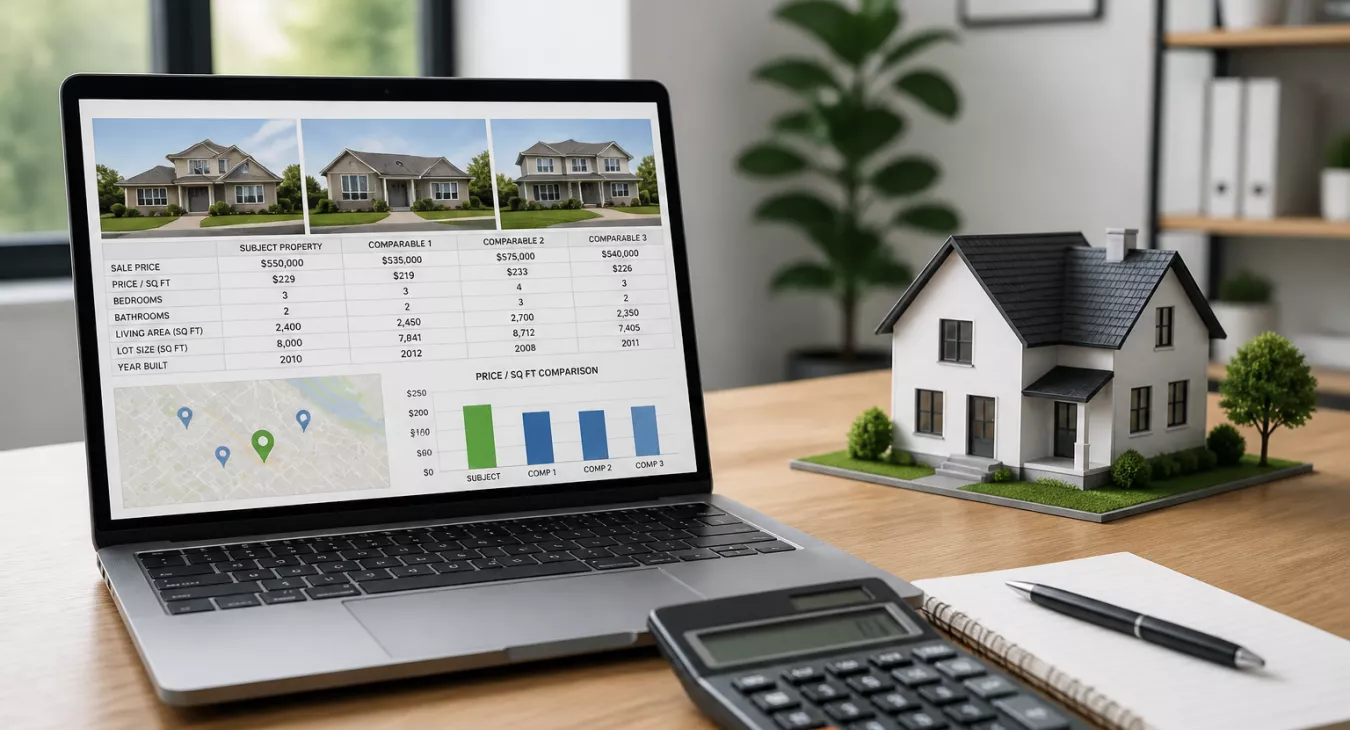
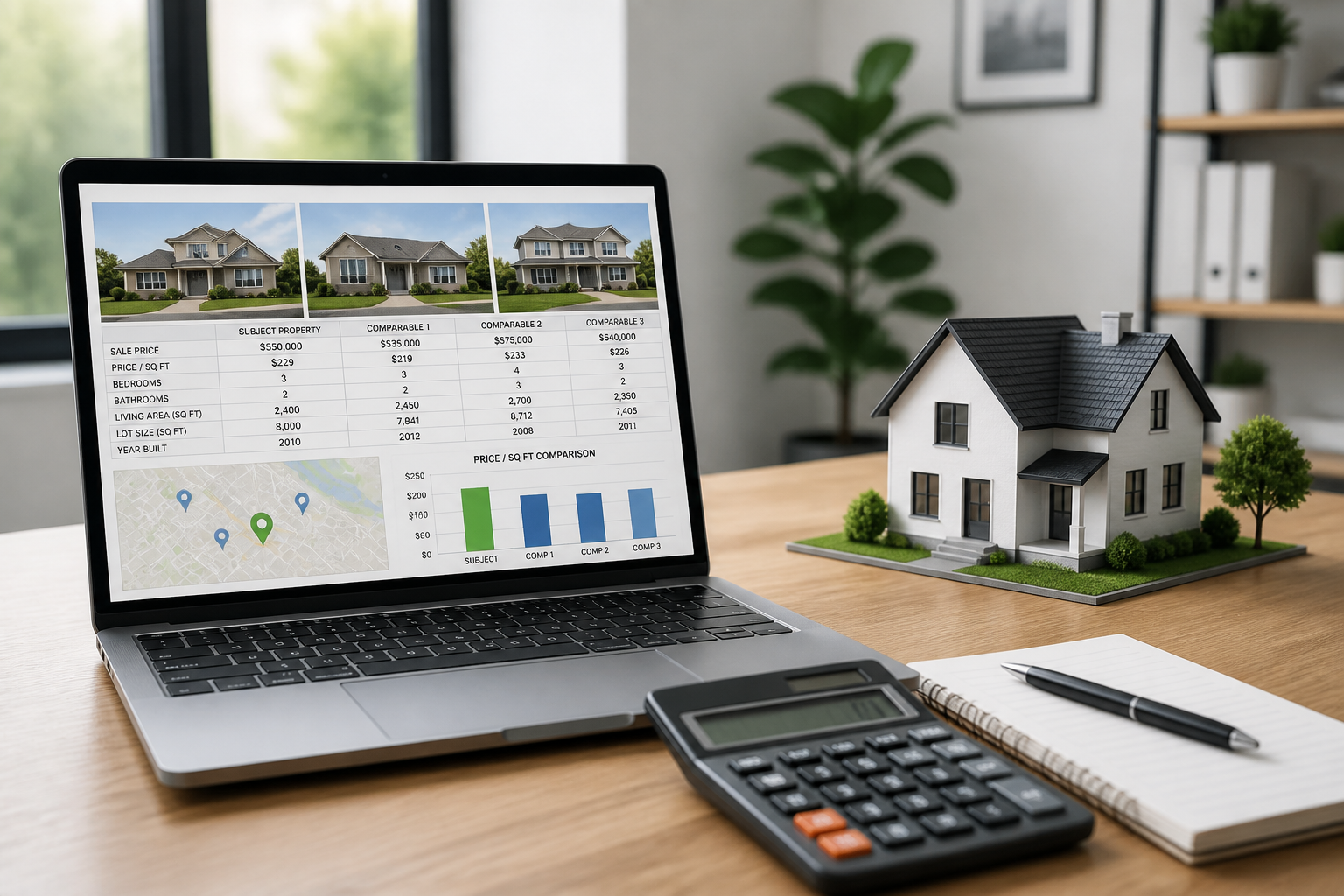
Learn how a real estate comps calculator helps you analyze property values accurately. Master comparable sales analysis for better pricing decisions today.
Products and Tools Mentioned in this Post

Propstream
Detailed information on Propstream. Get How-To's, reviews, Comparisons, and much more.






HouseCanary
HouseCanary provides real estate investors with powerful property valuation tools, market analytics, and data intelligence for informed investment decisions.
Table of Contents
- What's a Real Estate Comps Calculator?
- Understanding Real Estate Comps Fundamentals
- How to Use a Real Estate Comps Calculator: Step-by-Step
- Making Property Adjustments: The Numbers Behind the Analysis
- Best Sources for Real Estate Comps Data
- Top Real Estate Comps Calculator Tools Reviewed
- Comps Calculators for Different Use Cases
- Comps Calculator Accuracy vs. Professional Appraisals
- Common Mistakes to Avoid
- Comps Calculator Features to Look For
- Conclusion: Building a Reliable Valuation Process
- Frequently Asked Questions
Get the price wrong, and you're leaving money on the table. Whether you're buying, selling, or investing, pricing hinges on one skill: understanding what comparable properties actually trade for right now. That's where a real estate comps calculator comes in. Input your property details and recent sales data — and boom — you've got a defensible, data-backed valuation in minutes. No guessing. No second-guessing your numbers in a contract negotiation. Investors use these tools to nail ARV on fix-and-flips. Agents use them to price listings competitively. Even homeowners run comps to know what they're sitting on. And if you're not running comps analysis regularly, you're missing the highest-ROI skill in real estate. This guide shows you how these calculators work, how to actually use them (the right way), and where most people mess up.

What's a Real Estate Comps Calculator?
A real estate comps calculator is a tool — software-based or spreadsheet-driven — that helps you estimate a property's market value by analyzing recent sales of similar, nearby properties. Unlike broad home value estimators (think Zillow's Zestimate or Redfin Estimate), which use algorithmic models built on massive data sets, a comps calculator gives you direct control over which properties you compare and how you adjust for differences.
Here's the real difference. Automated valuation models (AVMs) can miss critical nuances — a renovated kitchen, a busy road location, or a neighborhood-specific price trend. A comps calculator lets you apply professional judgment alongside the data. That makes it far more reliable for transactional decisions. For investors especially, that accuracy gap can mean the difference between a profitable deal and a costly mistake.
Two types of users rely on these tools. Investors use comps calculators primarily to determine After Repair Value (ARV) and build acquisition models. Homeowners or agents use them for listing price decisions. And if you're running fix-and-flip or BRRRR deals, learning how to find BRRRR properties and valuing them accurately with comps is non-negotiable.
Back to topUnderstanding Real Estate Comps Fundamentals

Garbage in, garbage out. That's the golden rule of comps analysis. Before you even open a calculator, you've got to nail down what actually qualifies as a valid comparable — and what doesn't. Pull bad comps, and everything downstream collapses.
The Core Selection Criteria
Professional appraisers and seasoned investors all use the same mental checklist. These are the filters that separate solid analysis from wishful thinking:
- Location proximity: In urban markets, stay within 0.5 miles. Suburban? Push it to 1 mile. Rural properties can stretch to 5 miles, but don't let distance fool you—neighborhood boundaries matter way more than raw mileage. A comp two blocks away in a different school district isn't actually a comp at all.
- Sale recency: Ideal is within 90 days. Six months works in slower markets. Anything beyond 12 months? You'd better apply a serious market-time adjustment, or skip it entirely.
- Square footage: Stay within ±20% of the subject's gross living area (GLA). A 1,400 sq ft home versus a 2,200 sq ft home? That's too much daylight. The adjustments you'd need to make kill your confidence in the number.
- Property type and style: Ranch matches ranch. Two-story matches two-story. Mixing styles introduces noise you can't reliably adjust for.
- Age and condition: A fully renovated 1960s bungalow isn't comparable to an original-condition home from the same year without massive adjustments. Similar age and condition give you the cleanest data.
- Lot size: This one's critical in suburban and rural deals, especially anywhere land value is eating into your total ARV calculation.
| Criteria | Ideal Standard | Acceptable Range | Why It Matters | How to Verify |
|---|---|---|---|---|
| Sale Date | Within 90 days | Up to 6 months | Market conditions shift quickly | MLS, county records |
| Distance | Within 0.5 miles | Up to 1 mile (suburban) | Hyperlocal pricing varies | Map tools, MLS filters |
| Square Footage | ±10% of subject | ±20% of subject | Size drives per-unit pricing | Tax records, MLS data |
| Bedroom/Bath Count | Exact match | ±1 bed or bath | Buyer pool overlap | MLS listing data |
| Property Type | Same type/style | Similar style | Market segment alignment | County assessor records |
| Condition | Same condition rating | Adjacent condition tier | Renovation premiums vary | Photos, agent notes |
You've got the framework now. It's time to plug these filters into your calculator and actually run the numbers. That's where most investors either build a serious competitive advantage or tank a deal without seeing it coming.
Back to topHow to Use a Real Estate Comps Calculator: Step-by-Step

It's a five-stage process. Each one builds on the last, and here's the thing: skipping the adjustment phase is why most investors overpay or sellers leave money on the table. Want to run this analysis the old-school way? Check out our guide on real estate comp analysis: running comps like a pro.
Step 1: Gather Your Subject Property Data
Document everything about your subject property before you touch a comps calculator. Gross living area (GLA), lot size, bed and bath count, garage spaces, year built, condition rating, and any standout features like a pool, finished basement, or updated kitchen. Pull this from tax records, the MLS, or your county assessor's site. Accuracy here matters.
Step 2: Pull 3–5 Comparable Sales
Hunt down recently sold properties that match your selection criteria. Most calculators let you input 3–5 comps—and honestly, 3 is the bare minimum for a credible analysis. Enter the sale price, GLA, lot size, features, and sale date for each one.
Step 3: Apply Adjustments for Differences
This step separates pros from amateurs. And it's where most automated tools fall flat. Every significant difference between a comp and your subject gets a dollar adjustment. Comp has a garage but yours doesn't? Adjust the comp's price down. Your subject has a newer roof? Adjust up. We break down the standard adjustment categories below.
Step 4: Calculate Adjusted Price Per Square Foot
Once you've adjusted, divide each comp's adjusted sale price by its GLA. That gives you your adjusted price per square foot. Now average those figures across all your comps. Multiply that average by your subject property's GLA—and there's your indicated value. Real example: three comps yield adjusted prices per sq ft of $185, $192, and $179. Your average hits $185.33/sq ft. Subject property is 1,600 sq ft. Indicated value = $296,533.
Step 5: Reconcile and Set a Value Range
Never lock into a single number. Build a range instead—typically ±5–8%—based on how much your comps vary. If your analysis points to values between $285,000 and $310,000, you've got a defensible range. The midpoint might be your best estimate, but market conditions tell you where to price or offer within that band.
Back to topMaking Property Adjustments: The Numbers Behind the Analysis
This is where the pros separate from the amateurs. Professional appraisers and experienced investors nail adjustments by grounding them in local market data—not some national average you found online. Industry standards do provide useful starting ranges, though. But you can't just plug them in blindly.
| Adjustment Category | Typical Range | How to Calculate | When to Use | Examples |
|---|---|---|---|---|
| Square Footage (GLA) | $50–$200/sq ft | Market price/sq ft × difference in GLA | Any size difference | Subject 1,400 sq ft; comp 1,600 sq ft → adjust comp down by 200 × market rate |
| Garage/Parking | $5,000–$25,000 | Local market paired sales analysis | Different garage configurations | 1-car vs. 2-car garage: $8,000–$15,000 in most markets |
| Bathroom Count | $5,000–$15,000 | Paired sales or percent of value | ±1 full or half bath | Subject has 2BA; comp has 3BA → adjust comp down $8,000–$12,000 |
| Condition/Renovation | $10,000–$50,000+ | Renovation cost × local multiplier | Different condition ratings | Fully updated kitchen vs. original: $15,000–$30,000 |
| Lot Size | Varies widely | Land value per acre/sq ft × difference | Significant lot size variance | 0.25 acre vs. 0.5 acre: $5,000–$20,000 in suburban markets |
| Market Time | 0.5–1.5%/month | Market appreciation rate × months elapsed | Comps older than 90 days | 6-month-old sale in 6%/yr appreciation market: +3% adjustment |
| Pool | $10,000–$40,000 | Paired sales analysis | One property has pool, other doesn't | In-ground pool in Sun Belt market: $20,000–$35,000 premium |
Here's the golden rule: your total net adjustments can't exceed 25% of the comp's sale price. You're adjusting a $200,000 comp by $50,000 or more? That's a red flag. That property probably isn't a valid comparable anymore—swap it out for something better. Want to understand this deeper? Check out how to analyze any real estate market with a data-driven framework.
Back to topBest Sources for Real Estate Comps Data
Garbage in, garbage out. Your comps calculator is only as good as the data feeding it, so let's talk about where that data actually comes from and what you're really getting.
MLS (Multiple Listing Service)
This is the gold standard for residential comps—verified sale prices, days on market, listing history, and detailed specs all in one place. The catch? Only licensed agents and brokers get direct access. But here's the thing: many platforms now pull MLS-sourced data and package it for consumers, so you've got options if you don't have your own agent connection.
County Assessor and Public Records
Free. Publicly accessible. And honestly, most investors sleep on it. County tax records give you actual sale prices (not asking prices), square footage, and property characteristics you can count on. The problem is lag time—you're looking at a 30–90 day delay before records get updated. And condition data? Not there. Check your state's county assessor or property appraiser portals. Most states have published this online now.
Third-Party Aggregators
Zillow, Redfin, Realtor.com, PropStream—they're pulling MLS, tax, and public data into one searchable database. But don't trust them blindly. Zillow's Zestimate runs a median error rate of about 2–3% for homes on the market and 6–7% for off-market properties (their own numbers). Use these as a starting point. Final answer? No. AI is making these tools sharper by the month, and we've got a full breakdown of AI tools for real estate investors if you want the current landscape.
Paid Professional Data Services
CoStar, CoreLogic, ATTOM Data—these outfits sell institutional-grade property data. You're paying for higher accuracy, fresher data, and broader coverage (yes, commercial properties included). Running $100–$500/month. Worth it if you're doing high-volume deals or managing a team.


Top Real Estate Comps Calculator Tools Reviewed

Want to know which comp calculator won't waste your time? Here's a breakdown of what's actually out there—no fluff, just tools that work for different investor types and budgets.
| Tool Name | Free/Paid | Best For | Data Sources | Key Features | Geographic Coverage |
|---|---|---|---|---|---|
| PropStream | Paid ($99+/mo) | Investors, wholesalers | MLS, public records, tax data | Comp analysis, skip tracing, list building, ARV | Nationwide US |
| Zillow (Zestimate + Comps) | Free | Homeowners, casual research | MLS, public records | Automated estimates, basic sold comps | Nationwide US |
| Redfin Estimate | Free | Homeowners, buyers | MLS (real-time in some markets) | Automated valuation, sold comps, days on market | Major US metro areas |
| DealCheck | Free/Paid ($10–$20/mo) | Investors, rental analysis | User-input + MLS integration | ARV calculator, rental analyzer, deal comparison | Nationwide US |
| HouseCanary | Paid (quote-based) | Lenders, appraisers, institutions | MLS, county records, third-party | AVM, comp selection, market analytics, reports | Nationwide US |
| Privy (Real Estate) | Paid ($97+/mo) | Fix-and-flip investors | MLS, investment history | Investor-specific comps, flip tracking, ARV | Select US markets |
| Mashvisor | Paid ($17+/mo) | Rental property investors | MLS, Airbnb data, tax records | Rental comps, cash-on-cash return, Airbnb analytics | Nationwide US |
Running fix-and-flip deals? PropStream and Privy are built specifically for this. They pull investor-grade data without the bloat. But if rental properties are your play, Mashvisor's the one—it merges long-term comps with short-term Airbnb analytics in ways the others just can't match.
Starting from scratch and broke?
Redfin beats Zillow every time for fresh MLS data in active markets. That matters when you're hunting deals. The free tier gets you solid sold comps and days on market, which is enough to run initial numbers.
Back to topComps Calculators for Different Use Cases
There's no single "best" comps calculator. It all depends on what you're actually trying to do. Your strategy dictates your tool.
For Fix-and-Flip Investors: ARV Calculations
ARV — After Repair Value — is what a property's worth once you're done swinging hammers. You need it to run the 70% rule backward and figure out your maximum allowable offer (MAO). The math: MAO = (ARV × 0.70) – Estimated Repair Costs. And here's where it gets critical: your ARV comps are everything. A 5% overestimate on ARV? You just killed your entire profit margin.
For BRRRR Strategy Investors
You need comps twice. Once at acquisition — to validate your purchase price. Then again at refinance — to lock in the post-renovation value for your cash-out refi. But it's not just about running comps in isolation. The market itself matters hugely. Appreciation trends, rental demand, refinance appraisal standards — they shift market to market. That's why we put together an analysis of the best BRRRR markets for real estate investment. Use it to contextualize what your numbers should actually look like.
For Rental Property Investors
Stop comparing sale prices. You're looking at rent. Mashvisor, Rentometer, and Zillow Rent Estimates all get you to market rent, which drives your income valuation: NOI ÷ Cap Rate = Property Value. Want the complete picture? Don't choose between sale comps and rental comps. Use both.
For Agents and Sellers
A Comparative Market Analysis (CMA) is how agents justify a listing price to sellers. Here's the thing: presentation matters just as much as accuracy. Most MLS platforms have CMA tools built in — they spit out formatted reports automatically. The methodology under the hood? It's the same as what investors do. But the audience changes everything.
Back to topComps Calculator Accuracy vs. Professional Appraisals
Know the difference. It'll save you money and keep you compliant.
| Tool Type | Accuracy Range | Cost | Data Freshness | Professional Use |
|---|---|---|---|---|
| AVM (Zillow/Redfin) | ±5–10% (on-market) | Free | Real-time to 24hrs | Not acceptable for lending |
| Manual Comps Calculator | ±3–7% (skilled user) | Free–$99/mo | Depends on data source | Acceptable for investment decisions |
| Professional CMA (Agent) | ±3–5% | Typically free (with listing) | MLS real-time | Not acceptable for lending |
| Licensed Appraisal | ±1–3% | $300–$800 | Inspection + recent data | Required for most mortgages |
| Institutional AVM (HouseCanary) | ±2–5% | $1–$15/report | Near real-time | Accepted by some lenders |
Here's the hard truth: lenders require a USPAP-compliant appraisal for conventional mortgages, FHA loans, and refinances. No comps calculator—even the fancy ones—gets you around that.
But that doesn't mean you're ordering appraisals on every deal that hits your desk.
For pre-offer analysis, portfolio valuation, and screening prospects? A solid comps calculator is faster, cheaper, and smarter than dropping $300–$800 on a licensed appraisal you might not need. You'll get within ±3–7% accuracy with a manual calculator if you know what you're doing, and institutional AVMs like HouseCanary run $1–$15 and hit ±2–5% reliably. That's the deal screening layer. The licensed appraisal comes later, after you've committed to the deal and locked in financing.
Back to topCommon Mistakes to Avoid
Look, even seasoned investors slip up here. The good news? Once you know what to watch for, you'll spot these errors before they tank your analysis.
- Using non-comparable properties: A 4-bedroom home is not a comp for a 2-bedroom. Period. Don't force it just because it's on the same street. Proximity isn't similarity.
- Over-adjusting: If you're making massive adjustments to a comp, that's your signal to ditch it and find a better one. Total adjustments pushing past 25–30% of the comp's value? Find another property instead.
- Ignoring market timing: In hot markets, that 9-month-old comp could be running $20,000–$40,000 behind current value. Time adjustments aren't optional when you're in a trending market.
- Relying solely on AVMs: Those automated tools? They miss the fresh gut renovation, the commercial zoning next door, and the brand-new school that just opened. Manual review always beats software alone.
- Failure to verify data: Tax records have errors. MLS data has errors too. Always cross-check your square footage against at least two sources before you build anything on top of it.
- Ignoring absorption rate and market conditions: A buyer's market and a seller's market price completely differently. Six months of supply on the market moves price differently than one month of supply does.
Comps Calculator Features to Look For
Shopping for a comps calculator? Here's what separates the tools that'll actually move your business forward from the ones that'll collect dust.
- Adjustment cost calculators: You need built-in adjustment tables so you're not sitting there manually calculating the difference between a 2-bed and 3-bed in your target market
- Market trend overlays: Appreciation rate data baked right into the interface makes time adjustments fast and reliable instead of guessing
- Batch analysis capability: When you're screening 10, 20, or 50 properties at once, you can't do it one at a time
- Exportable reports: PDF or Excel output matters if you're presenting to lenders, bringing partners in, or just keeping your own paper trail
- Mobile accessibility: Pull comps during a property walkthrough. That's when you actually need them—not back at the office hours later
- CRM integration: Your comps analysis should talk to your deal tracking system. Tools in our best CRM for real estate investors guide are adding this feature because it matters
- Accounting software compatibility: And if you're tracking deal-level financials anyway, integration with real estate accounting software cuts your data entry in half
Conclusion: Building a Reliable Valuation Process
A real estate comps calculator isn't magic. It's a framework for applying systematic analysis to a fundamentally messy problem. The best investors and agents pull clean comparable sales, make defensible adjustments, reconcile a value range, and then cross-reference against market conditions and broader data. Do this right, and you'll get within 3–5% of a property's true market value in most markets — accurate enough to make confident acquisition, pricing, and refinancing decisions.
Consistent practice is where the real edge comes from. Run comps on every property you evaluate, even when you're not planning to buy. You'll start seeing patterns that separate investors who consistently identify value from those flying blind on gut feeling. And here's the thing: combine your comps work with a broader understanding of how to analyze real estate markets with a data-driven framework, and you've built a valuation advantage that compounds over time.
Back to topFrequently Asked Questions
What's the difference between a real estate comps calculator and an AVM like Zillow's Zestimate?
AVMs like Zestimate run on algorithms and broad datasets. They spit out estimates fast. But here's the catch: they're often wildly inaccurate for the specific property you're analyzing. A comps calculator flips that on its head. You pick which properties get compared. You control the adjustments. It takes more work and requires actual skill, but you'll get numbers you can actually make offers on. Speed versus accuracy — and for investment decisions, accuracy wins every time.
How many comps do I need for a reliable valuation?
Three is the bare minimum. The industry standard. But honestly? Five is where you start filtering out the noise. With five comps, you can spot outliers and exclude them without compromising credibility. Finding enough data gets harder in thin markets. You might need to expand your search area or look back further in time. When you do that — document it. Every deviation from your original criteria should be written down and justified.
How accurate are real estate comps calculators?
You can get within 3–7% of true market value if you know what you're doing and you're working with solid MLS data. Zillow's Zestimate and other AVMs? They range from ±2–3% on active listings down to ±6–10% on off-market deals. Licensed appraisers hit ±1–3% because they've got boots on the ground and decades of local knowledge. What makes the difference? Data quality. Comp selection. Your skill at adjusting. And market depth — more sales activity means better intel.
Can I use a comps calculator for commercial real estate?
The comparables approach works for commercial. But it's not the whole story. You're usually running three approaches: sales comp, income approach (NOI ÷ cap rate), and cost approach. And for commercial? Income almost always matters more. You'll need platforms like CoStar or LoopNet for commercial comp data — they've got the goods, but expect to pay significantly more than you would for residential access.
Do I need MLS access to run effective comps?
MLS data is the gold standard. It's current, it's verified, it's what serious investors rely on. You don't absolutely need it though. County assessor records work. PropStream works. Paid data aggregators will get the job done for most investor analysis. But if you're running this at scale? Running comps constantly? Get MLS access or build a relationship with an agent who'll pull them for you. Your data quality directly determines whether your valuations mean anything. Full stop.
Back to top