


Buildertrend review highlights its features for efficient construction project management, ideal for small businesses. Learn how it can transform your projects!
Products and Tools Mentioned in this Post
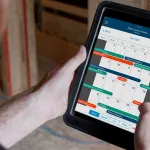

Buildertrend
Buildertrend is construction management software for home builders and remodelers. Manage projects, schedules, budgets, and client communication in one platform.
Buildertrend Review 2026: Construction Project Management

Managing construction projects is tough, especially if you use outdated tools or try to juggle everything on paper. Many professionals struggle with project scheduling, budget tracking, and keeping documents organized.
Yet cloud-based solutions like Buildertrend now offer a smarter way forward. This buildertrend review explores how one software platform helps home builders and contractors boost efficiency through reporting tools, financial management features, and mobile app access. 2
For over ten years in the construction industry, I have seen teams transform their operations by using digital platforms that connect QuickBooks integration, real-time updates, and secure data encryption.
Buildertrend stands out as a top choice for streamlining project management software processes while enhancing client relations through its customer portal. 1 Discover if this platform can help you save time and money on your next build.
Keep reading for insights that could change how you manage every job site from now on.
Key Takeaways
- Buildertrend is cloud-based software built for home builders, contractors, and remodelers. Over 61% of reviews come from companies with 2 to 50 employees (section 2).
- It offers strong project scheduling tools that score 4.73 out of 5, mobile app access on iOS and Android, QuickBooks/Xero integration, and a secure client portal (sections 3–5).
- Real-time updates score high at 4.83/5; daily logs and instant notifications keep teams on track. More than half of users report positive experiences with these features (section 6).
- Customer support earns top marks at 4.7/5—82% give positive feedback. Features like onboarding help desk tickets, live chat, webinars, and dedicated reps stand out (section 7).
- Pricing starts at $499/month without a free plan but does offer a timed free trial. Some users note steep learning curves or value concerns compared to Houzz Pro ($399/month) and Contractor Foreman (sections 4 & 8).
Buildertrend Overview

Buildertrend stands out as a cloud-based construction project management software built for home builders, specialty contractors, and remodelers. You can use it to centralize every aspect of your projects in one platform—schedules, financials, documentation, payments, and project communication.
Small businesses benefit the most from Buildertrend since 61% of its reviews come from companies with two to fifty employees. The platform streamlines lead management, payment processing with integrated credit or debit cards, project scheduling using Gantt charts and task dependencies, document management including file storage and version control through the web or mobile app on iOS and Android devices.
You get access to powerful integrations like QuickBooks integration for accounting systems or Xero integration for seamless financial management. It also connects well with other tools such as Google Drive for file storage and Zoom for virtual meetings.
Built-in security measures include data encryption; GDPR compliance; HIPAA compliance if you handle protected health information; two-factor authentication (2FA); security audits; regular backups at certified data centers; support for screen readers to meet assistive technologies standards; replication features that protect your business data against loss.
As an investor or real estate professional seeking better decision-making in construction tech investments or daily operations oversight, this all-in-one software-as-a-service gives clear visibility into every detail that drives profits while maintaining professionalism with your clients through a dedicated client portal.
Back to topKey Features of Buildertrend

Buildertrend puts real-time project control at your fingertips, letting you track every detail from your phone or computer. Its cloud-based tools like gantt charts and task management streamline construction work for residential builders and investors alike.
Project Scheduling
Project scheduling in Buildertrend stands out for its strong ratings and ease of use. Its job scheduling scores 4.73, ranking above the category average of 4.48, according to recent user data from 2026.
You assign tasks quickly using Gantt charts or calendar views then manage deadlines by linking task dependencies. Assigning work to subcontractors happens with only a few clicks, which eliminates most manual tracking headaches.
You gain tools that help forecast labor needs, adjust material deliveries, and prevent clashes between different trades on site. Subcontractor timelines update in real time so you catch delays early and keep projects on track for timely completion.
Clients also benefit from real-time calendar updates through the client portal; they log in at any stage to view project progress without excess calls or emails.
Field teams create daily logs directly from mobile devices while onsite which keeps both management and stakeholders informed about operational conditions each day. The majority of users rate these project management features highly: more than half (51%) mention positive experiences in reviews about scheduling capabilities alone.
Still, some investors have flagged limited customization options in certain calendar views as well as the lack of a multi-project master scheduler if managing many active jobs across your portfolio simultaneously is crucial to your business model.
Budget and Cost Management
Buildertrend gives you clear control of budget and financial management. Use customizable budget formats to share costs with clients and investors. Financial tools let you manage bids, invoices, purchase orders, cash flow, and budgets in one place.
Integrate QuickBooks or Xero to track spending across projects without leaving the platform.
The system helps calculate material needs for residential builds using digital blueprint uploads. You can review timesheets, record work hours, and track change orders easily inside one dashboard.
Data from 2024 shows 38% of users rated budgeting positive while 45% felt neutral; some point out that advanced estimating features are limited and cost variance tracking could be more flexible.
Buildertrend keeps your construction project management software efficient but may require a learning curve for complex jobs or larger data sets.
Document Management
Centralize all your project documentation using Buildertrend’s file storage system. Organize digital blueprints, contracts, and daily logs in one secure location for easy access.
As a real estate investor or developer, you can upload receipts and manage estimates within minutes. The platform integrates with top cloud service providers like Dropbox and Google Drive to streamline document sharing.
Share critical project files with your team or clients through the customer portal. All correspondence, including email records linked from Microsoft Outlook, stays attached to each project record for better tracking.
Use data encryption and advanced data protection tools to keep sensitive information secure and maintain HIPAA compliance standards. Automated proposal creation lets you attach needed documents right inside requests for information or change orders without extra steps.
In my experience, this has saved hours of admin work while improving accountability across construction management projects.
Communication Tools
Communication tools in Buildertrend keep your project team, subcontractors, and clients connected on one platform. Use features like real-time comments, messaging, and daily logs to improve transparency and reduce missed updates.
Share punch lists with subs or post regular progress photos for stakeholders right from the mobile app or desktop dashboard. The Customer Portal creates easy access for homeowners to check progress reports and upload needed files. 1
Customizable notification settings let you tailor alerts about project changes so no important messages slip past you. Email notifications received mixed feedback: 36% of users rated them positively, 43% held a neutral view, while 21% gave negative reviews.
Some users find it hard to manage conversation threads across multiple platforms; centralized communication aims to fix this by streamlining all updates in the construction project management software. 2
Collaboration benefits greatly from these digital solutions. You can share documents instantly using secure file storage that protects sensitive information under strict data privacy rules including GDPR compliance and HIPAA compliance standards.
Builders see fewer redundant client emails since each party has live access to current details in one place through the customer portal—a key shift if you want enhanced teamwork in residential builds or large-scale developments alike.
Mobile App Functionality
All paid Buildertrend plans give you access to a mobile app on iOS and Google Play. You can use your phone or tablet to post daily logs, manage checklists, update schedules, and handle project management tasks from anywhere.
The app covers project scheduling with Gantt charts, time tracking with a built-in time clock, photo uploads for documentation, and strong reporting tools right on site.
You receive real-time updates and push notifications from the mobile platform as changes happen across your projects. Task management features let you assign jobs, mark completion percentages, add notes about change orders or financial management needs, and communicate directly with your team using integrated chat—no Slack needed.
Clients also benefit through instant progress reports in the customer portal interface.
Mobile deployment works well for Android devices like Samsung phones as well as Apple’s iPhone and iPad lines. Many home builders praise the ability to upload photos instantly or adjust task dependencies while walking a jobsite; this adds efficiency especially for residential builders managing several sites at once.
Some users have mentioned frustration when switching between mobile app screens or using more complex desktop functions inside the construction project management software suite; however, ongoing software testing helps refine usability over time according to customer support feedback captured in 2025-2026 evaluations.
Back to topBuildertrend Pricing and Plans

Buildertrend offers flexible plans to fit small contractors and large residential builders. You can access different project management features, including gantt charts and QuickBooks integration, based on the plan you choose.
Subscription Tiers
Subscription tiers begin at $499 per month, with all plans providing full mobile app support for both iOS and Android. You get access to core project management features like gantt charts, task dependencies, financial management tools, document management, daily logs, and client portal functions.
Each plan enables you to manage multiple projects efficiently with robust time tracking and reporting tools.
All subscription tiers allow seamless quickbooks integration, xero integration, and essential CRM connections for better construction project oversight. Every package includes onboarding guidance and ongoing customer support tailored to the construction industry’s needs.
Custom options fit businesses supervising five or more annual builds or those needing specialized solutions for complex home builder workflows. No free plans are available; all service levels require a paid subscription tier structured around your business size and requirements.
Free Trial Options
You can try Buildertrend’s construction project management software through a free trial. 3 During this period, you get access to key features like project scheduling tools, financial management modules, daily logs, the client portal, and time tracking options.
This hands-on approach helps you assess if Buildertrend fits complex builds and multi-phase residential projects.
During the trial, take the Builder Fit Quiz. The quiz evaluates your business needs and checks if you would benefit from task dependencies features or integrations such as QuickBooks integration or Xero integration.
You also receive onboarding support so you can use reporting tools and explore both the mobile app for iOS and Android devices.
Access core functions including document management, customer relationship management modules (CRM), real-time communication tools, file storage capabilities with data encryption for data security, payment processing evaluations for investors handling multiple payments per month, and HIPAA compliance settings for privacy standards.
The free trial remains available for a set window of time; current industry practices point toward two weeks as a standard duration although details may vary by user location and offer updates in 2026.
If you are a real estate professional managing home builder operations or large-scale investments in construction tech platforms, use this risk-free period to analyze how each feature supports better collaboration through enhanced digital workflows on Buildertrend’s platform.
Back to topBuildertrend Integrations

Buildertrend connects with popular business tools like QuickBooks and Xero. You can sync client data and project details across your favorite construction tech platforms for smoother workflows.
Accounting Software
Connect your construction project management easily with top accounting software like QuickBooks and Xero. You can sync Buildertrend with QuickBooks Online or Desktop, both highly rated by users, with QuickBooks Online integration scoring 4.3 from 17 user reviews and the Desktop version at 4.0.
Xero integration simplifies managing budgets, invoices, and payments for residential builders and home builders alike.
Automated financial data syncing cuts down on double entry while lowering costly errors in your records. Access cash flow management tools that help you stay on top of bids, purchase orders, invoice tracking, and payment processor activity across projects.
All paid subscription tiers include these integrations so you do not have to worry about hidden fees for key functions like material cost calculation or gantt chart-backed budgeting in your construction tech workflow.
CRM Tools
Buildertrend links with top CRM platforms, including Salesforce, HubSpot, and Pipedrive. You can manage leads and sales while tracking every step within your construction project management software.
The Salesforce Sales Cloud integration holds a perfect 5.0 user rating from real-world feedback in 2024. This setup empowers home builders to sync client data for better project scheduling and financial management. 4
.CRM tools help you remove duplicate entry by syncing information between Buildertrend and your customer relationship systems. Your operations stay centralized as all lead tracking ties directly into tasks like daily logs or time tracking across projects.
These integrations come included in current Buildertrend plans; however, some providers such as HubSpot may add extra charges for advanced features or increased usage limits. Integrating CRMs lets you streamline sales processes while lifting much of the administrative burden typical in the construction industry.
.Other Construction Software
You can streamline your projects by integrating Buildertrend with other popular construction software. The platform connects with project estimating and material takeoff tools to help you generate accurate bids and manage resources more efficiently.
Many users prefer this feature because it cuts down manual entry and reduces errors.
Google Calendar integration, rated 4.7 by users, keeps your project scheduling in sync across devices. For financial management and bid tracking, Microsoft Excel integration (rated 4.5) offers seamless data transfer for reporting tools and cost analysis.
Upload digital blueprints directly into the system for instant takeoff calculations, allowing quick updates when change orders arrive.
The ability to centralize data from various products boosts efficiency throughout all stages of a build. This compatibility lets you consolidate file storage, daily logs, time tracking details, gantt charts, customer portal activity, and even CRM tool connections like QuickBooks or Xero integration within one dashboard.
Streamlined workflows help residential builders maintain compliance standards such as GDPR or HIPAA while supporting Android app access on the go—essentials in today's construction tech landscape.
Back to topBenefits of Using Buildertrend

Buildertrend gives you the tools to boost your team’s productivity and keep every project on track—discover how this software can sharpen your workflow next.
Improved Efficiency
Task scheduling and daily logs let you organize jobs and track progress throughout your construction projects. 5 The mobile app’s checklist tools speed up project updates while team members use time clock features for precise tracking of hours across multiple sites.
As a real estate investor, you benefit from streamlined reporting tools that highlight budget changes or missed deadlines in real-time.
Centralized project management reduces the hours spent on paperwork. You can manage change orders, invoices, and client communication from one platform, which means less confusion and fewer delays. 6 Teams stay on target with instant notifications about task dependencies or schedule shifts through the client portal. QuickBooks integration simplifies financial management so you spend less time balancing books and more time scaling your portfolio.
Enhanced Collaboration
Communication tools like daily logs, punch lists, and real-time messaging help you work closely with field crews and office staff. These features create a transparent environment for both project teams and clients.
The client portal lets homeowners track progress, view files, upload documents, and share feedback in seconds. Subcontractors receive task assignments through automated notifications and gantt charts keep everyone on the same page.
Centralized document management cuts down information silos by giving every team member quick access to schedules or change orders. Accepting online payments streamlines transactions so your projects move faster from start to finish.
QuickBooks integration allows seamless financial management while Xero users can sync data without extra steps. With Buildertrend’s collaboration tools designed for construction project management software, you boost efficiency and deliver more value to clients every step of the way.
Real-Time Updates
Real-time updates set Buildertrend apart in construction project management software. This feature scores 4.83 out of 5, beating the industry average of 4.25. You get instant status changes on tasks, deadline reminders, and completion notices pushed directly to every user.
The mobile app sends quick alerts to onsite teams, so no one misses important project milestones or sudden changes.
Clients benefit from real-time calendar and progress updates through the client portal as well. Field teams can respond fast because daily logs and change orders sync across all devices without delay.
Automated notifications can be tailored to fit your needs, which lets you stay ahead of issues before they cause delays.
Over half—51%—of users report positive experience with scheduling and real-time update functions during their Buildertrend review process. Real estate professionals like you gain detailed forecasting for labor and materials using these reporting tools; this improves financial management at every step.
Enhanced task dependencies help crews coordinate their work better, keeping things running smoothly whether you're building custom homes or managing multiple residential projects at once.
Back to topUser Reviews and Ratings
Users highlight how Buildertrend’s construction project management software streamlines daily logs and change orders for residential builders. Many point to its advanced reporting tools, quickbooks integration, and customer portal as keys to smoother task management across the construction industry.
Ease of Use
Buildertrend scores a strong 4.4 out of 5 for ease of use, according to recent user ratings. Many real estate professionals appreciate the software’s organized layout and clear workflows.
The mobile app makes it easy for you and your team to access project scheduling tools, daily logs, budget management, and client portals from anywhere on-site or in the office.
Some users found Buildertrend’s initial setup overwhelming due to its many features, but most agree that training helps streamline your workflow quickly. Matt G., with two years of experience and a company size between 11-50 employees, rated ease of use as 4 out of 5 and praised daily logs along with the client portal feature as key benefits.
Mark B., also from a similar firm size but with less than twelve months using Buildertrend, echoed this sentiment about feature overload at first but noted improvements over time. Leisa M.
ranked usability at level 3 because she struggled with software complexity and wanted a free trial before commitment. Mobile functionality stands out by supporting quick updates in real time directly on-site—boosting adoption across construction industry teams managing financials or change orders through their smartphones or tablets.
Customer Support Feedback
Customer support in construction tech can make or break your project management experience. With Buildertrend, customer support scores a 4.7 out of 5, the highest among secondary ratings for construction project management software in 2026.
You will find that 82% of user feedback is positive, with many calling out the team as knowledgeable and responsive. For example, Ryan B., running a small team for less than a year, gave support a perfect score even while finding other areas lacking.
Hunter L. also rated it a five after getting prompt answers to his issues.
Support options fit any workflow you use: Email or help desk tickets for detailed questions; phone and live chat if you need fast solutions; an online forum and knowledge base if you prefer self-service research at any hour; and webinars plus videos to guide onboarding or teach new features like change orders or gantt charts.
Dedicated reps provide assistance during free trials and after subscribing, which helps residential builders move quickly through setup on tools like mobile app functionality or QuickBooks integration.
Even users facing struggles with tax setups still praised the quick response from support agents such as Leslie D., who rated them five stars despite those technical hurdles. This level of service supports efficient daily logs and real-time communication across your client portal, reinforcing Buildertrend’s lead in customer care within the construction industry.
Value for Money
Value for money in Buildertrend earns a 4.3 out of 5 from user ratings. Subscription plans start at $499 per month, with more detailed pricing available upon request. Some users, including Hunter L., rated value as low as 1 because of high costs and limited pricing flexibility.
Houzz Pro, a top competitor, is priced at $399 per month for comparison.
Other voices highlight different experiences with cost effectiveness. Stephanie L., who works in electrical manufacturing, gave perfect marks across all categories including financial management and customer support.
Leslie D., however, scored Buildertrend’s value as a 3 since she found the software more tailored to US builders than those in Canada. Leisa M. graded value at just 2 due to complex features and no free trial option.
You have access to reporting tools such as gantt charts and daily logs using the standard subscription plan. To avoid surprises in budgeting or change orders, ask for a personalized breakdown before you commit long term; this ensures transparency about what each tier provides for construction project management needs or quickbooks integration requirements.
Back to topBuildertrend vs Competitors
You need to see how Buildertrend handles project scheduling, gantt charts, and financial management compared to other construction tech tools. This section gives you clear insights into the strengths and weaknesses that set Buildertrend apart from its rivals.
Buildertrend vs Contractor Foreman
Buildertrend and Contractor Foreman rank as top choices for construction project management software. Both offer powerful reporting tools, cloud-based file storage, mobile app access, time tracking, and quickbooks integration.
Buildertrend stands out with its high customer support rating of 4.7 and robust financial management features like gantt charts, change orders, real-time daily logs, client portal functions, data encryption for HIPAA compliance, and GDPR compliant safeguards.
Contractor Foreman targets small to mid-sized businesses seeking simple task management and strong cost control. Many residential builders prefer Buildertrend to consolidate accounting software like Xero integration with CRM tools in one platform if Procore feels too complex or other products lack key features.
Software Advice guides users comparing these two platforms based on ease of use, customer support feedback, value for money ratings, and how each fits your construction industry workflow needs.
Buildertrend vs Houzz Pro
Compare Buildertrend and Houzz Pro, and you will see key differences for construction project management. You get better customer support with a 4.7 rating using Buildertrend, while Houzz Pro holds a 4.3 score from its users. 7 If your team relies on mobile app functionality to upload photos or send real-time updates direct from job sites, you may find Buildertrend’s app more reliable than Houzz Pro’s features.
You can only learn the pricing for Buildertrend through a custom quote, but Houzz Pro costs $399 per month as of 2026. Issue Management sees high marks in Buildertrend at 4.86 out of 5; Job Scheduling scores reach 4.73 compared to lower ratings elsewhere.
Ease of use also tips in favor of Buildertrend at 4.4 versus Houzz Pro's 4.2 score according to recent reviews by over two thousand users combined across both platforms.
Based on past projects, data transfer challenges often arise if switching between these two solutions due to limited data portability options despite each offering reporting tools and integrations like QuickBooks or Xero integration for financial management needs tied to residential builders and investors alike seeking robust construction tech for daily logs, task dependencies, or client portal features within their workflow.
Back to topWho Should Use Buildertrend?
Home builders, remodelers, specialty contractors, and commercial contractors will get the most value from Buildertrend. If your company manages more than five projects a year or handles complex builds with many moving parts, this construction project management software fits your needs.
Many small businesses use Buildertrend too; in fact, 61% of reviews come from companies with two to fifty employees. This makes it an ideal choice for growing firms that want to keep up with modern construction tech and need scalable solutions.
If you want to manage every step of a project in one place—from lead generation through final walk-through—Buildertrend is built for you. You can streamline financial management using robust reporting tools and track change orders easily through mobile app functionality.
Project scheduling becomes simple with visual Gantt charts and daily logs help monitor progress on-site. Enterprises focused on residential or commercial jobs benefit by keeping all communication secure thanks to data encryption and HIPAA compliance features.
Companies wishing to consolidate multiple systems into one unified platform also find strong benefits here. QuickBooks integration and Xero integration allow you to sync budgets automatically while the client portal ensures clear updates for investors or property owners throughout each phase of work.
If cloud-based access matters so teams can collaborate anywhere via their phones or tablets, you gain efficiency at every stage without sacrificing control over file storage or task management workflows.
Back to topIn-depth Buildertrend Review
Real estate professionals and investors find that Buildertrend delivers high marks for project scheduling, reporting tools, and daily logs. Issue management receives a score of 4.86 out of 5 from over 2,400 verified reviews, while real-time updates reach a strong 4.83 rating.
You can use Gantt charts to visualize timelines and track task dependencies within one construction project management software platform. Financial management shines with bids, budgets, purchase orders, invoices, change orders, and clear cash flow features built into the interface.
The mobile app allows you to log activity in daily logs or clock staff hours on the go—a key advantage for field teams handling residential builds or large commercial jobs. Many users appreciate the client portal for direct customer communication and collaborative document sharing; Matt G., Sarah M., Todd H., Luis C., Mark B., and Ryan B.
each provide four-star feedback highlighting time tracking accuracy or improved organization through task management tools like file storage and alerts. Customer support sentiment remains positive at 82 percent but does see some criticism about desktop-mobile usability gaps or complex Canadian tax handling.
Integration with QuickBooks or Xero keeps accounting smooth if you prefer single-point data synchronization across your workflow stack in construction tech today.
Back to topConclusion
Buildertrend stands out as a complete construction project management software for home builders and remodelers. You will gain better control of project scheduling, financial management, and client portals with its tools.
QuickBooks integration and real-time reporting options make your workflow smoother. If you want to boost efficiency or improve team collaboration, Buildertrend gives you the know how to succeed in the construction industry.
Choose this platform if you value streamlined communication and robust data security for your building projects.
Back to topFAQs
1. What features does Buildertrend offer for construction project management in 2026?
Buildertrend provides gantt charts, daily logs, reporting tools, and task dependencies to streamline project scheduling and task management. The software includes file storage and a client portal for easy document sharing with residential builders and home builders.
2. How does Buildertrend support financial management?
The platform offers change orders, time tracking, QuickBooks integration, Xero integration, and strong financial management tools. These help construction businesses track costs accurately while keeping data secure through data encryption.
3. Is there a mobile app available for Buildertrend users?
Yes, the mobile app lets you manage tasks on the go; update daily logs; access the customer portal; monitor progress using reporting tools; and communicate with clients from anywhere in the construction industry.
4. Does Buildertrend meet compliance standards like HIPAA?
Buildertrend uses strict data encryption protocols that support HIPAA compliance needs within its construction tech ecosystem; this protects sensitive information related to both projects and clients.
5. What kind of customer support can users expect from Buildertrend?
Users get professional customer support designed for fast problem-solving across all aspects of construction project management software usage including troubleshooting issues with project scheduling or integrating new features into their workflow.
References
- ^ https://buildertrend.com/blog/construction-project-management-features/ (2020-08-14)
- ^ https://buildertrend.com/product-overview/
- ^ https://buildertrend.com/pricing/
- ^ https://buildertrend.com/blog/buildertrend-integrations/
- ^ https://www.forbes.com/advisor/business/software/buildertrend-review/ (2025-11-11)
- ^ https://buildertrend.com/press-releases/buildertrend-unveils-top-2025-product-updates/
- ^ https://www.softwareadvice.com/construction/buildertrend-profile/vs/houzz-pro/