

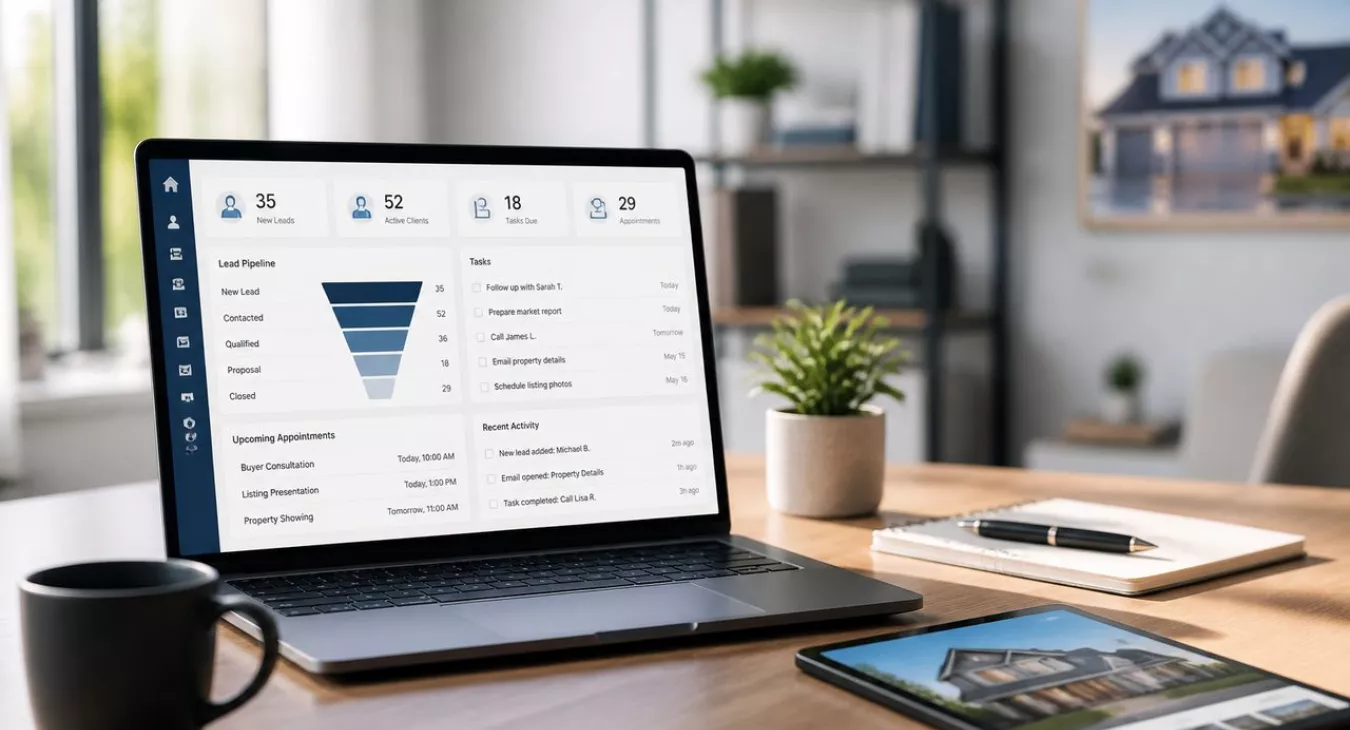
Discover real estate agent CRM time management tips to work smarter, eliminate busywork, and boost your income. Proven workflow hacks inside.
Products and Tools Mentioned in this Post

Follow Up Boss
Follow Up Boss is a real estate CRM that helps agents manage leads, automate follow-up, and increase conversions. Streamline your sales process today.

Luxury Presence
Luxury Presence offers premium website design, IDX integration, and digital marketing tools for luxury real estate agents. Elevate your brand with custom solutions.

Brokermint
Brokermint is an all-in-one back office management system for real estate brokerages. Manage agents, track commissions, handle accounting, and coordinate transactions.



Contactually
Contactually is a real-estate-ready CRM with list building, skip tracing, calling, texting, automated follow-up, project management and websites under one login.
Table of Contents
- Why Time Management Is a Financial Issue, Not Just a Lifestyle One
- Assess Where Your Time Actually Goes
- The High-Value vs. Low-Value Task Framework
- Core Time Management Strategies That Actually Work
- CRM-Specific Strategies for Time Management
- Automation and Technology Tools: What to Actually Use
- Delegation and Outsourcing: Your Time Has a Dollar Value
- Weekly and Daily Planning Systems That Prevent Reactive Workflows
- The 80/20 Rule: Where Your Results Actually Come From
- Managing Energy, Not Just Hours
- Setting Boundaries: The Time Management Skill Nobody Talks About
- Common Pitfalls That Undermine Every System
- Measuring ROI on Your Time Management System
The best real estate agents aren't grinding 80-hour weeks. They're protecting their time and cutting out the garbage tasks that don't move deals. You're stuck in reactive mode—drowning in email, manually entering data into spreadsheets, losing deals to admin work—because your CRM and workflow systems either don't exist or they're misconfigured. This guide gives you concrete, actionable real estate agent CRM time management tips. You'll shift from chaos to control.

Why Time Management Is a Financial Issue, Not Just a Lifestyle One
Here's the reality: the median real estate agent pulls in $59,200 annually. That's based on the NAR 2026 Member Profile, which tracked 9 transaction sides per agent per year across all Realtor members. But look at the veterans — agents with 16+ years under their belt earned $88,500. New agents with two years or less? $8,000. That gap isn't just experience. It's workflow. It's discipline. Top performers have systems that protect their time for deals, not paperwork.
Now subtract $9,530 in annual business expenses. Your real income just dropped. And here's what kills most agents: every hour wasted on manual scheduling or chasing signatures is an hour you're not prospecting. You're not negotiating. You're not building the relationships that actually close deals. Those wasted hours directly impact whether you hit 9 sides or blow past that number.
Want the hard math? With a BLS median wage of $52,830 and buyer's agent commissions at 2.42% as of Q3 2025, missing one follow-up on a $400,000 lead costs you thousands. And you probably don't even know you missed it. A CRM-driven system stops that from happening. Your time management isn't about feeling less busy — it's about keeping money in your pocket.
Back to topAssess Where Your Time Actually Goes
Run a one-week time audit before you optimize anything. Log every task in 15-minute blocks — client calls, email, social media browsing, manual data entry, showings, paperwork — and don't change your behavior while you're doing it. Here's what happens: most agents who actually do this discover that a huge chunk of their week vanishes into low-value activities. These tasks could be automated, batched, or delegated.
Now look at your data. Bucket everything into three categories: revenue-generating (showings, prospecting calls, negotiations, closings), supporting (CRM updates, follow-up emails, marketing), and draining (reactive email, unstructured scrolling, redundant admin work). Don't try to eliminate the supporting category — that's not realistic. Instead, make it as efficient as possible. That way your revenue-generating work gets your best hours and your sharpest brain.
Common Time Wasters Specific to Real Estate
- Manual CRM data entry after every call or showing, when integrations can handle this automatically
- Email ping-pong for scheduling — five back-and-forth messages to book a 30-minute showing
- Reactive market alert checking throughout the day instead of at designated review windows
- Unstructured social media that doesn't connect to a documented lead generation strategy
- Client emergencies that aren't emergencies — managing expectations poorly creates urgency where none exists
The High-Value vs. Low-Value Task Framework
Here's the thing: you're wasting time on the wrong stuff. Not all real estate tasks move the needle, and the table below shows you exactly which ones do—and which ones don't. Use this to kill your week instead of letting your week kill you.
| Activity Type | Revenue Impact | Time Investment | Recommendation |
|---|---|---|---|
| Client consultations & listing presentations | Very High | Medium | Prime calendar blocks; never delegate |
| Buyer showings & property tours | High | High | Batch by geography; protect afternoon blocks |
| Negotiation & offer management | Very High | Medium | On-demand; flag as top priority in CRM |
| Lead follow-up calls & texts | High | Low–Medium | Automate initial touch; personal follow-up in power hour |
| Email nurture sequences | Medium | Low (once built) | Automate entirely via CRM workflows |
| CRM data entry & contact updates | Low | Medium | Automate or delegate to VA |
| Manual social media posting | Low–Medium | High | Batch-create weekly; use scheduling tools |
| Email inbox monitoring | Low | High (if unstructured) | Check 2–3 times daily only |
Core Time Management Strategies That Actually Work

Time Blocking: Your Calendar Is Your Business Plan
Here's the deal: time blocking means you assign specific calendar slots to specific types of work. Then you treat those slots exactly like a client appointment — non-negotiable. Most agents keep a to-do list but leave the calendar wide open. Whoever shouts loudest wins your day.
If you're handling 9–15 sides per year, here's a practical template that works:
| Time Block | Activity Type | Duration | Revenue-Generating? |
|---|---|---|---|
| 7:00 – 8:00 AM | Personal routine, review daily plan | 60 min | No (protective) |
| 8:00 – 10:00 AM | Prospecting calls, lead follow-up (power hour x2) | 120 min | Yes |
| 10:00 – 10:30 AM | Email & CRM inbox — first check | 30 min | Supporting |
| 10:30 AM – 12:30 PM | Client consultations, listing prep, offers | 120 min | Yes |
| 12:30 – 1:30 PM | Lunch break — protected | 60 min | No (recovery) |
| 1:30 – 5:00 PM | Showings, property tours (batched by area) | Variable | Yes |
| 5:00 – 5:30 PM | Email & CRM — second check; admin batch | 30 min | Supporting |
| 5:30 – 6:00 PM | Next-day planning & weekly review (Fridays) | 30 min | Supporting |
Just starting out? Lean hard into prospecting blocks — 8–10 AM and 4–6 PM are when prospects actually pick up. Been in the game longer and living off referrals? Compress those prospecting hours and spend more time on consultations and negotiations. Your template should shift as your business matures.
Daily To-Do Lists with Eisenhower Matrix Prioritization
Your time-blocked calendar tells you when to work. Your daily to-do list tells you what gets done first. Build it the night before or during your morning 7–8 AM window, then run every single item through the Eisenhower Matrix — basically a four-box grid that separates urgent from important:
- Urgent + Important: Active offer negotiations, client emergencies, same-day closing issues — these go to the top of your list and get handled immediately
- Important + Not Urgent: Prospecting calls, CRM pipeline reviews, marketing planning — lock these into dedicated blocks and defend them with your life, because they're what actually builds your business over time
- Urgent + Not Important: Most emails, scheduling requests, broker meeting reminders — batch these together, delegate them, or skip them unless you absolutely have to touch them personally
- Not Urgent + Not Important: Social media scrolling, optional webinars, low-value admin — eliminate these completely or give them a strict time limit; don't let them touch your daily list
That third box? It's the danger zone. Agents get trapped there constantly — tasks that *feel* urgent because someone else manufactured urgency, but don't move your business forward at all. A ringing phone isn't a priority just because it's ringing.
Keep your daily list to five or seven items max. An honest short list beats a long one that paralyzes you. Mark one item as your "frog" — the most uncomfortable or critical thing — and put it at the very top. Everything else waits.
Eat the Frog: Lead with the Hard Thing
Simple principle. Find the task that makes you uncomfortable or that matters most. Do it first. Before email, before Slack, before anything touches your day. For most agents, that's prospecting calls. Knock it out by 9 AM, and the psychological win carries you through everything else that follows. Block 8–9 AM specifically for this. Don't check email until it's done.
Task Batching: End Context Switching
Context switching kills you. Bouncing from a client call to an email to a CRM update to a social post? Each switch costs you mental reset time. That's cognitive efficiency straight down the drain.
Group similar work together instead. Return all non-urgent calls in one focused 45-minute block. Knock out your follow-up emails back-to-back. Update your CRM in a single 20-minute session at day's end. Social media is perfect for batching — create an entire week of posts in 90 minutes on Monday morning instead of scrambling every single day for content. Want the systematic approach? Check out our guide on Instagram for Real Estate Agents.
Back to topCRM-Specific Strategies for Time Management
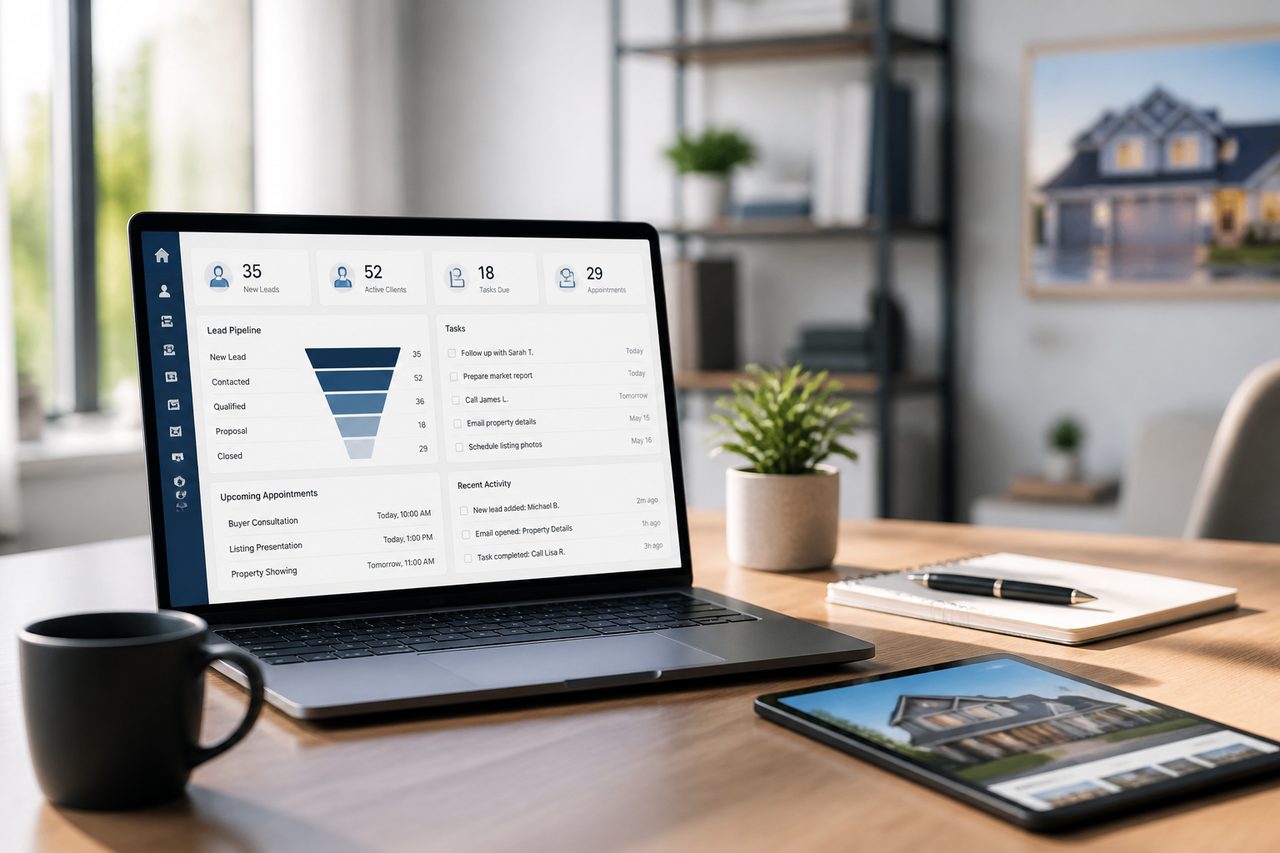
Your CRM is either a workflow engine or it's a glorified rolodex. Most agents treat it like the latter. The top performers? They build it for action.
How to Structure Your CRM for Maximum Time Efficiency
- Pipeline stages with clear triggers: Every lead needs a defined next action and a due date. Let a contact sit in "New Lead" for 48 hours without a task attached, and you're already watching decay happen in real time.
- Automated follow-up sequences: The first 5 minutes and the first 5 days after contact are critical — drip campaigns should fire the moment a lead enters your system. Don't rely on yourself to remember the touches that matter most.
- Daily task view as your morning command center: Forget the full contact list. Configure your CRM so you open it and see today's tasks sorted by priority, nothing else.
- Contact tagging by stage and source: Tag leads by where they came from (referral, open house, website) and where they stand (hot, warm, nurture). This gives you one-click segmented campaigns instead of manually deciding who gets what message every time.
- Automated reminders for relationship maintenance: Set it and forget it — recurring touchpoints for past clients, a 6-month check-in, an annual home anniversary message. Your referral pipeline stays warm without eating up mental bandwidth.
Want the full breakdown of CRM platforms built for agents? Check out our roundup of the best real estate CRM apps for investors and agents. And if IDX integration is non-negotiable for your lead capture workflow, we've got a guide on the best real estate CRMs with IDX integration that digs into that specifically.
CRM Options Worth Knowing
Contactually is built for agents who don't want to juggle five different tools. It's the real-estate-ready CRM that KDS (the publisher of this site) teamed up to create — and it includes list building, skip tracing, project management, texting, calling, email, funnels, pipelines, workflows, and social posting all in one place. Usage runs on top of your plan fee (calls, minutes, texts get billed separately). Head to contactually.net for current pricing. Important note: This isn't the older Contactually that Compass acquired. It's a separate platform built from scratch. It's built for agents who want to consolidate tools, but if you're flying solo and only need basic pipeline management, it might be overkill.
HubSpot CRM? Strong free tier if you just need contact management and email tracking. No calls, no texting. Salesforce scales for large teams but demands serious setup work. And if you're positioned at the luxury end of the market, the Luxury Presence CRM takes an AI-first approach to relationship management that's worth a look.


Automation and Technology Tools: What to Actually Use

| Tool Category | Tool Name(s) | Primary Function | Key Time Benefit |
|---|---|---|---|
| CRM / All-in-One | Contactually, HubSpot, Follow Up Boss | Lead pipeline, follow-up automation, contact management | Eliminates manual tracking; automated sequences |
| Appointment Scheduling | Calendly, Acuity Scheduling | Self-serve booking with calendar sync | Removes scheduling email chains entirely |
| Email & Marketing Automation | Mailchimp, ActiveCampaign | Drip campaigns, segmented nurture sequences | Consistent follow-up without manual effort |
| E-Signature / Document | DocuSign, DotLoop | Digital contract signing and document management | Cuts days off transaction timelines |
| Workflow Automation | Zapier, Make (formerly Integromat) | Connect apps; automate multi-step triggers | Eliminates manual data transfer between tools |
| Calendar & Time Blocking | Google Calendar, Motion, TickTick | Schedule enforcement, AI-assisted scheduling | Prevents reactive scheduling drift |
| AI Productivity | Revii AI, ChatGPT | Email drafting, scripts, content, admin automation | Reduces writing and research time significantly |
| Transaction Management | Dotloop, SkySlope, Brokermint | Deal tracking, compliance, document workflows | Centralizes closing process; fewer status check-ins |
Calendly deserves its own spotlight. Want to know the single fastest time win you can implement this week? Kill the scheduling emails. Set up a showing request link and a consultation booking link. Drop them in your email signature and your website. That's it. You've just eliminated an entire category of back-and-forth friction that wastes hours every month.
Then there's Zapier. This tool does something powerful: it builds integrations you'd normally need to hire a developer for. And the automation sequences are dead simple to set up. New CRM lead arrives → welcome email sequence fires automatically. DocuSign gets signed → transaction folder creates itself in Google Drive. Calendly booking comes through → task gets added to your pipeline. Build these workflows once. They run forever without touching them again.
Want deeper context on how AI marketing fits into the bigger picture? Check out our Ylopo Review 2026 for the specifics on AI-driven lead generation and follow-up.
Back to topDelegation and Outsourcing: Your Time Has a Dollar Value

Here's the hard truth: 79% of Realtors are working solo, according to NAR 2026 Member Profile data based on 2025 activity. And that's exactly the problem. You're capping your own income by trying to do everything yourself, and you're burning out in the process.
What to Delegate First
| Task | Skill Required | Revenue Impact If You Do It | Outsourcing Option |
|---|---|---|---|
| CRM data entry & contact updates | Low | None | Virtual assistant (VA) |
| Scheduling & calendar management | Low | None | VA + Calendly |
| Social media posting & graphics | Medium | Indirect (brand awareness) | VA or freelance designer |
| Transaction paperwork & compliance | Medium | None (process, not advisory) | Transaction coordinator (TC) |
| Document preparation (disclosures, addenda) | Medium | None (templated) | TC or VA with training |
| Email follow-up (templated responses) | Low | Indirect | CRM automation or VA |
| MLS data research & comps pulls | Medium | Low (supporting analysis) | Buyer's agent or TC |
If you're doing volume, a transaction coordinator isn't optional—it's essential. Think about the math. A typical closing takes 36.8 days from contract to close, and the average home sits on market for around 49 days before offer acceptance. That's roughly 2.5 months of active management per deal. Your TC owns that process while you're already prospecting the next one. For the complete roadmap on building your team, check out our real estate team building guide.
Virtual assistants handle the tactical stuff: email, CRM updates, social scheduling, appointment coordination. And here's where you need to think strategically. Offshore VAs work great for tasks that don't touch your local market. But for transaction-adjacent work? A domestic VA who knows real estate terminology is worth the extra cost.
Want to scale this without losing your mind? Our transaction management software roundup for 2026 breaks down the tools that actually tie everything together.
Back to topWeekly and Daily Planning Systems That Prevent Reactive Workflows

Here's what separates top producers from everyone else: they plan. Most agents drift from call to call, showing to showing, reacting to whatever screams loudest. And it kills their numbers. The fix? A 30-minute planning session on Sunday or Monday morning before the week even starts.
The Weekly Planning Process
- Review your CRM task list and identify every follow-up due this week
- Block time for prospecting before anything else gets scheduled
- Assign appointments and showings to afternoon windows, grouping by geography
- Identify one "frog" task per day — your hardest, most important single item
- Leave 20% of your calendar as buffer for genuine urgencies and client needs
- Set a "done for the day" time and honor it at least four days out of five
That 20% buffer? It's not wasted time. It's operational intelligence. When you schedule yourself at 100%, the first deal that falls through or the surprise inspection issue or the buyer who needs same-day reassurance blows up your entire plan. You're constantly behind. Stressed. Playing catch-up. But if you build in genuine slack, those real estate emergencies get absorbed without destroying your structure.
Back to topThe 80/20 Rule: Where Your Results Actually Come From
Here's the reality: roughly 80% of your closed deals probably come from just 20% of your lead sources or client relationships. That's the Pareto principle applied to real estate, and it changes how you should spend your time. Once you know which prospecting activities, referral sources, and marketing channels are actually producing deals, you protect that time like your business depends on it — because it does. Everything else is noise.
Run this analysis every quarter. Pull your last 12 months of closed transactions from your CRM and tag each deal by source. What you'll probably find is shocking. Say 70% of your deals came from referrals — but you're dumping most of your marketing budget into paid digital ads. That's a sign you need to reallocate. Bad sign.
And if your past-client database is where most of your income actually comes from, then your highest-leverage activity isn't cold outreach. It's not even networking events. Your most productive 30 minutes each week might be nothing more than personalized follow-up calls to people who already know, like, and trust you. You're talking to warm leads who remember working with you. That beats cold calls every time.
Back to topManaging Energy, Not Just Hours
Here's the thing: not all hours are created equal. Cognitive work — pricing strategy, negotiation, crafting a listing presentation — demands real mental horsepower. Administrative work? Updating a CRM field, uploading documents. That's different. Schedule your hardest cognitive work during your peak mental window (usually morning for most agents) and save administrative tasks for when you're running on fumes mid-afternoon. You'll accomplish more in the same number of hours.
But there's more to it. You need recovery time built in. Agents grinding seven days a week during hot markets without rest? Their decision quality tanks. Client relationships suffer. A compressed five-day week with actual downtime beats a stretched seven-day grind every single time. Look at the income gap between new and experienced agents — $8,000 versus $88,500 at the medians. That gap isn't just about skill. It's about sustainable systems. Experienced agents work smarter over decades. New agents burn out by year two.
Back to topSetting Boundaries: The Time Management Skill Nobody Talks About
Here's the thing: client communication expectations will eat your entire day if you let them. Most client "emergencies" aren't actually emergencies — they're anxiety. And anxiety doesn't need instant responses. It needs reassurance and clear communication.
Scripts for Common Boundary Situations
- After-hours texts: "I've received your message and will follow up first thing tomorrow morning. If this is a time-sensitive offer situation, call me directly."
- Weekend boundaries: Set this at your first meeting: "I'm available Monday through Saturday. Sunday is for family. You'll hear back within 24 hours, and I'll make exceptions for anything genuinely urgent."
- Constant check-in requests: Want to stop "any updates?" texts? Send proactive communication instead. A weekly status email or text for active clients — sent on a fixed schedule — cuts inbound inquiries dramatically.
- Over-scheduled showings: "I want to make sure we use our time efficiently. Let's narrow your criteria a bit more so every showing we schedule is actually worth both our time."
Your calendar needs the same ruthless prioritization as your task list. Not every networking event, office meeting, or training session deserves your time. Apply Eisenhower Matrix thinking: if it's not important and not urgent, decline without the guilt trip. Looking to attract clients who actually respect your systems? Check out our guide on getting real estate clients through proven methods.
Back to topCommon Pitfalls That Undermine Every System
The Multitasking Illusion
Here's what actually happens when you try to multitask on cognitively demanding work: rapid, inefficient context switching that tanks performance on both tasks. That text you're responding to during a client consultation? You're telling them they're not your priority. Single-tasking with full presence wins. Pair it with a structured schedule, and you'll produce better work and build stronger client relationships.
Seasonal Burnout Without a Plan
Real estate has predictable pressure points. Spring selling season. Back-to-school family moves. End-of-year tax-motivated transactions. Most agents sprint unsustainably during peaks, then ghost during slow periods. That's a mistake.
Slow months aren't downtime — they're your time to build systems, nurture the database, and prospect. Continuous prospecting during slow periods is what kills feast-and-famine income cycles dead. And when you're looking at technology investments to streamline your workflow, understanding the market matters. Luxury Presence's recent $37M Series C shows how platforms are reshaping agent tools — knowing what's out there helps you make smarter software decisions during downtime.
The Challenge-Impact-Solution Matrix
| Challenge | Business Impact | Solution Strategy |
|---|---|---|
| Unpredictable client demands | Destroys planned schedule; creates reactive days | Proactive communication + 20% calendar buffer |
| Administrative overload | Reduces revenue-generating hours significantly | Delegate to VA or TC; automate with CRM workflows |
| Constant interruptions (calls, texts, notifications) | Fragments deep work; increases error rate | Designated communication windows; DND during focus blocks |
| Market seasonality and volume spikes | Burnout during peaks; lost momentum in slow periods | Seasonal planning calendar; prospecting during slow months |
| Email and notification overwhelm | Creates illusion of productivity; drains real energy | 2–3 designated check times per day; filters and rules |
Measuring ROI on Your Time Management System
Here's the hard truth: if your time management system isn't moving the needle on revenue, it's just a hobby. You need real numbers. Track these metrics every single month:
- Revenue-generating hours per week: How many hours were spent on prosp