

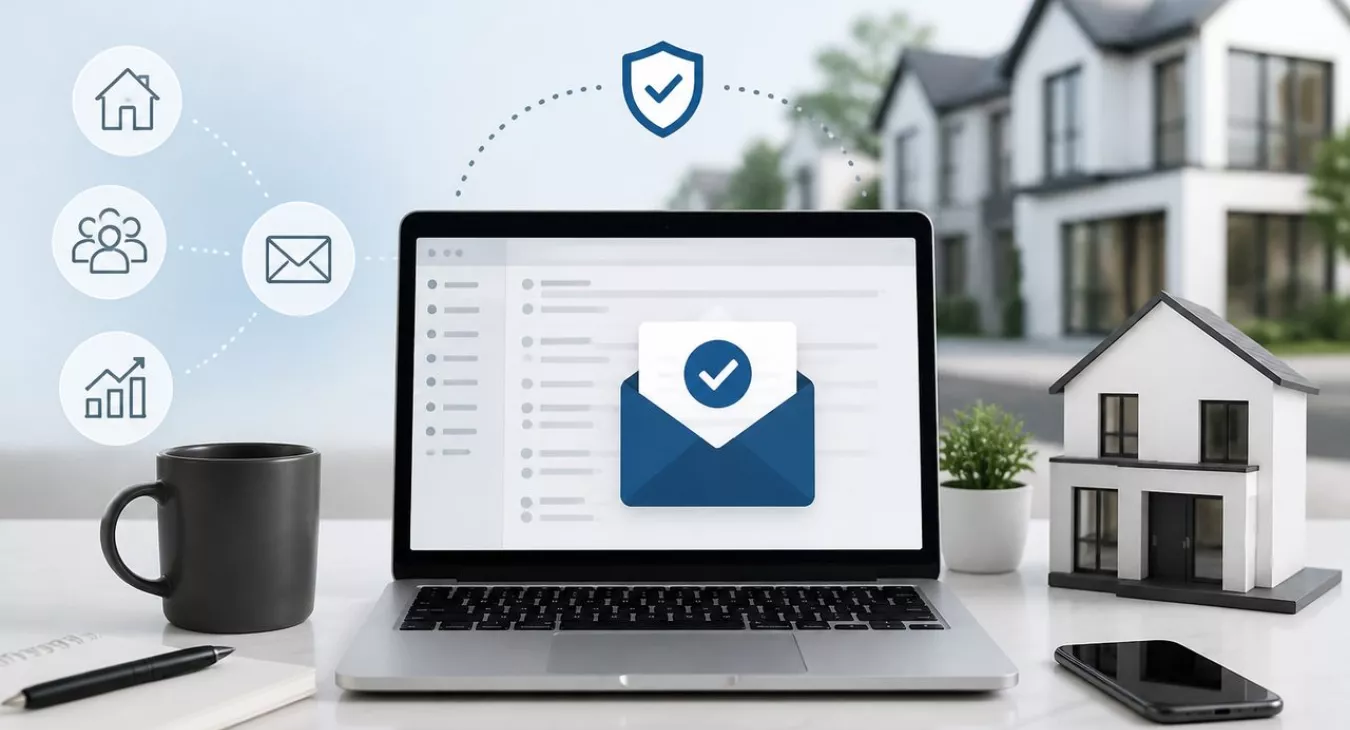
Master CRM email deliverability for real estate. Avoid spam folders, boost inbox placement & maximize campaign ROI with proven authentication & list strate
Products and Tools Mentioned in this Post

Follow Up Boss
Follow Up Boss is a real estate CRM that helps agents manage leads, automate follow-up, and increase conversions. Streamline your sales process today.

Sierra Interactive
Sierra Interactive provides real estate agents with cutting-edge IDX websites, CRM, and lead generation tools. Discover how this platform can transform your business.



Contactually
Contactually is a real-estate-ready CRM with list building, skip tracing, calling, texting, automated follow-up, project management and websites under one login.
Table of Contents
- Understanding Email Deliverability in Real Estate CRM
- Authentication Protocols: SPF, DKIM, and DMARC
- List Hygiene and Compliance
- Sender Reputation Management
- Optimizing Real Estate Email Campaign Structure
- Top CRM Platforms for Real Estate Email Deliverability
- Monitoring, Benchmarking, and Troubleshooting
Your emails either hit the inbox or they hit the spam folder. There's no in-between. And when you're running a real estate operation, that distinction costs you deals. Email marketing still delivers $36–$42 per $1 spent across all industries in 2026—but only if your messages actually get opened. Every campaign that lands in spam? You've just burned money and lost momentum with a seller or buyer who might've been ready to move. This guide walks you through every layer of CRM email deliverability for real estate campaigns: authentication protocols that ISPs actually check, list hygiene that keeps your sender reputation clean, segmentation that matters, personalization that converts, compliance that keeps you out of legal trouble, and damage control when deliverability tanks.

Understanding Email Deliverability in Real Estate CRM

Deliverability vs. Inbox Placement: Know the Difference
Deliverability is simple: your email gets accepted by the receiving mail server. It's the handshake between your sending domain and the recipient's mail provider. Inbox placement is the harder metric. Did it actually land in the primary inbox, or did it get shoved into promotions or spam?
Here's the problem: you can hit 99% deliverability and still watch half your campaigns disappear into spam. Real estate investors and agents need to nail both metrics, not just one.
2025 data from Validity's 2026 Email Deliverability Benchmark Report shows a global inbox placement rate of just 87.2%. That means roughly 1 in 8 marketing emails never hits the inbox—it's rejected or buried in spam. In a market where a motivated seller lead only engages for 48 hours, missed delivery kills the deal cold.
Why Real Estate Emails Get Flagged
You're not sending generic newsletters. Real estate campaigns hit different friction points that standard marketing advice misses entirely:
- High-volume prospecting lists: When you're sending to cold lists of distressed homeowners or absentee owners, spam filters treat you like a threat.
- Trigger words: "Cash offer," "sell your house fast," "motivated seller," "no obligation"—all the language that moves real estate is the same language spam filters blacklist.
- Mixed sending behavior: Batch-sending listing alerts to 2,000 contacts creates volume spikes that ISPs flag as abnormal activity.
- Purchased or scraped lists: Those bulk lead buys? They tank your bounce and complaint rates immediately because there's no prior relationship.
- Incomplete authentication: Most small brokerages and solo investors never set up SPF, DKIM, or DMARC on their domain. Every email you send looks suspicious to modern filters.
The Cost of Poor Deliverability
This isn't about vanity. Poor deliverability has real money attached to it.
Your real estate email open rate should sit around 19.2%—and that's excluding Apple Mail Privacy Protection bot-opens, per 2026 Mailchimp and Campaign Monitor data. If half your campaigns land in spam, your effective open rate tanks to under 10%. Now run the math: 500 buyer leads in your drip sequence, each one missing half your touches. That's a lot of conversations that never happen.
And here's what most investors get wrong: MailerLite's reported real estate open rate of 40.37% is artificially inflated by Apple's Mail Privacy Protection, which pre-fetches pixels whether someone actually reads the email or not. Don't trust that number. Click rate is your real signal. The 2025 real estate average is 1.72%. If you're consistently below that, your content isn't the problem—deliverability is.
Back to topAuthentication Protocols: SPF, DKIM, and DMARC
Everything hinges on email authentication. Since June 2024, Google's fully enforcing authentication rules for anyone pushing more than 5,000 emails per day to personal Gmail accounts—and that's locked in through 2026. But here's the thing: even if you're below that threshold, proper authentication will crush your inbox placement across Gmail, Outlook, Yahoo, you name it.
Step-by-Step Authentication Setup
| Protocol | What It Does | Where to Configure | How to Verify | Common Mistakes |
|---|---|---|---|---|
| SPF (Sender Policy Framework) | Authorizes which mail servers can send email on behalf of your domain | DNS TXT record at your domain registrar (GoDaddy, Namecheap, Cloudflare, etc.) | MXToolbox SPF Checker; Gmail "Show original" → SPF: PASS | Multiple SPF records (only one allowed); exceeding 10 DNS lookups; not including your CRM's sending servers |
| DKIM (DomainKeys Identified Mail) | Cryptographically signs outgoing email so recipients can verify it wasn't tampered with | CNAME or TXT record provided by your CRM/ESP; added at DNS level | MXToolbox DKIM Checker; Gmail "Show original" → DKIM: PASS | Not enabling it in your CRM dashboard before adding the DNS record; key length under 1024-bit |
| DMARC (Domain-based Message Authentication) | Tells receiving servers what to do when SPF/DKIM fail; sends failure reports to you | DNS TXT record: _dmarc.yourdomain.com |
MXToolbox DMARC Checker; DMARC Analyzer for report parsing | Starting with p=reject before reviewing reports; no rua tag (you won't get reports) |
Here's how to roll out DMARC for your real estate business: Start with p=none and add a rua tag pointing to your monitoring email. Spend two to four weeks digging through those aggregate reports. Once SPF and DKIM are consistently passing, bump it to p=quarantine; pct=25, then gradually increase the percentage over a few weeks. Don't touch p=reject until you're 100% certain every legitimate sender—your CRM, IDX feeds, autoresponders—is authenticated. One wrong move here and your own system emails end up in the spam folder.
And here's another mandate Gmail bulk senders can't ignore: you need one-click unsubscribe support and you've got to process those requests within 48 hours. Most modern CRMs handle this out of the box, but don't assume—log in and verify it's actually turned on in your account settings. If you migrated from an older platform, this could easily be sitting dormant.
Back to topList Hygiene and Compliance
Maintaining a Clean Contact List
A dirty list tanks your sender reputation. Fast. For us in real estate, list hygiene goes way beyond just deleting bounced emails—it's about actively stewarding a contact database that's probably a Frankenstein mashup of Zillow leads, Facebook Lead Ads, open house sign-in sheets, direct mail responses, and cold purchased lists. All different quality levels. All different consent histories.
- Suppress hard bounces immediately: Hard bounce means the address doesn't exist. Send to it twice and you're telling ISPs you don't know what you're doing. Any CRM worth its salt auto-suppresses hard bounces after the first hit.
- Manage soft bounces carefully: Soft bounces (mailbox full, temporary server hiccup) get two to three retry attempts. After three straight soft bounces from the same address? Treat it as dead. Don't keep hammering it.
- Re-engagement campaigns before pruning: Don't just nuke contacts who haven't opened anything in six months. Send one "still interested?" email first. The ones who ignore it? Remove them. Sending to chronically cold addresses is like throwing money at your sender score—it won't end well.
- Verify email addresses at the point of capture: Hit your landing pages and lead forms with an email verification API—NeverBounce, ZeroBounce, whatever you choose. Verify before the address even touches your CRM. This stops garbage from piling up in the first place.
CAN-SPAM Compliance for Real Estate
Real estate email marketing? Straight-up covered by CAN-SPAM. And the penalties are no joke—$53,088 per violating email as of January 17, 2025. That number stays locked in for 2026 too. Here's the kicker: each individual email in a campaign counts separately. Send one non-compliant message to 1,000 people and you're technically looking at 1,000 separate violations.
Your CRM campaigns have to hit these marks:
- Your actual physical postal address must be in every single email (brokerage address or P.O. box works)
- The "From" name and address need to honestly identify you or your business
- Subject lines can't be misleading. No fake "Re:" lines on cold outreach.
- Every commercial email needs a clear, functional opt-out option
- Honor opt-out requests within 10 business days
- That unsubscribe link stays live for at least 30 days after you hit send
State-level considerations: But wait—several states pile on extra rules. California's CCPA gives residents serious control over their personal data, including email addresses. Running a national campaign? California residents are in there. You need a privacy policy. You need a way for people to request data deletion. You need to spell out exactly how you're using contact information. Some states even require your real estate license number in marketing emails. Talk to a real estate attorney who knows your target markets before you scale up a big campaign.
Cold Email vs. Opt-In: The Deliverability Reality
Sure, CAN-SPAM technically allows cold commercial email (if you follow the rules), but ISPs don't care about legal compliance—they care about engagement signals. Blast 10,000 absentee owners from a purchased list and your complaint rate will destroy your domain reputation no matter how compliant you are. The smart move for investors doing high-volume prospecting? Use a separate sending domain for cold outreach. Think outreach.yourdomain.com or a completely different domain. Keep your primary domain's reputation pristine for opt-in campaigns where people actually want to hear from you. Want to think about diversifying beyond email? Check out our breakdown of SMS vs. Email in Real Estate CRM: Which Channel Converts Better.
Sender Reputation Management
Understanding Your Sender Score
ISPs don't just look at one thing. They're monitoring your sending domain and IP address against bounce rates, spam complaint rates, engagement rates, and sending consistency. Gmail's published thresholds give you something concrete to aim for: keep your spam complaint rate below 0.10% and you're good. But hit 0.30%? You lose mitigation eligibility and face outright rejections. That's a deliverability emergency.
Here's what actually works for real estate campaigns:
- Don't mail to cold contacts. Warm them up first with a transactional or relationship email before you send anything promotional
- Make unsubscribing ridiculously easy—easier than hitting "Report Spam," and people will choose it
- Segment by recency. Contacts dormant for 90+ days need a re-engagement sequence, not your standard newsletter blast
Monitoring Tools
Start with Google Postmaster Tools. It's free (just requires DNS verification) and shows you your domain reputation and Gmail spam rate in real time. Layer in your CRM's deliverability reporting, MXToolbox for authentication checks, and a testing service like Mail Tester or GlockApps before you send anything at scale.
And here's what most investors skip: register your sending IP with the major ISP feedback loops. Yahoo, Outlook, and others run these programs specifically so you get notified when recipients mark your email as spam. You can suppress those addresses immediately instead of letting them tank your reputation.
Recovering from a Deliverability Incident
Your inbox placement rate just dropped. You're seeing rejection messages from Gmail and Outlook. Now what?
Act systematically, and fast:
- Stop all non-essential sending immediately—you're only digging the hole deeper
- Audit what changed recently—new list segment? New template? New ESP? Volume spike?
- Check Google Postmaster Tools and look at your domain reputation status (Good, Medium, Low, Bad)
- Find and suppress the problem segment—it's almost always a newly imported list or an old segment you just reactivated
- Warm up gradually: send only to your most engaged contacts (opened in the last 30 days) for two to three weeks, then expand in small increments
- Request mitigation from Gmail and Outlook using their postmaster forms if you've been blocked outright
Recovery takes four to eight weeks. That's four to eight weeks of disciplined, high-engagement sending before your reputation scores normalize. This is exactly why prevention beats remediation every time.
Back to topOptimizing Real Estate Email Campaign Structure

Segmentation: Buyers, Sellers, Investors, and Cold Leads
Blast the same email to your entire database? That's how you tank your deliverability. An engaged buyer lead and a cold wholesale prospect have nothing in common—they don't want the same content, they won't engage the same way, and ISPs know it. When you lump them together, engagement tanks and filters start treating your domain like spam.
This is why you need separate segments and sequences. Each one gets its own cadence, its own messaging, its own tone.


- Active buyers: Use price range, area, property type, and timeline to send hyper-relevant listings and market updates they actually care about
- Motivated sellers / wholesale leads: Focus on pain points, send from a warm subdomain, and keep volume under control—quality over spray and pray
- Past clients: Relationship-maintenance cadence, market value updates, referral asks—this segment's your golden goose, protect it carefully
- Open house attendees: Hit them with follow-up within 24–48 hours while the property's still fresh, with property-specific content
- Cold inquiry leads (Zillow, Facebook, etc.): Welcome sequence first, promotional content later—see integration notes below
Personalization and Smart Content for Real Estate
Segmentation tells ISPs you're relevant. Personalization makes the recipient feel it. Together, they're unbeatable—better clicks, better engagement, better sender reputation over time.
Don't just drop their first name in and call it a day. Your CRM should merge neighborhood, property type, price range, and lead source into both the subject and the body. Think about it: would you rather see "3 new listings in Westside under $450K, Sarah" or "New listings this week"? The first one passes the engagement test and the recipient's split-second relevance check. For investors? Merge in the equity range or distress indicator you used to pull their contact in the first place. "Homes like yours in Oak Park are selling in under 14 days" beats a generic cash offer pitch every time.
Smart content takes it even further. You show buyers a featured listing block while showing sellers a market value block—same send, same reputation signal, completely different message. If your CRM or ESP supports conditional content blocks, this is your move. Not every platform has it built in; if yours doesn't, just tighten your segmentation and approximate the same effect.
Three things matter most for deliverability when you're personalizing:
- Personalized subject lines boost open rates, and ISPs see that as engagement—use them consistently, not just on welcome emails.
- Dynamic content kills list fragmentation. Send five separate campaigns to five micro-segments? That's five separate reputation signals you're managing. Smart content blocks let you send once and tailor the message to everyone. Smart.
- Keep your merge data clean. A subject line that says "Hi [FIRST_NAME]," because a field is empty? Now the recipient thinks it's automated junk—the opposite of what you want. Audit your CRM for missing data before any personalized send. Set a fallback value like "there" instead of leaving it blank.
Open House and Property-Specific Campaign Templates
Open house and single-property campaigns hit different. They're time-sensitive, they need to feel personal not broadcast, and they're your highest-stakes sends in real estate email.
For open house follow-up: Send the first email within two hours of sign-in—strike while the property's hot. Your CRM automation should trigger this from open house imports or a connected form. Reference the specific address, include one clear next step (schedule a showing, get a disclosure, submit an offer), and come from the agent they actually met. Skip the generic company address. Day two or three? Add social proof—other interest, price context, a quick FAQ. Keep it short: two to three emails max. Then suppress anyone who clicks or replies.
Here's how to structure the property-specific campaign:
- Subject line: Use the address or neighborhood—not "New Listing." Try "Just listed: 4BR on Maple Ave — open Sunday 1–4pm"
- Preview text: Add something your subject line didn't—price, a killer feature, the open house time if that's not already there.
- Body: One hero image of the property (skip the collages), stats in scannable format (beds, baths, price, square footage), two to three sentences about the most compelling feature, and a single CTA button. Don't embed the full MLS description—long text blocks murder mobile readability and can trip spam filters.
- Footer: Agent photo, name, license number (required in several states), brokerage address, and unsubscribe link. Keep this consistent across all property campaigns so filters recognize it as legitimate.
Property-specific emails perform well because they're genuinely relevant—but only if your segmentation is tight. Send a single-property campaign only to contacts whose saved searches or expressed preferences match that listing. Blast a three-bedroom condo to 5,000 contacts? Engagement tanks and ISPs learn to treat your domain as a broadcast machine. Save the wide sends for market updates. Save property campaigns for matched segments.
Integration with Lead Sources
Zillow Premier Agent, Facebook Lead Ads, Realtor.com, landing pages—route them all into your CRM via API or Zapier and trigger a welcome sequence immediately. Response speed is everything. A lead sitting in your CRM for five minutes is far more likely to open your first email than one ignored for 24 hours. Check out our expert comparison of the best places to buy real estate leads for deeper intel on lead source selection.
Tag every lead by source in your CRM. This data tells you which sources produce engaged contacts—and which ones generate bounces and complaints. Track this and let it guide both your budget and your list hygiene decisions.
Welcome Email Sequences
Your welcome sequence is the most powerful deliverability asset you own. New subscribers are hungry for your content—welcome email open rates crush every other campaign type.
- Email 1 (immediate): Deliver exactly what you promised (the valuation, the buyer guide, the market report). No upsell. Subject: "Here's your [promised resource], [First Name]"
- Email 2 (day 2–3): Quick intro to you and your team, one relevant market insight for their area. Ask them to reply.
- Email 3 (day 5–7): Social proof—a short client story that matches their situation (buyer or seller)
- Email 4 (day 10–14): Soft CTA: schedule a call, request a showing, access a resource
High engagement in those first two weeks tells ISPs your domain sends mail people want—which lifts every campaign you send after that.
Subject Lines, Content, and Spam Trigger Words
Real estate copy is full of phrases that trigger spam filters. The words themselves aren't always the villain—reputation and context matter more—but combined with a weak sender score, these escalate filtering:
| High-Risk Phrase | Safer Alternative |
|---|---|
| "Cash offer for your home" | "We're buying homes in [Neighborhood] — is yours available?" |
| "Sell your house fast" | "Flexible closing timeline options for [City] homeowners" |
| "No obligation" | "No pressure — just information" |
| "Act now!!!" (excessive punctuation) | "Two homes left in [Neighborhood] — worth a look?" |
| "Free home valuation" (overused) | "What's your home worth in today's [City] market?" |
| "Guaranteed" (unqualified) | Describe specific terms instead of using the word alone |
| ALL CAPS in subject line | Title case or sentence case |
Beyond the words: keep your HTML-to-text ratio balanced. An email that's mostly one giant image with almost no text looks like spam and breaks on mobile. Aim for at least 60% readable text and always include a plain-text version. One clear call-to-action per email. Multiple CTAs split attention, hurt click rates, and confuse filters.
Mobile Optimization
Most real estate emails get opened on mobile. You need single-column layouts, minimum 14px body font, 44px minimum tap targets for buttons, and subject lines under 40 characters to show fully in the mobile preview. Test mobile before you hit send—your CRM or ESP has this built in. A busted mobile experience drives deletes-without-reading, which ISPs track as negative engagement.
Back to topTop CRM Platforms for Real Estate Email Deliverability

Your CRM and email sending setup aren't afterthoughts—they're make-or-break for inbox placement. Want to know the difference between 78% and 92% delivery rates? Dedicated sending IPs, built-in authentication wizards, and ISP feedback loop registration. Generic tools won't cut it here. Let's break down what actually works:
| Platform Type | Examples | Authentication Support | Email Automation | Lead Source Integrations | Best For |
|---|---|---|---|---|---|
| All-in-one real estate CRM | Contactually (by KDS), Follow Up Boss, LionDesk | Dedicated domain setup; DKIM/SPF via account settings | Drip sequences, workflow automation, triggers | Zillow, Realtor.com, Facebook Lead Ads via Zapier or native | Agents and investors who want one system for calls, SMS, and email |
| Investor-specific CRM | REsimpli, REISift, FreedomSoft | Varies; some rely on third-party ESP | Drip campaigns, task automation, list stacking | Strong list import; some native lead source pulls | High-volume wholesalers and flippers who need list stacking and skip tracing depth |
| General CRM + ESP combination | HubSpot + Mailchimp, Salesforce + ActiveCampaign | Full SPF/DKIM/DMARC support; dedicated IPs available | Sophisticated automation; requires configuration | Wide via API and Zapier | Teams with technical resources who want maximum flexibility |
| Agent-focused tools | kvCORE, Sierra Interactive, BoomTown | Managed on your behalf; less control | Smart campaigns, behavioral triggers | IDX-native integrations, Zillow, Realtor.com | Agents who prioritize IDX and lead capture over deep email control |
About Contactually: Here's the straight story. Contactually is a real-estate-specific CRM built by KDS—the team behind this site. Don't confuse it with the older Contactually that Compass bought. This version bundles list building, skip tracing, calling, texting, email, funnels, pipelines, workflow automation, and social posting. You pay for usage on top of your plan (calls, texts, minutes)—no free tier. Check contactually.net for current pricing. If you're tired of juggling five different subscriptions, this is your play. One dashboard. All your outreach channels. And yes, it handles the email campaigns we're talking about in this guide. That said, if you're running high-volume wholesaling and need industrial-grade list stacking and skip tracing? REsimpli or REISift still have the edge. Want to dig deeper into CRM vs. email tool? We've got you covered with our Real Estate CRM vs Email Marketing Platform guide.
AI is reshaping the game in 2026. Send-time optimization, subject line scoring, predictive engagement—these aren't gimmicks anymore. They move the needle on open and click rates. For the full picture on how AI is transforming investor operations, see our AI Tools for Real Estate Investors: Complete Guide 2026.
Back to topMonitoring, Benchmarking, and Troubleshooting
Key Metrics and Benchmarks
Start with a solid baseline. Pull verified industry numbers, then watch your own trends month-over-month. Here's the thing: your trajectory beats any single benchmark number.
| Metric | Real Estate Benchmark | Source / Notes | Action Threshold |
|---|---|---|---|
| Open Rate (MPP-excluded) | ~19.2% (2026, Mailchimp/Campaign Monitor) | Excludes Apple bot-opens; gives you the real signal | Below 15%: dig into your segmentation and subject lines |
| Open Rate (MPP-included) | 40.37% (2025 MailerLite benchmark) | Apple MPP inflates this; track it for trend data only | Use click rate as primary engagement signal |
| Click Rate |