

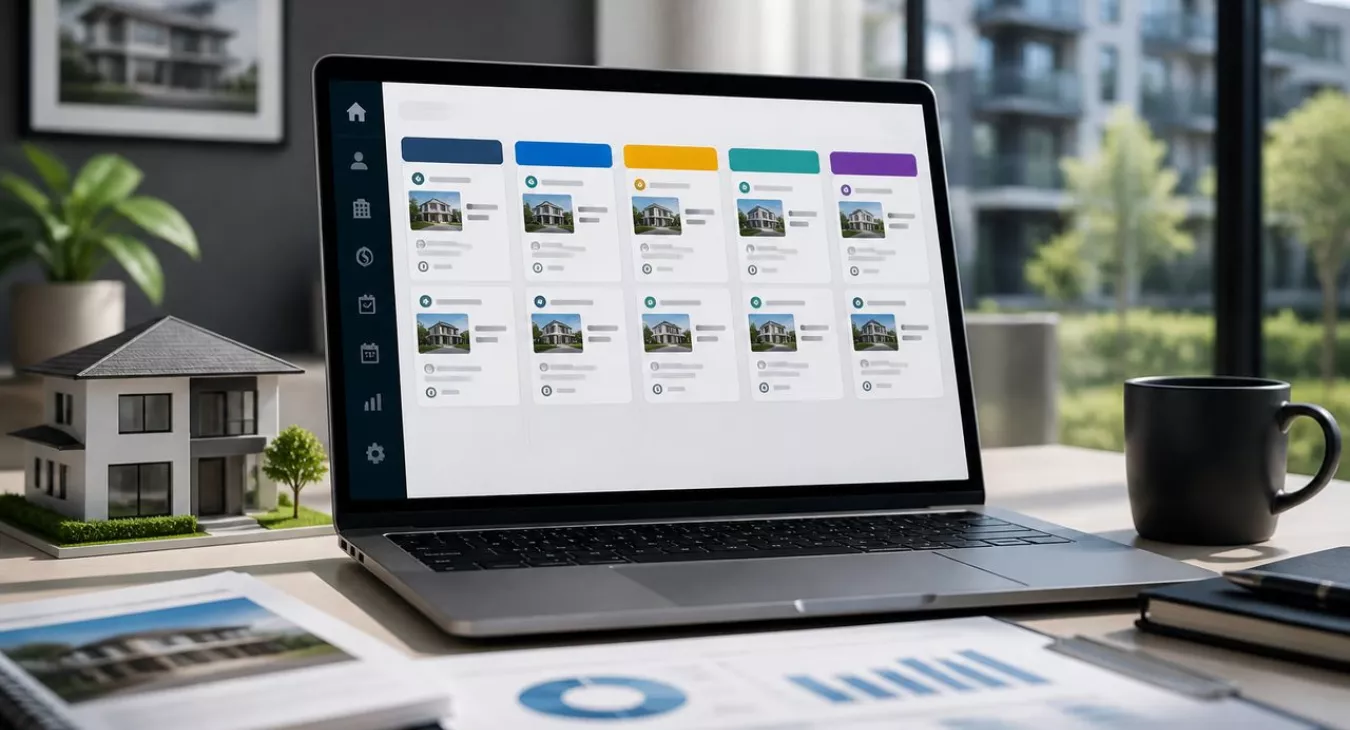
Master real estate CRM pipeline management stages to organize deals from lead to close. Learn how to create custom stages that match your workflow.
Products and Tools Mentioned in this Post


Follow Up Boss
Follow Up Boss is a real estate CRM that helps agents manage leads, automate follow-up, and increase conversions. Streamline your sales process today.

Contactually
Contactually is a real-estate-ready CRM with list building, skip tracing, calling, texting, automated follow-up, project management and websites under one login.
Table of Contents
- what's a Real Estate CRM Pipeline?
- Key Stages of a Real Estate CRM Pipeline
- Pipeline Stages by Deal Type
- Pipeline Management Best Practices
- Task Workflow Organization and Strategic Communication
- Pipeline KPIs for Real Estate
- Task Management and Workflow Automation
- CRM Features That Actually Move Your Pipeline
- MLS Integration and Real Estate-Specific Tooling
- Handling Seasonal Variations in the Pipeline
- CRM Platforms for Real Estate Pipeline Management
- Training and Adoption: Getting Your Team to Actually Use the CRM
- The Revenue Case for CRM Pipeline Management
- Conclusion
- Frequently Asked Questions
Here's what most investors miss: a real estate CRM pipeline isn't just a list. It's a visual, stage-by-stage map of every deal you're actually working — from the moment a lead hits your database all the way through to that commission check or closed investment acquisition. Your pipeline should reflect the real steps *you* take, not some generic sales playbook. Qualification calls, showings, inspections, appraisals, contingency deadlines, post-close follow-up. That's the sequence that matters. And when you set up custom deal stages that match your actual workflow instead of forcing your business into a template someone else built? That's the single highest-impact decision you can make in any CRM.
This guide covers every piece of real estate CRM pipeline management stages you need to know: what they actually are, how to build them for different deal types, automation strategies that stick, and how to measure if they're moving the needle on your closed deals.

what's a Real Estate CRM Pipeline?
Think of a pipeline as your deal tracker on steroids. It's a visual map showing exactly where every prospect and active deal sits in your sales process right now. Each column — or "stage" — is a distinct phase that demands a specific action from you or your team. As a contact moves forward, the CRM auto-updates their record, triggers tasks, sends follow-ups, and logs every conversation.
But here's what makes a real estate pipeline different from generic B2B sales software — the complexity of the actual transaction. You're not just managing contact records. You're juggling third parties (lenders, inspectors, title companies, appraisers), regulatory deadlines (contingency removal windows, closing dates), and property-specific data that a generic CRM doesn't even account for. A solid real estate pipeline handles all that context without becoming so bloated that your agents ignore it.
The pipeline also centralizes your entire communication history for every contact. Calls, texts, emails, showing notes, document signatures — it's all there. Any team member can pick up a deal mid-stream without the lead having to repeat themselves. And that matters because the average time from listing to accepted offer was 31 days as of August 2026. Add weeks more from contract to close. A lot shifts in that window. The pipeline is what keeps deals from disappearing into the cracks.
Back to topKey Stages of a Real Estate CRM Pipeline
These stages outline a complete buyer-agent pipeline. Seller-agent and investor pipelines work differently—we cover those adjustments later. Use this as your starting template, not gospel.
1. Lead Capture
Your leads come from everywhere: your website, MLS portals, social ads, direct mail, referrals, cold outreach, and door knocking campaigns. The CRM's job is to tag the source automatically. Why? Because you can't optimize budget allocation blind.
Here's the reality. Internet and portal leads close at just 0.4%–1.2% as of 2026. Referral and sphere-of-influence leads? 15%–25%. That's a 12- to 60-fold difference. Without automated source tracking, you can't measure ROI per channel, so you'll keep throwing money at your worst-performing sources while starving the ones that actually convert.
2. Lead Qualification and Scoring
Not all inquiries are created equal. Lead scoring assigns a numeric or tiered value based on pre-approval status, timeline, property type fit, and motivation. A pre-approved buyer ready to close in 60 days ranks way higher than someone casually scrolling listings.
Your CRM needs to let you build custom scoring rules and auto-prioritize accordingly. For investors specifically, we've built out a full qualification framework—check our guide on lead scoring for real estate investors for the details.
3. Initial Contact and Prospecting
Speed kills in this stage. Top producers touch leads within minutes of capture; delays tank your conversion rate fast. Your first real conversation—phone, text, or email—is where you gather enough to either move into active follow-up or disqualify.
And here's the mechanical part: the moment a lead enters your system, the CRM should fire an automated task ensuring you respond within your defined window. Nobody waits.
4. Property Selection and Showings
Now your buyer is qualified. Time to match them with properties. Store their preferences against the contact—price range, property type, location, school district, minimum beds—so you're not hunting blind.
Log every showing too: property address, client reaction, objections raised. Open house coordination and showing scheduling live here. No separate calendar. No spreadsheet.
5. Offer and Negotiation
Your client's ready to offer. The deal enters negotiation, often with multiple properties in play simultaneously—supply-constrained markets make this the norm now.
Each offer gets its own deal record. Capture the offered price, terms, contingencies requested, and the seller's response. If your client submits on three properties at once, your pipeline should show three concurrent deal records under one contact, not one that keeps getting overwritten.
6. Under Contract: Inspections, Appraisals, and Contingencies
This stage is missing from most generic CRM templates. It's also the most operationally complex part of real estate.
Once you're under contract, deadlines cascade: inspection period, appraisal order, financing contingency removal, final walkthrough. Your CRM needs substages or task checklists tracking each deadline independently. Blow an inspection contingency window? There goes the earnest money. Miss an appraisal deadline? Deal dies. Automated reminders tied to contract dates aren't nice-to-have—they're your primary risk management tool at this stage.
7. Contract and Closing
Title work, final loan approval, closing disclosure review, and the closing appointment itself all happen here. Electronic signing workflows kill the back-and-forth of wet signatures and keep docs attached to the deal record.
Payment recording matters. Whether it's a commission split, wholesale assignment fee, or acquisition close, log it with a full financial summary. And be granular—if commission varies by terms or brokerage split, capture gross commission, your net split, and referral fees as separate line items. Your income reporting should reflect what you actually received, not what the closing disclosure said. Before any contract goes firm on an acquisition, run the numbers through our rental property calculator or cap rate calculator to confirm the ARV and cap rate stack up.
8. Post-Sale Follow-Up and Retention
Most agents stop at closing. Don't.
Your closed clients are your highest-probability referral source. Set up a drip sequence: 30-day check-in, 6-month home value update, annual homeowner anniversary message. Maintain the relationship. Referral leads convert at 15%–25%—roughly 12 to 60 times higher than cold internet leads. This stage is one of the highest-ROI parts of your entire pipeline.
Back to topPipeline Stages by Deal Type
Three pipeline models dominate real estate investing: buyer-agent, listing-side, and investor acquisition. Look at the table below. You'll spot they're similar at the top and bottom—but the middle? That's where they split hard.
| Stage | Buyer Agent Pipeline | Seller/Listing Agent Pipeline | Investor Acquisition Pipeline |
|---|---|---|---|
| Lead Capture | Portal inquiries, referrals, open houses | Expired listings, FSBOs, code violation lists | Direct mail, driving for dollars, 12+ wholesale lead sources |
| Qualification | Pre-approval, timeline, motivation | Seller motivation, equity position, timeline | ARV, repair estimate, seller flexibility on price/terms |
| Property/Deal Analysis | Showings, comparative market analysis | Listing presentation, pricing strategy | Underwriting, comps, inspection estimate |
| Offer Stage | Buyer submits offer; agent negotiates | Reviewing inbound offers, counteroffers | Investor submits offer; may assign or wholesale |
| Contract Stage | Inspections, appraisal, financing contingency | Coordinating buyer's inspections and appraisal | Due diligence period, title search, funding confirmation |
| Close/Exit | Closing appointment, commission recorded | Closing, commission recorded | Close to flip, hold as rental, or assign contract |
| Post-Close | Referral nurture, annual check-ins | Referral nurture, seller re-engagement | Asset management, refinance review, or disposition prep |
Pipeline Management Best Practices

Conduct Weekly Pipeline Reviews
Your pipeline is worthless if it doesn't match reality. Block 20 to 30 minutes every week to move stale deals forward, disqualify leads that have gone cold, and spot where deals are bottlenecking. What does it mean when 40% of your pipeline sits in "Initial Contact" for more than two weeks? You've got a problem — either your follow-up cadence is dragging, or your lead qualification is letting in tire-kickers who waste your time.
Balance Quality and Quantity
A bloated pipeline looks productive. It's not. The agents who actually crush it — top producers closing serious volume — hit a blended 3%–5% lead-to-close conversion rate as of 2026 because they're ruthless about disqualifying leads that don't fit their criteria. They don't hoard inquiries. And neither should you.
Build disqualification rules into your pipeline. Low-probability leads get moved to a long-term nurture sequence or archived entirely. Your active pipeline stays clean and actionable.
Identify and Remove Bottlenecks
Every pipeline has a chokepoint where deals get stuck. In real estate, you typically see three: the qualification-to-showing transition (your lead won't commit to a tour), the offer-to-contract transition (you're losing multiple offers in a competitive market), and the under-contract stage (lender dragging their feet, inspection renegotiations derailing things).
Each bottleneck needs a different fix. A stronger initial consultation framework handles the first one. The second demands an escalation strategy for multiple-offer situations. The third? Automate proactive lender and title company communication cadences directly through your CRM.
Use Pipeline Metrics to Forecast Revenue
The typical Realtor closes 9 transaction sides annually as of 2025. Average commission sits at 5.70% as of February 2026, split between agents. Here's what matters: if you know your pipeline's stage-by-stage conversion rates, you can forecast revenue with real precision.
Say you've got 20 qualified buyer leads and your historical qualification-to-close rate is 15%. That's roughly 3 closings you can bank on — and it tells you whether to generate more leads or just work harder on the ones you've already got.
Segment Leads by Timeline and Motivation
Treating a "buy in 3 months" lead the same as a "just browsing" lead is career suicide. You're burning follow-up capacity on time-wasters while starving your hottest prospects. Build separate pipeline views — or use tags — and bucket leads by urgency tier. Your daily task list should automatically surface the highest-priority contacts first.
Back to topTask Workflow Organization and Strategic Communication
Build your pipeline right, and every stage transition generates a task list automatically. Not a blank slate. When a deal moves from "Qualified" to "Under Contract," your CRM should fire off a checklist immediately: order title search, schedule inspection, confirm lender contact, set contingency deadline reminders. You're not wasting mental energy remembering what comes next. Nothing gets skipped because your agent was slammed that week.
Strategic communication is where this gets real. The right message. The right person. The right moment. And that's exactly where task workflows and pipeline stages intersect. A seller lead sitting in "Initial Contact" for ten days? That person needs different follow-up than a buyer who just walked through their third showing. Build communication templates keyed to each stage — pre-showing prep email, post-offer status update, contingency-removal confirmation text. Store them in your CRM. Attach them to the stage workflow. Every contact gets appropriately timed outreach without your agent drafting from scratch each time.


In a team environment, task ownership matters as much as task creation. Assign each stage-triggered task to a specific role — agent, transaction coordinator, assistant. Your pipeline becomes your delegation system. Every open task has a named owner. Every task has a due date. That's how you kill ambiguity. Your weekly pipeline review becomes a fast status check, not another coordination meeting.
Back to topPipeline KPIs for Real Estate
Here's the thing: these metrics separate agents and investors who actually know their numbers from those just hoping deals close. And you don't need some $500-a-month analytics platform to track them. Any CRM worth using—Follow Up Boss, Real Geek, whatever you're already paying for—will pull these reports in five minutes.
| Metric | Definition | How to Improve |
|---|---|---|
| Lead-to-Qualification Rate | % of captured leads that meet your minimum qualification criteria | Tighten lead source targeting; improve initial intake questions |
| Qualification-to-Showing Rate | % of qualified leads who book a showing or site visit | Faster follow-up; stronger value proposition in first call |
| Offer Acceptance Rate | % of submitted offers that result in an executed contract | Improve offer strategy; address multiple-offer scenarios proactively |
| Contract-to-Close Rate | % of executed contracts that successfully close | Better lender relationships; proactive contingency management |
| Average Days in Stage | Mean time a deal spends in each pipeline stage | Identify bottleneck stages and rebuild workflows for those transitions |
| Lead Source ROI | Revenue closed per dollar spent on each lead source | Cut low-ROI sources; reinvest in high-conversion channels |
| Pipeline Velocity | Total pipeline value × conversion rate ÷ average sales cycle length | Increase average deal value, improve conversion, or shorten cycle |
| Referral Rate | % of new leads that come from past clients or sphere | Strengthen post-close nurture sequences |
Task Management and Workflow Automation
A CRM pipeline without automation? That's just a glorified to-do list. The real money moves when stage transitions trigger actions automatically. A lead hits "Qualified" and boom — the CRM schedules a showing consultation, fires out a buyer questionnaire, and notifies your agent. All in seconds. That same chain would eat 15 minutes of manual work on a busy Friday afternoon, and half the time it'd get skipped anyway.
Automations Worth Building First
- New lead auto-response: The prospect fills out a form and gets an instant email or text back. Follow that with an automatic task reminder to call them within your defined window.
- Stage-change notifications: Your agent or whoever owns the deal gets alerted the moment it advances — or stalls.
- Inspection deadline reminders: 48 hours before each contingency deadline hits, the CRM fires off an alert. Inspection contingency, appraisal contingency, financing contingency — all keyed to the contract date you stored in the deal record.
- Post-close drip sequence: A 12-month follow-up campaign runs on autopilot after closing. Zero manual touch required.
- Stale deal alerts: No activity in 7 days? The CRM flags it before the deal goes completely cold.
Want a step-by-step walkthrough? Check out our guide on real estate CRM setup and deal pipeline automation.
Payment Recording and Invoicing Automation
Here's the thing about deal closes: your financial records should update themselves. Stop doing manual data entry. Most solid real estate CRMs let you enter the final sale price, commission rate, brokerage split, and referral fees directly on the deal record. The platform then generates your commission invoice or disbursement summary automatically and syncs it to QuickBooks or whatever accounting tool you're using.
And if you're an investor closing acquisitions? Same logic applies to assignment fees or wholesale spreads. Record the contract price, your assignment fee, and net proceeds on the deal record. You've got an auditable trail without maintaining some janky spreadsheet.
Before you close, run the deal through our cash-on-cash return calculator or fix-and-flip calculator and attach the output to your deal record as part of your closing checklist.
Team Collaboration and Delegation
Pipelines get exponentially more powerful when you've got a team running deals. Every deal record needs to show who owns it, what tasks are live, and what happens next. Your transaction coordinator should be able to pick up where the agent left off without sitting through a handoff meeting. Role-based task templates that fire automatically at stage transitions? That's how you kill the coordination overhead that tanks team productivity.
Back to topCRM Features That Actually Move Your Pipeline
| Feature | What It Does | Pipeline Impact | Automation Potential |
|---|---|---|---|
| Multi-channel lead capture | Pulls leads from web forms, portals, social ads, and calls straight into one database | Zero leads slip through; source tracks automatically so you know where your volume's coming from | High — most lead sources integrate directly |
| Deal/opportunity records | Each deal gets its own profile tied to a contact, tracking property, value, and where it sits in your pipeline | You manage multiple deals per contact independently without confusion | Medium — stage changes trigger workflows automatically |
| Client preference tracking | Stores property criteria on the contact record itself | Send personalized recommendations without asking the same questions again | Low — someone has to enter it; the system does the rest |
| Electronic document signing | Sends contracts, tracks signatures, and files everything inside the deal record | Contract delays disappear. No more hunting for PDFs or re-signing documents. | High — triggered the moment you move deals forward |
| Task and deadline automation | Creates tasks and reminders based on contract dates or pipeline stage changes | You never miss a contingency deadline again | Very High — this is what CRMs do best |
| Pipeline analytics dashboard | Real-time view of conversion rates, deal velocity, and revenue forecast | Run your pipeline reviews on actual data, not gut feel | N/A — this is your reporting layer |
| Mobile access | Your entire pipeline fits in your pocket | Agents log updates from the field during showings and appointments without waiting to get back to the office | Medium — push notifications remind you of what's due |
MLS Integration and Real Estate-Specific Tooling
Sure, a generic CRM will store your contacts and log your calls. But here's what separates amateurs from pros: a pipeline that actually talks to your MLS and property data. When a buyer tours a property and it goes under contract—by someone else—your system should know that instantly. Showing records update themselves. The agent gets flagged with alternatives to pitch instead of wasting time on dead leads. And when a new listing hits that matches a client's saved preferences? The system finds it automatically, cutting weeks off your qualification-to-showing cycle.
For you as an investor, this gets even better. Your pipeline needs to connect directly to deal analysis. A property moves to offer stage—great. But your underwriting should live right there in the deal record. Cash-on-cash returns, BRRRR analysis, fix-and-flip projections—all attached to the contract so your reasoning is documented and auditable. Why does this matter? Because when you're juggling five, ten, or twenty properties across different markets and strategies, you need that trail. Check out our portfolio management guide for how to structure this as your operation scales.
Back to topHandling Seasonal Variations in the Pipeline
Spring brings a flood of leads. Winter? Crickets. Real estate volume swings hard depending on the season, and if you're running the same pipeline velocity year-round, you're either drowning your team in March or watching leads go cold come November.
Most markets spike in spring. But here's the thing—motivated sellers and serious cash buyers are still out there in late fall and winter. You're just competing against fewer investors. A pipeline dialed for peak season will bury your team when volume spikes, while those same sequences turn into zombie automation when you actually need real human touch.
So adjust seasonally. That's it. When things slow down, pull older leads back into the mix with market update emails and rate commentary that actually matters to them. Peak season? Dial back the automated drip. Get your best people on direct, personalized outreach to your hottest leads instead.
Your CRM should let you pause or modify sequences at the segment level without torching your whole automation setup.
Back to topCRM Platforms for Real Estate Pipeline Management
Real estate CRMs range from bare-bones contact managers to heavyweight platforms with dialing, texting, funnels, and everything else baked in. Your best fit depends on three things: how many deals you're running, your team size, and whether you need heavy customization or can work within guardrails.
Contactually is the all-in-one built specifically for real estate — KDS actually partnered with them to create it. You get list building, skip tracing, project management, texting, calling, email, funnels, websites, pipelines, workflows, and social posting all behind one login. Fair warning: calls, minutes, and texts cost extra on top of your plan. And this is NOT the old Contactually that Compass bought and killed — that's gone. This is the new version. Check contactually.net for current pricing. No free tier, but you're consolidating what would otherwise be five different tools. It's built for agents and investors who'd rather not Frankenstein together a dozen point solutions.
Then you've got investor-specific CRMs — REsimpli, REISift, FreedomSoft — that dig deeper into wholesaler workflows. List stacking, driving-for-dollars routing, disposition pipelines. If you're running high-volume wholesale or fix-and-flip operations rather than wearing an agent hat, these platforms give you more out-of-the-box functionality for investor deal flow. Want to understand how AI is changing lead sourcing on the investor side? Read our breakdown on wholesaling real estate with AI.
Generic sales CRMs like Salesforce and HubSpot? They're powerful. But they'll demand heavy customization to handle real estate workflows — contingency tracking, MLS integration, commission splits, the whole nine yards. Big brokerages with ops teams can make them work. For a solo agent or small team, you're paying for complexity you don't need.
One more thing: compliance isn't optional. If you're automating cold SMS outreach as part of your pipeline, talk to a lawyer first. TCPA regulations are real, and A2P 10DLC carrier registration is a technical requirement — not a legal permission slip to ignore the rules.
Back to topTraining and Adoption: Getting Your Team to Actually Use the CRM
Here's the hard truth: CRM failures rarely come down to the software itself. It's adoption. Your agents—the ones who've been running deals through their heads or their personal spreadsheets for years—they'll push back hard on a new system unless they see the benefit immediately. Not eventually. Not when the broker says it'll help. Right now.
What actually works in real estate? Three principles that move the needle:
- Start with one pipeline, not five. Pick your primary deal type—buyer pipeline or acquisition pipeline—build it first, and prove the ROI before you add anything else. Teams that try to migrate every workflow at once? They abandon ship before the thing even gets traction.
- Tie CRM usage to commission tracking. Show agents their closed deals, pipeline value, and forecasted income right there on the dashboard. That's personal. That's revenue. Abstract efficiency arguments won't move anyone; hard numbers on their potential income will.
- Make the mobile app non-negotiable from day one. Your agents aren't sitting at desks—they're in the field. And if the CRM is positioned as a laptop tool, it won't happen between appointments. Mobile-first access to deal records and task management isn't a nice-to-have for field teams. It's essential.
The Revenue Case for CRM Pipeline Management
Here's what the data shows: companies with formal pipeline management practices grow revenue roughly 28% faster than those winging it. That's not a small gap. With an August 2026 median existing single-family home sale price of $434,800, you're looking at real money. Add in the average commission of 5.70% as of February 2026, and closing just one extra deal per quarter from better follow-up work adds up fast. That's your bottom line.
But there's more to it than revenue bumps. As an investor, you already know how it works — the deals that move fastest go to whoever underwrites first and offers first. A structured pipeline doesn't just track contacts. It catches opportunities earlier and lets you move before your competition's even finished their analysis. You've seen this play out: one investor gets the deal under contract while three others are still running numbers.
Need a framework? Check out our deal-level checklist for closing your first real estate deal. It pairs perfectly with whatever CRM setup you've got running.
Back to topConclusion
Your real estate CRM pipeline isn't something you set up once and forget. It's a living system that evolves as you dial in your actual conversion rates, spot where deals consistently get stuck, and identify which lead sources are actually profitable. Start here: define your stages based on how your team actually works, not some generic template someone else uses. Automate the repetitive friction points. Track metrics that predict revenue—not just busy work.
And here's the hard truth. The gap between a CRM that sits unused and one that drives deal flow comes down to specificity. Your stages need names that match real actions your team takes. Your automations need teeth—tied to actual deadlines with real consequences. Your weekly reviews need to ask uncomfortable questions: Where are deals dying? Why?
Get this right, and your CRM stops being an expense line item. It becomes a competitive edge.
Back to topFrequently Asked Questions
How many stages should a real estate CRM pipeline have?
Six to 10 stages. That's the sweet spot. Go below 6 and you're collapsing critical phases together — "under contract" bleeding into "qualified," which means you can't see where your deals are actually dying. More than 10? You're adding friction. Your team stops logging updates. Data rots.
But here's what matters: your pipeline should mirror your actual workflow. If you're doing fix-and-flips, your stages might look different than someone wholesaling or managing rentals. Don't copy someone else's template. Build it around your real decision points, and skip the duplicate steps.
What's the difference between a contact and a deal in a real estate CRM?
A contact is the actual person — your buyer, seller, or investor. A deal is one specific transaction tied to that contact.
And this matters more than you'd think. One contact can have multiple deals running simultaneously. You've got a buyer who's submitted offers on three properties? That's one contact record with three separate deal records. Keep them separate in your CRM. You need to track each property's status, inspection results, financing, and closing timeline independently. Mixing them means you lose visibility.
Back to top