

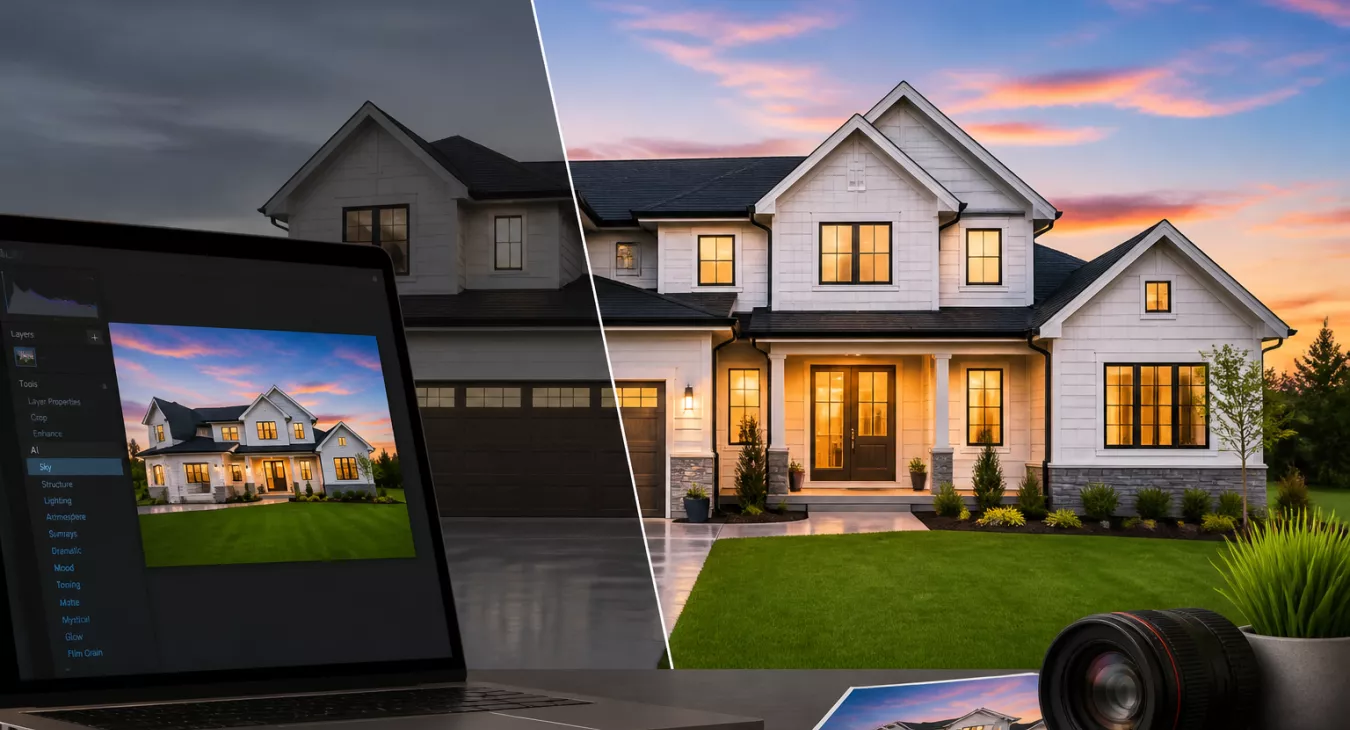
Discover if Luminar Neo photo editing for real estate delivers professional results. Explore AI tools, pricing, and real-world tips for agents and investor
Products and Tools Mentioned in this Post



Follow Up Boss
Follow Up Boss is a real estate CRM that helps agents manage leads, automate follow-up, and increase conversions. Streamline your sales process today.

Top Producer
Top Producer is a comprehensive CRM system for real estate agents featuring contact management, lead generation, email marketing, and task automation tools.
BoxBrownie
BoxBrownie offers professional virtual staging, photo editing, and image enhancement services for real estate. Fast turnaround, affordable pricing, 24/7 service.

Matterport
Matterport creates immersive 3D virtual tours and digital twins for real estate. Capture properties with professional-grade technology and share interactive experiences.

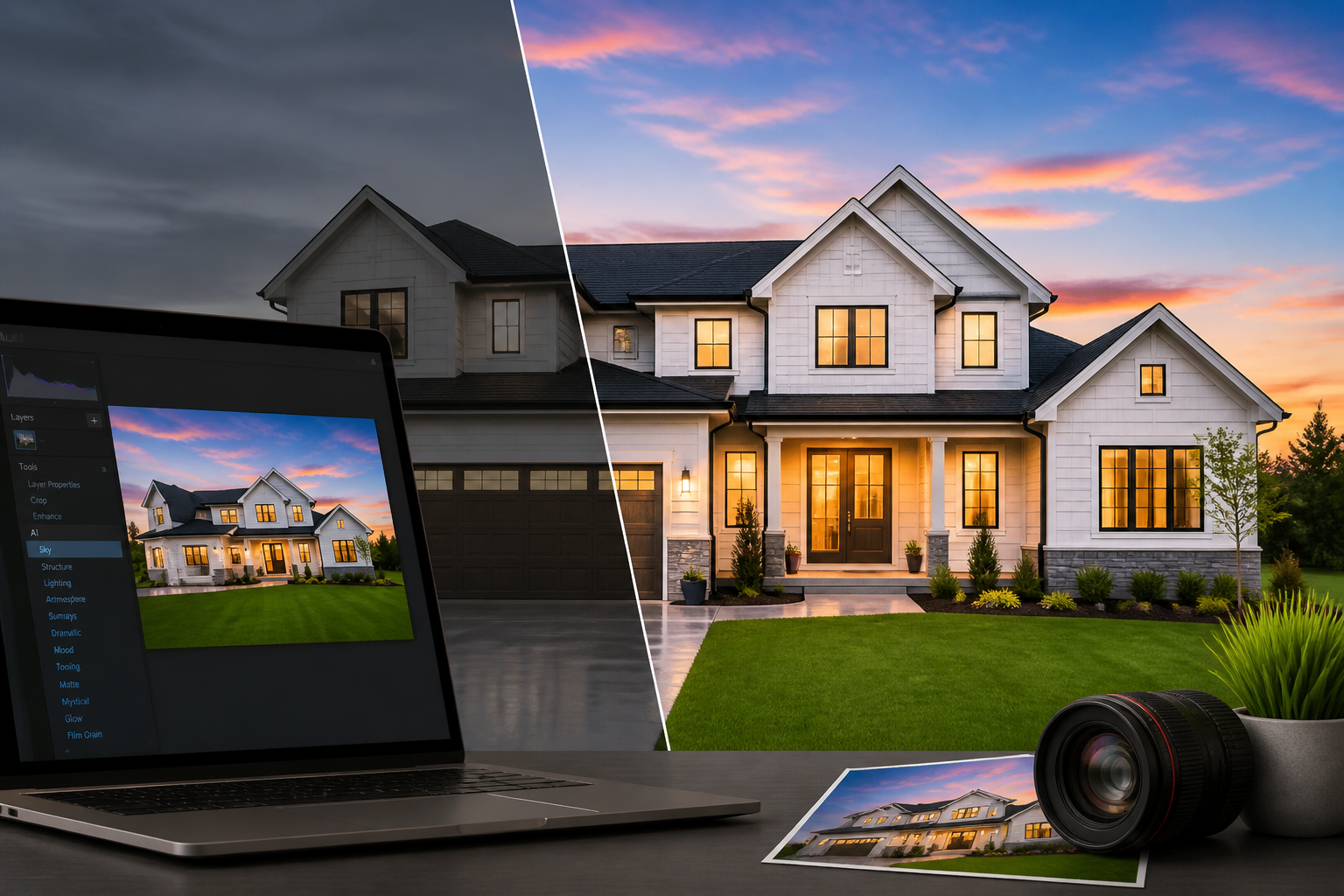
Table of Contents
- Why Real Estate Photo Quality Matters More Than Ever
- what's Luminar Neo?
- Essential AI Tools for Real Estate Photo Editing
- Advanced Real Estate Editing Techniques
- Step-by-Step Workflow Guide for Real Estate Listings
- Luminar Neo vs. Other Real Estate Editing Software
- Luminar Neo Pricing Plans
- System Requirements and Compatibility
- Real Estate Photo Editing Checklist
- Best Practices for Real Estate Photo Editing
- Who's Luminar Neo Best For?
- Alternatives to Consider
- Verdict: Is Luminar Neo Worth It for Real Estate Professionals?
- Frequently Asked Questions
A listing photo separates the showing requests from the scroll-past in real estate. Professional-quality photos move properties faster and at higher price points — that's not opinion, that's data. But hiring a pro editor for every deal? Not always practical. Not always affordable. Luminar Neo photo editing for real estate changes that equation. Skylum's AI-powered desktop app lets agents, investors, and photographers produce gallery-ready images without the steep learning curve of traditional editing software. The question is whether it actually works for your workflow. This review digs into the AI tools, real pricing, honest trade-offs, and how to actually use it on your next 10 listings.

Why Real Estate Photo Quality Matters More Than Ever
Over 95% of buyers start their home search online now. That's the reality you're working with. And listings with high-quality photography? They pull up to 118% more views than mediocre shots—according to the National Association of Realtors. For flippers and agents juggling multiple properties, this isn't theoretical. The ROI on great photos is hard dollars in your pocket.
Here's the problem. Raw camera files—even from a solid DSLR—almost always need serious work. Windows blow out. Rooms look darker than they actually are in person. Skies turn flat and grey. Clutter kills your shot of the kitchen's real bones. Fixing all this used to mean two paths: drop cash on expensive outsourcing like BoxBrownie's professional photo editing and virtual staging, or spend months learning Adobe Lightroom and Photoshop inside and out. Luminar Neo changes that equation. It uses AI to put professional-grade editing in your hands—no 10,000-hour learning curve required.
Back to topwhat's Luminar Neo?
Skylum—a Ukrainian software company that knows photography tools—built Luminar Neo and released it in early 2022. It's the follow-up to both Luminar AI and Luminar 4. The whole thing runs on AI-powered editing tools that handle the grunt work you'd normally spend hours on. You get it as a standalone desktop application on macOS and Windows, or you can plug it straight into Adobe Lightroom Classic and Photoshop.
Here's the thing: Neo isn't trying to beat Lightroom on feature count. Lightroom still owns that game. But if you want professional results fast—without fiddling with fifty sliders—this is where Neo wins. You're a real estate agent shooting your own listings with a DSLR? Or an investor who needs before/after renovation shots turned around yesterday? The AI-first workflow actually delivers.
Back to topEssential AI Tools for Real Estate Photo Editing


Sky Replacement Technology
Want to know what separates your listing photos from the competition? AI Sky Replacement in Luminar Neo. It's arguably the software's most powerful feature. The tool automatically detects your sky, masks it with precision, and swaps it out for one of over 200 bundled options—or drop in your own custom skies. That flat, gray February afternoon becomes a crisp blue summer day. In seconds. No manual selection work.
But here's where it gets smart. The AI also applies "sky relighting," which adjusts the foreground's color temperature and brightness to match your new sky. This prevents that amateur-hour mismatch where the lighting doesn't make sense anymore. For most exterior shots, you're looking at production-ready results. Tree branches and complex fences can still trip it up, sure—but that's rare in real estate work.
AI-Powered Relighting
Interior shoots are brutal. Warm tungsten fixtures clash with cool daylight pouring through windows. You've seen it a hundred times. Luminar Neo's Relight AI solves this by separating your foreground and background into independent lighting zones. Brighten that dark hallway without blowing out the windows? Done. Warm up the living room without crushing the ceiling lights? Also done. Each zone gets its own treatment.
Object Removal and Erase Tool
The Erase tool uses content-aware AI to clean up what shouldn't be there. A car blocking the driveway. A garden hose sprawled across the lawn. A competitor's "For Sale" sign at the edge of frame. Power lines cutting through your sky. It won't match Photoshop's Generative Fill for complex work, but for typical real estate scenarios—this tool is fast and clean.
HDR and Exposure Correction
You're shooting bracketed exposures. Multiple frames at different stops, merged into a single HDR image. That's standard procedure. Luminar Neo handles HDR merging for bracketed shots and also offers serious single-image tone mapping for everything else. The Enhance AI and Supersharp AI tools pull detail out of underexposed frames or slightly soft captures. You get more usable shots from every shoot.
Back to topAdvanced Real Estate Editing Techniques
Optimizing Light and Color Balance
Here's the reality: accurate color representation matters. It's not just about making your listing look pretty—it's about honesty. When a buyer sees a photo with wrong paint colors, flooring tones, or countertop materials, they'll feel misled the moment they walk through the door. Luminar Neo gives you both auto and manual white balance tools, plus a Color Harmony feature that lets you dial in individual color channels. Your agents will actually use it because it's straightforward and fast.
Batch Processing for Consistency
Batch processing is a game-changer if you're shooting 30+ rooms. Edit one photo from your shoot, then sync those exact edits across every photo from that session—or blast a saved preset to hundreds of images at once. We're talking about cutting editing time from several hours down to under 30 minutes. That's real time back in your day.
Custom Presets for Brand Consistency
And here's where it gets smart for brokerages.
Your whole team can build custom presets—saved edit combinations that enforce one consistent visual style across all listings. Managing multiple agents? This is how you stay on brand. Export and import presets across the entire brokerage. It's the kind of competitive edge that buyers notice, even if they can't quite put their finger on why your listings stand out.
Back to topStep-by-Step Workflow Guide for Real Estate Listings

Step 1: Import and Organize
Dump your raw files into Luminar Neo first. The built-in catalog system lets you organize by room type — exterior, living areas, kitchen, bedrooms, bathrooms. Why does this matter? Because batch processing by zone cuts your editing time in half compared to going photo by photo.
Step 2: Apply Base Adjustments
Hit Enhance AI for that quick auto-correction baseline. Then you'll want to manually dial in exposure, white balance, and contrast to match your property's actual conditions. For exteriors, set your sky replacement here. This establishes your overall lighting reference before you move forward with the heavy lifting.
Step 3: Apply AI Enhancements
This is where things get dramatic. Relight AI transforms those dark interiors. Erase removes clutter and distractions. Sky AI handles your exteriors. Virtual staging and structure enhancement tools come in at this stage too.
Step 4: Fine-Tune and Export
Look at each image critically. Did the AI overcorrect anything? Fix it now with selective manual adjustments. And here's the export part that matters for your bottom line: MLS submissions need 3,000px on the long edge at 80% JPEG quality. Print brochures? Export as full-resolution TIFF or maximum-quality JPEG instead.
Back to topLuminar Neo vs. Other Real Estate Editing Software
Real estate photographers and DIY agents face a choice. Luminar Neo, Lightroom, Capture One, Photoshop—which one actually moves the needle on your listing photos? The breakdown below focuses on what matters when you're racing to turn around 40+ photos before the open house.
| Feature | Luminar Neo | Lightroom | Capture One | Photoshop |
|---|---|---|---|---|
| AI Sky Replacement | ✅ Built-in, one-click | ❌ Not available | ❌ Not available | ✅ Requires manual work |
| Batch Processing | ✅ Yes | ✅ Yes | ✅ Yes (superior) | ⚠️ Via Actions only |
| Price Point | $79/year or $199 one-time | $9.99–$54.99/month | $24/month | Included with CC |
| Learning Curve | Low (AI-first) | Medium | High | Very High |
| Real Estate-Specific Tools | ✅ Sky AI, Relight AI, Erase | ⚠️ Limited | ⚠️ Limited | ⚠️ Manual methods only |
| Plugin Support | ✅ Works with LR & PS | ✅ Extensive | ✅ Good | ✅ Extensive |
| Standalone App | ✅ Yes | ✅ Yes | ✅ Yes | ✅ Yes |
Here's what jumps out: Luminar Neo crushes it on AI automation and speed of execution. Lightroom's better if you're managing thousands of photos and need rock-solid catalog architecture. Capture One? That's for the color-obsessed studio pros who need absolute accuracy on every pixel.
But if you're a real estate agent editing your own listing photos—no photography degree, no Photoshop muscle memory—Luminar Neo's advantage is massive. You're looking at $79/year versus Adobe's subscription trap. And those built-in AI tools (Sky AI, Relight AI, Erase) handle the exact pain points real estate photographers complain about most.
Already knee-deep in Adobe? Don't panic. Luminar Neo works as a plugin inside Lightroom and Photoshop, so it doesn't force you to rebuild your entire workflow.
Want to push beyond just pretty photos? Consider pairing strong listing photography with immersive tech like 3D tours—check out our Matterport review for 3D virtual tours to see how that plays into a full listing strategy.


Luminar Neo Pricing Plans
Here's what sets Luminar Neo apart: it's not another Adobe subscription trap. The pricing structure actually gives you real options.
| Plan Type | Price | Key Features | Best For |
|---|---|---|---|
| Monthly Subscription | ~$9.99/month | Full feature access, cloud storage, updates | Agents editing occasionally |
| Annual Subscription | ~$79/year (~$6.58/month) | Full features, Extensions marketplace access | Active listing agents |
| Lifetime License | ~$199 one-time | Permanent ownership, updates for version lifetime | Investors, high-volume teams |
| Extensions (Add-ons) | $9–$89 each | HDR Merge, Upscale AI, Background Removal, etc. | Power users needing specific tools |
The lifetime license? That's your play. You pay $199 once and you're done—no monthly bleed, no annual renewal emails, nothing. Compare that to outsourcing edits to BoxBrownie at $20–$50 per property, and this software pays for itself in 5–10 uses. That's a no-brainer for high-volume investors.
But here's the catch. Premium features like HDR Merge and Upscale AI don't come standard. You'll be buying these as Extensions—think of them as $9–$89 each. Want the full real estate editing suite? Budget an extra $50–$100 on top of that $199 lifetime fee.
Back to topSystem Requirements and Compatibility
| Operating System | Minimum Requirements | Recommended Specs | Plugin Compatibility |
|---|---|---|---|
| macOS | macOS 12 Monterey, 8GB RAM, Intel Core i5 | macOS 13+, 16GB RAM, Apple Silicon (M1/M2) | Lightroom Classic, Photoshop CC |
| Windows | Windows 10 (64-bit), 8GB RAM, Intel Core i5 | Windows 11, 16GB RAM, NVIDIA GPU with 4GB VRAM | Lightroom Classic, Photoshop CC |
Here's the real deal: your hardware matters. Luminar Neo's AI features rely on GPU acceleration, so older machines will choke on rendering times. Running this on a five-year-old laptop? You're looking at noticeable lag. But put it on a modern machine with dedicated graphics — or better yet, Apple's M-series chips — and you'll get smooth, responsive performance that won't waste your time on shoots.
And there's a catch.
You won't find a mobile app here. No iPad editing at the property. That's a real gap if you're the type of agent who likes to knock out quick edits on-site before heading to the next listing.
Back to topReal Estate Photo Editing Checklist
Here's what you need to nail on every listing to move units faster. This workflow uses Luminar Neo and takes roughly 15–30 minutes per property if you're efficient.
| Editing Step | Luminar Neo Tool | Expected Result | Avg. Time to Complete |
|---|---|---|---|
| Auto-correct base exposure | Enhance AI | Balanced exposure, improved contrast | 10–30 seconds |
| Replace flat sky | Sky AI | Vibrant sky with matched lighting | 30–60 seconds |
| Correct interior lighting | Relight AI | Balanced foreground/background exposure | 1–2 minutes |
| Remove distracting objects | Erase Tool | Clean composition | 1–3 minutes |
| Adjust white balance/color | Color Harmony | Accurate material/paint representation | 1–2 minutes |
| Batch apply edits | Preset Sync | Consistent look across all listing photos | 5–10 minutes (per property) |
| Export for MLS/web | Export Module | Optimized JPEG for upload | 2–5 minutes |
Start with Enhance AI. It's the fastest way to fix underexposed or blown-out shots—10 to 30 seconds and you've already got balanced exposure and punchy contrast. And if that sky's flat? Sky AI handles it in under a minute with realistic lighting that matches your property's actual conditions.
Interior shots are where most investors stumble.
Relight AI solves this by balancing the foreground against harsh windows or dark corners in 1–2 minutes. Then use the Erase Tool to kill distractions—that leftover paint can, unmade bed, or random car in the driveway. Should take you another 1–3 minutes depending on how messy the original shot is.
Color accuracy matters more than you think. Wrong white balance kills your PPSF potential. Color Harmony gets you dialed in on 1–2 minutes, so your wood flooring, granite counters, and paint actually look like what buyers will see in person.
Here's where batch editing saves you serious time. Preset Sync lets you apply your best edits across 15–20 photos at once—5–10 minutes per property instead of editing individually. That's the difference between churning out five listings a day or two.
Export optimized JPEGs straight to MLS specs in 2–5 minutes. You're done.
Back to topBest Practices for Real Estate Photo Editing
Maintain a Natural Appearance
Over-processing is the biggest rookie mistake with AI editing tools. You've seen it — skies that look digitally painted, interiors glowing like a film set, colors so punched up they don't match the actual property. Then your buyer walks in at showing and the disconnect kills the deal. The fix? Edit to enhance reality, not fabricate it. Luminar Neo gives you intensity sliders on every tool, so you can dial back AI effects and keep things honest.
Avoid Over-Editing
Stop before you think you're done. The Enhance AI tool works as a solid starting point, but it often cranks contrast or saturation too hard. Always pull up the before/after toggle and compare. If you can visually tell an image got worked over, so can your buyers.
Build a Style Guide for Your Brand
Running a brokerage or team? Document your editing rules now. Specify which presets you're using, what sky replacements look like (blue skies only, no drama clouds, for example), export resolution, and color profile. This locks in consistency across agents and listings — and it builds real brand recognition. Connect it to a solid CRM workflow too. Tools like the ones in our Follow Up Boss review and Top Producer review manage your listing pipeline at scale.
Optimize for Web Performance
Here's the real issue: MLS platforms and sites like Zillow and Realtor.com compress images hard. Export at the platform's max resolution — usually 3,000 to 4,000 pixels on the long edge — and don't upload bloated files that get chewed up by automatic compression. Luminar Neo's export presets can be customized and saved per platform. So when you're uploading to Zillow one day and your local MLS the next, you're not wasting quality.
Back to topWho's Luminar Neo Best For?
- Agents who photograph their own listings — The AI tools close the skill gap fast. You'll get near-professional results without spending years learning photography.
- Real estate investors needing before/after documentation — Need to show renovation impact on your next BRRRR deal? Luminar Neo handles quick, consistent edits for comps, listing prep, and your marketing stack.
- Small teams or solo photographers — The lifetime license means no recurring software fees. Batch processing lets you bang through moderate volume without burning hours.
- Adobe Lightroom users wanting AI augmentation — Keep your LR workflow intact. The plugin integration just adds Luminar Neo's AI firepower when you need it for specific tasks.
High-volume photography studios? This might not be your answer. You'll want strong catalog management, tethered shooting support, and the color science that Capture One brings to the table. For those workflows, Luminar Neo works better as a supplemental tool instead.
And here's the thing: if you're looking to push your marketing beyond just listing photos, there's more out there. Check our Ylopo review for AI marketing and BoomTown review for lead generation to see what else can amplify your reach.
Back to topAlternatives to Consider
Luminar Neo's solid, but it's not your only play here. What works best depends entirely on your workflow and how much you're willing to spend.
- Adobe Lightroom Classic — This is the workhorse for catalog management and non-destructive editing. And here's the thing: it actually works beautifully alongside Luminar Neo as a plugin.
- BoxBrownie — Real humans do your editing remotely, including virtual staging. You'll pay more per image, but you're hands-off completely. Check our BoxBrownie review for the full breakdown.
- Lightroom Mobile — There's a free version if you want to test it out. Quick on-site tweaks are possible, but it doesn't match Luminar Neo's AI capabilities.
- HomeJab — If outsourcing the whole photography job appeals to you more than shooting and editing yourself, this marketplace connects you with photographers. Read our HomeJab review to see if it fits your operation.
Verdict: Is Luminar Neo Worth It for Real Estate Professionals?
For most real estate agents and investors, yes — Luminar Neo is worth it. But here's the catch: you need realistic expectations going in. It's not magic. It won't turn a blurry, poorly lit snap into a magazine-worthy cover shot, and it won't fully replace a skilled professional editor on complex shoots. What it will do? Take competently captured photos and turn them listing-ready in a fraction of the time traditional editing requires.
The Sky AI tool alone justifies the purchase price for exterior photography. Seriously. And the Relight AI feature? Genuinely impressive for interiors — it's a game-changer if you've ever struggled with dull indoor lighting. Batch processing and presets make multi-room property workflows manageable instead of soul-crushing. At $79/year or $199 for a lifetime license, you're looking at a cost-to-value ratio that crushes outsourcing or the Adobe subscription stack.
You're already running a full real estate marketing operation. Your listing photos should be pulling their weight. Luminar Neo does exactly that. Pair it with a strong lead conversion tool — check out our guide to the best real estate lead sources — and suddenly your listings stand out from the first click.
Back to topFrequently Asked Questions
Does Luminar Neo work on both Mac and Windows?
Yes. You're covered on both platforms — macOS (version 12 Monterey or later) and Windows 10/11 (64-bit). Performance really shines on machines with dedicated GPUs or Apple M-series chips. No mobile or tablet app exists yet, so you're locked to desktop editing.
Can Luminar Neo be used as a plugin with Lightroom?
Absolutely. It integrates as an external editor plugin for Adobe Lightroom Classic and works as a plugin panel in Photoshop too. Want to keep your Lightroom catalog intact? You can. Just send specific images to Neo's AI toolkit on demand, then bounce them back. Setup takes about five minutes and Skylum's documentation is solid.
Is AI sky replacement ethical to use in real estate listings?
Good question — and the answer matters for your credibility. Sky replacement is standard practice in real estate, no different than shooting with a wide-angle lens or correcting white balance. But here's where judgment comes in: swapping grey skies for blue? That's fine. Replacing a clear sky with a dramatic sunset that doesn't match the property's actual orientation or neighborhood? That's misrepresentation and it'll bite you. Stick with replacements that are plausible for the location and season.
How much time does Luminar Neo realistically save on a property edit?
Most agents cut their edit time in half. A full shoot of 25–40 photos takes 30–60 minutes with Luminar Neo versus 2–4 hours grinding through Lightroom and Photoshop manually. The AI auto-corrections do the heavy lifting. Sky replacement automation handles itself. Batch presets speed everything up. Your mileage depends on photo quality and how complex the edits get.
Does Luminar Neo support RAW files from major camera brands?
RAW support covers all the major players — Canon, Nikon, Sony, Fujifilm, and Panasonic. JPEG, TIFF, and PNG work too. Skylum updates compatibility regularly as new camera bodies ship, but here's the thing: if you just dropped cash on the latest flagship, double-check their compatibility list before you buy. No sense getting stuck with incompatible files.
Back to top