


Implement your real estate CRM right the first time. Get our step-by-step checklist to avoid common pitfalls, ensure team adoption, and start closing more
Products and Tools Mentioned in this Post



Real Geeks
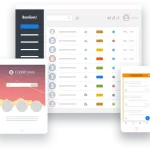
Real Geeks offers real estate agents an all-in-one platform with lead generation, IDX websites, and CRM tools. Grow your business with proven technology.

Sierra Interactive
Sierra Interactive provides real estate agents with cutting-edge IDX websites, CRM, and lead generation tools. Discover how this platform can transform your business.



Contactually
Contactually is a real-estate-ready CRM with list building, skip tracing, calling, texting, automated follow-up, project management and websites under one login.
Table of Contents
- What's a Real Estate CRM and Why Implementation Matters
- Pre-Implementation Planning Phase
- Data Preparation and Initial Configuration
- Integration and Automation Setup
- Team Training and Adoption Strategy
- Launch and First 30 Days Execution
- Post-Implementation Optimization
- Common Implementation Mistakes and How to Avoid Them
- Choosing the Right CRM for Your Operation
Here's the hard truth: implementing a real estate CRM is one of the highest-leverage decisions you'll make. And it's one of the most commonly botched. Research from 2025 puts the CRM implementation failure rate at 55%. Even worse, 63% of implementations exceed budget or timeline. But here's what most people get wrong: the software isn't the problem. Poor user adoption accounts for 60% or more of failures. Technology bugs? Less than 10%. So if your team won't actually use the thing, all the features in the world don't matter. This guide gives you a practical, real-estate-specific implementation checklist that'll get your CRM running correctly and keep your team actually using it — from day one through the critical first 90 days and beyond.

What's a Real Estate CRM and Why Implementation Matters

Definition and Core Purpose
A real estate CRM (Customer Relationship Management system) is a centralized platform for managing contacts, deals, communications, and follow-up tasks across your entire database. Stop juggling leads from Zillow, MLS portals, Google Ads campaigns, and referrals in disconnected tools. That's where most agents hemorrhage deals — losing track of which prospects are hot and which ones went cold three months ago.
Your CRM tracks where every lead sits in the pipeline and surfaces who needs attention today. It automates follow-up sequences so you're not manually dialing the same phone number at 9 AM next Tuesday. And here's the real win: nothing slips through because you forgot to check your notes.
Building a real estate investing business or starting your first year as an agent? Get the CRM dialed in early. Migrating dirty data later is a nightmare nobody wants.
Key Benefits for Agents and Investors
- Centralized lead management: Every contact, note, and communication in one place regardless of lead source
- Automated follow-up: Drip sequences, task reminders, and text/email workflows that run without manual triggers
- Pipeline visibility: Real-time view of deal stages so nothing stalls or gets lost
- Team consistency: Standardized processes that don't depend on one agent's memory or habits
- ROI at scale: Nucleus Research reports an average return of $8.71 per $1 spent on CRM — but only when adoption is sustained
The Market Context in 2026
You're competing against 1,438,569 NAR members. The market's tight. That's the current headcount as of June 2026, and existing-home sales are running at 3.98 million annualized with only 4.9 months of supply. Every deal matters.
A CRM that surfaces warm leads faster than a competitor calls them is a genuine competitive advantage. But here's the thing: 72% of real estate agents now use a CRM, so the tool itself isn't the differentiator anymore. Implementation is. How well you actually use it is what separates you from the pack.
Back to topPre-Implementation Planning Phase

Here's the harsh reality: most implementations die right here, in the planning phase. Nobody even touches the software yet. You skip this part and rush straight to vendor selection? You're basically joining the 55% failure club before you've even logged in.
Define Clear CRM Objectives
"Better follow-up" isn't a goal. It's wishful thinking. You need actual targets—the kind you can measure two quarters from now.
Think specifics. Reduce lead response time to under five minutes. Bump your contact-to-appointment conversion by 20%. Make sure every sphere-of-influence contact gets at least one touchpoint per quarter. These aren't nice-to-haves. Every single configuration decision you make downstream flows directly from these objectives, so get them right now.
Identify Stakeholders and Key Users
Solo agent? Easy call. You're the whole operation.
Running a team? Now it gets real. You've got buyer agents, listing agents, transaction coordinators, ISAs, admins—everyone needs different access, different pipeline views, different training. And here's the critical part: pick one internal champion. Usually it's the agent who doesn't panic around technology or your operations manager. This person owns the implementation and becomes your post-launch help desk.
Audit Current Business Processes
Where do your Zillow leads actually go? What's your follow-up sequence for expired listings? What happens to a lead after the first showing? Map it all on paper before you touch the CRM.
And this is important: automating a broken process just accelerates the damage. Fix the workflow first. Then automate it.
Budget Planning and Cost Estimation
Real CRM costs hit you in three places:
- Software subscription: Solo agents typically run $19–$99/month; brokerage and enterprise tiers climb to $500+/month. Entry-level platforms like Real Geeks and Sierra Interactive land around $299–$300/month, while the big dogs like BoomTown and CINC are hitting $850–$1,000+/month.
- Setup and onboarding fees: Most platforms charge $500 to $5,000 upfront depending on custom config depth and data migration complexity.
- Usage-based costs: Don't miss this line item. Many CRMs layer on separate charges for calls, texts, and emails. Contactually—the real-estate-focused CRM that KDS partnered on—runs this way. The base plan gets you the platform. Calls, minutes, and texts get billed separately. Calculate your actual total cost of ownership, not just whatever number they put in the ad.
Pre-Implementation Checklist
| Task | Owner | Timeline | Status |
|---|---|---|---|
| Define 3–5 measurable CRM objectives | Broker / Team Lead | Week 1 | [ ] |
| Map current lead flow and follow-up processes | Operations / Admin | Week 1 | [ ] |
| Identify all users and define roles | Broker / Team Lead | Week 1 | [ ] |
| Audit all existing data sources (spreadsheets, old CRM, email lists) | Admin / Champion | Week 1–2 | [ ] |
| Establish total implementation budget | Broker / Owner | Week 1 | [ ] |
| Evaluate and shortlist 2–3 CRM vendors | Champion | Week 2 | [ ] |
| Review integration requirements (MLS, portals, dialers, email) | Champion | Week 2 | [ ] |
| Confirm data security and compliance requirements | Broker / Legal | Week 2 | [ ] |
| Select CRM vendor and confirm contract terms | Broker / Owner | Week 2–3 | [ ] |
| Schedule kickoff call with vendor/onboarding team | Champion | Week 3 | [ ] |
Data Preparation and Initial Configuration

Clean and Standardize Existing Contact Data
Garbage in, garbage out. That's the real estate investor's first law of data. Your CRM is only as good as what you feed it, and importing a messy database into a shiny new system doesn't magically fix anything — it just puts your mess on steroids. Before you migrate, you've got to standardize name formatting, nuke the duplicates, verify every phone number and email address, and tag each contact with their lead source. For your sphere-of-influence database, categorize people by relationship type (past client, referral partner, cold lead) before import. This move lets you assign the right follow-up sequences instantly instead of playing catch-up later.
Real Estate Pipeline Stage Configuration
Here's where most teams go wrong. They grab a generic template and wonder why it doesn't match their actual workflow. Your pipeline stages need to mirror exactly how you close deals — not how some software company thinks you should close them. Check out these buyer and seller pipeline stages. They're the gold standard for residential real estate:
| Pipeline Type | Stage Name | Entry Criteria | Key Data Fields Required |
|---|---|---|---|
| Buyer | New Lead | Inquiry received from any source | Name, phone, email, lead source |
| Buyer | Contacted | Two-way communication established | Contact date, preferred communication method |
| Buyer | Consultation Scheduled | Buyer consultation or call booked | Appointment date/time, agent assigned |
| Buyer | Pre-Approved | Lender pre-approval confirmed | Max budget, lender name, pre-approval expiry |
| Buyer | Active Search | Actively touring homes | Search criteria, must-haves, target neighborhoods |
| Buyer | Offer Submitted | Written offer presented | Offer price, property address, offer date |
| Buyer | Under Contract | Offer accepted by seller | Contract date, closing date, contingencies |
| Buyer | Closed | Title transferred | Close date, sale price, referral request sent |
| Seller | New Seller Lead | Seller inquiry or expired contact | Property address, motivation, timeline |
| Seller | CMA Scheduled | Listing presentation or CMA appointment set | Appointment date, property details |
| Seller | Listing Agreement Signed | Signed listing contract received | List price, listing date, expiration date |
| Seller | Active Listing | Property live on MLS | MLS number, days on market, showing feedback |
| Seller | Under Contract | Offer accepted | Buyer agent, contract date, contingencies |
| Seller | Closed | Title transferred | Final sale price, close date, referral sequence triggered |
Configure Custom Fields and Permissions
Build out custom fields that actually matter to your business. Are you tracking investor type (wholesaler, landlord, flipper)? Target markets? Estimated ARV? Lead temperature score? Preferred contact time? Your CRM should work for you, not the other way around. And here's the critical part — permissions. Buyer agents see only their assigned leads. Listing agents see active listings. Admins get full access because that's their job. A transaction coordinator shouldn't be able to accidentally archive a live deal, and one agent definitely shouldn't peek at another agent's private notes. Set it up right the first time.
Back to topIntegration and Automation Setup
Here's the truth: integrations make or break your CRM. You'll either save 10+ hours per week or spend your days shuffling data between platforms. The difference? Prioritize the connections that actually move deals forward, and don't get distracted building automations that nobody needs yet.
Integration Priority Matrix
| Integration | Priority | Implementation Effort | Time-to-Value | Notes |
|---|---|---|---|---|
| Email (Gmail / Outlook) | Must-Have | Low | Immediate | Enables email logging and two-way sync |
| Calendar (Google / Outlook) | Must-Have | Low | Immediate | Appointment scheduling and task management |
| Lead portal (Zillow, Realtor.com) | Must-Have | Medium | 1–3 days | Auto-import new leads with source tagging |
| Website/landing page lead capture | Must-Have | Medium | 1–3 days | Connect forms via Zapier or native webhook |
| Dialer / calling tool | High Priority | Medium | 3–7 days | See our guide to automatic dialers for real estate |
| E-signature platform | High Priority | Low–Medium | 1–3 days | Integrate with DocuSign; see the DocuSign for real estate guide |
| Google Ads / PPC lead capture | High Priority | Medium | 3–7 days | Route paid leads directly into pipeline with source tags; see the Google Ads for real estate investors guide |
| Accounting / QuickBooks | Nice-to-Have | Medium–High | 1–2 weeks | Useful for teams tracking commission income; see QuickBooks setup for real estate investors |
| MLS data feed | Nice-to-Have | High | 2–4 weeks | Platform-dependent; check vendor IDX support |
| AI tools and enrichment | Optional | Varies | Varies | Consider AI tools for real estate investors after core setup is stable |
Build Automations That Match Your Process
Three automations. That's where you start. First: immediate lead notifications so your assigned agent knows when a new prospect hits the system. Second: a lead response sequence that fires texts and emails at defined intervals for anyone who doesn't engage. Third: post-close follow-up triggers that automatically request reviews and ask for referrals the moment closing happens. Everything else—anniversary emails, market update drips, price reduction alerts—gets added in phase two once your team actually knows how to use the platform.
And here's where most teams mess up.
If your automations include SMS to cold leads, you need legal counsel before you go live. The TCPA isn't a suggestion. A2P 10DLC registration with your carrier is required, but it's not your compliance strategy—it's the bare minimum. This matters whether you're using a CRM, a standalone dialer, or both.
Back to topTeam Training and Adoption Strategy

Here's the harsh truth: 42% of businesses fail at CRM implementation because nobody trained their team properly, according to a 2026 CRM.org report. Real estate makes this worse. You've got independent agents who've spent years running their own systems, and they're not exactly excited about change. But here's what actually drives adoption — showing agents that the CRM puts money in their pocket. That's it. Not convenience. Not better data management. Revenue.
Training Framework for Real Estate Teams
- Manager-first rule: Your managers and team leads use the CRM first — fully, before anyone else touches it. If they're not in there daily, agents won't adopt it. Period.
- Role-based training sessions: Buyer agents don't need to see listing workflows. Admins don't need transaction coordinator features. Run separate sessions. Each person sees only what impacts their daily production.
- Scenario-based practice: Skip the feature demo. Instead, walk through an actual deal from lead capture to closing using real scenarios from your market. This is how agents actually learn.
- Pilot with power users: Two or three enthusiastic agents. Two weeks. Get their real feedback before you roll out to the whole team. Use what they tell you to tighten your configuration and docs.
- Simple reference materials: Create a one-page daily use guide. The five actions your agents must do in the CRM every single day. That's it. Make it short enough that someone will actually use it.
- Mobile app adoption: Field agents won't update a CRM from their desk — they update from their car. Spend dedicated time on mobile training. If the mobile app doesn't work for them, they won't touch the desktop version either.
Change Management for Resistant Agents
Your most experienced agents? They're your biggest resistance problem. They've built entire businesses on personal systems and don't want disruption. Don't argue with them. Show them the data instead — closed deals from their teammates that came directly from CRM-triggered follow-up. Dollar amounts matter here. Position the CRM as a revenue accelerator, not administrative overhead. And if you're working with newer agents still building their foundation, the new agent guide for the first year in real estate gives solid context on establishing systems from day one.
Back to topLaunch and First 30 Days Execution
This is where your preparation either pays off or costs you money. Build a tight 30-day plan. Focus on habit formation, not feature creep.
30-Day Implementation Timeline
| Days | Phase | Key Tasks | Success Indicator |
|---|---|---|---|
| 1–3 | Go-Live Preparation | Final data import check, verify all integrations, confirm user accounts and permissions | Zero broken integrations; all users logged in |
| 4–5 | Soft Launch | Full team access granted; live leads begin flowing in; champion available for support | Every agent processes at least one lead in CRM |
| 6–10 | Daily Habit Building | Morning standup includes CRM pipeline review; managers check dashboards daily; agents update stages in real time | Daily active usage by 80%+ of team |
| 11–20 | Issue Resolution | Collect friction points from team; fix broken automations; adjust pipeline stages based on real usage feedback | Fewer than 3 open unresolved technical issues |
| 21–30 | First Review | Run first pipeline report; review lead response times; measure stage conversion rates; identify automation gaps | At least one full deal cycle visible in the CRM |
What Success Looks Like on Day 30
Skip the metrics about data migration volume or automation count. That's not what matters. What you're really looking for is this: a lead hits your system, your agent gets notified automatically, a follow-up sequence kicks off on its own, and the prospect lands in the right pipeline stage. One process running clean beats ten half-built workflows every single time. And if you can point to at least one deal that moved from first contact to close inside your CRM without anybody touching it manually? You've won day 30.
Back to topPost-Implementation Optimization

Here's the truth: implementation isn't a finish line. It's a discipline you'll either maintain or lose. The CRMs that actually move the needle? They're actively managed every single week. The ones sitting idle? They're burning your money. Want to know how to automate your entire deal pipeline end-to-end? Check out the real estate CRM setup and deal pipeline automation guide.
Key Performance Metrics by Role
| Role | KPI | Measurement Method | Target Benchmark |
|---|---|---|---|
| Agent | Lead response time | CRM activity log timestamp vs. lead create date | Under 5 minutes for portal leads |
| Agent | Pipeline stage updates | Stages updated within 24 hours of status change | 95%+ compliance |
| Agent | Daily tasks completed | Task completion rate in CRM dashboard | 80%+ daily task completion |
| Manager | Team CRM login frequency | User activity report | Daily logins from all active agents |
| Manager | Lead-to-appointment conversion | Pipeline stage movement report | Track month-over-month improvement |
| Manager | Deals in pipeline by stage | Pipeline snapshot report weekly | No stage older than 30 days without activity |
| Admin | Data completeness | Required field completion rate | 90%+ of contacts with complete required fields |
| Admin | Automation error rate | Failed automation log review | Zero unresolved automation failures weekly |
60- and 90-Day Optimization Milestones
- Day 60: Turn on phase-two automations — anniversary campaigns, market update drips, price reduction alerts. Dig into your lead source ROI. Which channels actually close? Which ones are just noise? If your agents aren't adopting the system yet, now's the time to retrain anyone dragging their feet.
- Day 90: Full system audit time. Kill the fields nobody's using. Fix broken automation rules. Scrub out stale pipeline stages. Document everything as SOPs so you're not rebuilding this next year. And those integrations you've been thinking about — MLS feeds, AI enrichment tools — decide now if they're worth the investment. Pull your ROI numbers and show stakeholders why this CRM is worth the ongoing spend.
Common Implementation Mistakes and How to Avoid Them

Starting Without Clear Objectives
You need measurable goals before day one. Without them, you won't know success when you hit it — and you definitely won't justify the spend to your broker or partners. Lock in three to five specific outcomes tied to real business metrics: deals closed per month, average response time, or pipeline visibility across your team. Then pick your platform. Do it backward and you're wasting time and money.
Importing Poor Quality Data
Duplicate contacts. Dead phone numbers. Formatting that looks like five different people entered it. This stuff tanks adoption faster than anything else. An agent pulls up a contact and sees three versions of the same guy with conflicting information? They're done trusting the system. Spend one to two weeks — maybe three if your data's really messy — cleaning everything before you migrate. It's boring as hell. It's also non-negotiable.
Over-Configuring Before Going Live
Don't do this.
Building 40 automations, 15 custom fields, and seven different pipeline variants before a single person logs in guarantees your launch never actually happens. Start with the absolute minimum: your core pipelines, the integrations you actually need right now, and maybe three to five automations that solve real problems. Launch that. Complexity kills adoption speed every single time, and you can add features later when your team's actually ready.
Neglecting Mobile Strategy
Real estate happens in the field, not at a desk. If your agents can't update deal stages, log calls, and capture notes from their phones, they won't be updating anything at all — desktop work just won't happen. Before you go live, test the mobile app rigorously and build mobile training into your onboarding. A CRM that only works on desktop is basically a part-time tool for most agents, and part-time tools get abandoned.
Treating Implementation as a One-Time Event
Go-live isn't the finish line. It's the start. Your team changes. Lead sources shift. Automations that made sense six months ago don't anymore. Software updates constantly. Assign one person — someone who owns this — to monitor automation performance, keep data quality standards alive, train new agents, and evaluate new features quarterly. Without ongoing governance, your CRM slowly becomes stale and agents gradually stop using it.
Ignoring the Multi-Agent Team vs. Solo Agent Distinction
A solo agent needs speed and simplicity. Clean pipeline. Email integration. One follow-up sequence. Done. A five-person team? Completely different beast — they need lead routing rules, role-based permissions, manager dashboards, and shared pipeline visibility so nobody's stepping on each other. And here's the thing: don't bolt an enterprise system onto a solo operation just because it's powerful. But also don't under-configure a team platform because it looks intimidating at launch. Size matters.
Back to topChoosing the Right CRM for Your Operation
Real estate CRM has come a long way. The market's exploded—we're talking $3.8 billion in 2025, climbing to $9.6 billion by 2034. And it's not just startups anymore. Over 61% of mid-to-large real estate firms are already running at least one dedicated CRM as of 2025. You've got serious choices now—purpose-built investor tools or sprawling all-in-one platforms. Which one actually moves your numbers?
- Investor-focused CRMs (REsimpli, REISift, FreedomSoft): These dig deep into what you actually do—list stacking, skip tracing, driving for dollars, deal analysis. Running an off-market acquisition machine? You need to test these. Most generalist CRMs can't touch their list management capabilities.
- Agent/brokerage platforms (Real Geeks, Sierra Interactive, BoomTown,