

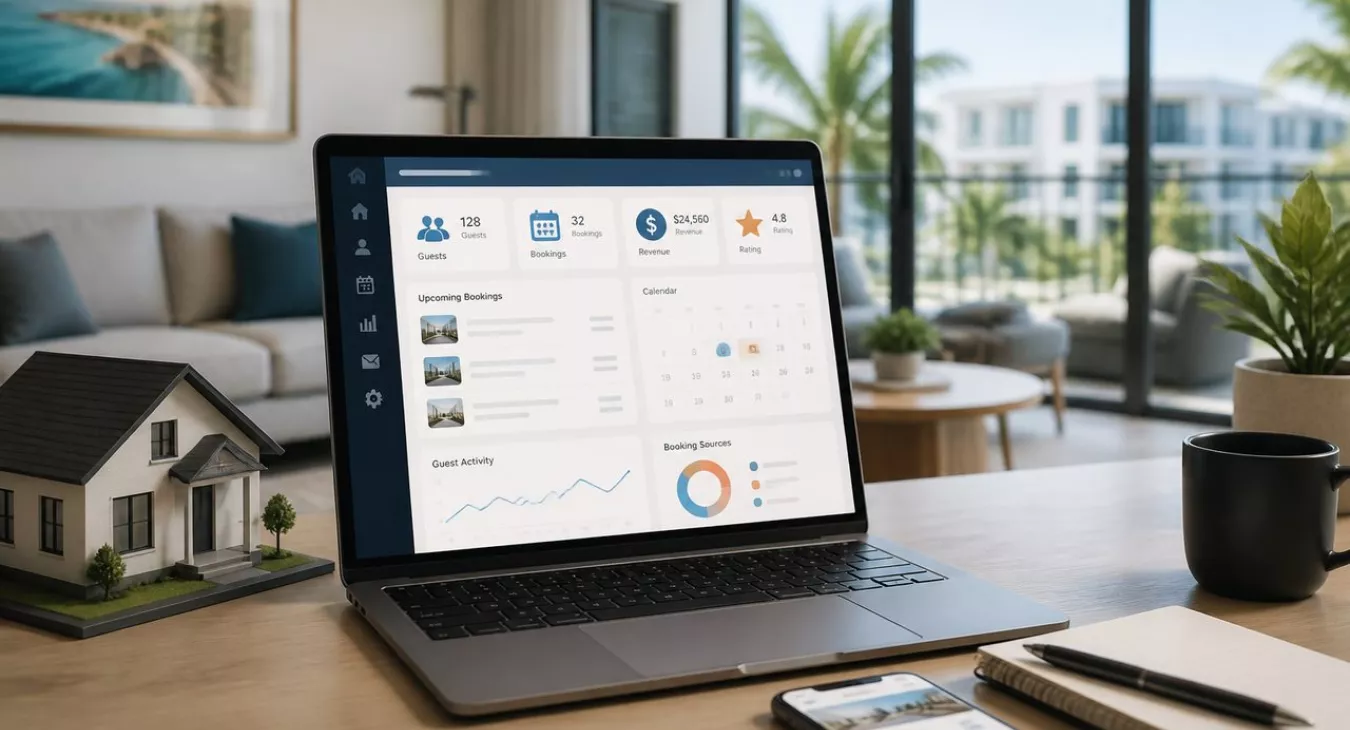
Best CRM for short-term rental investors: Compare top guest & booking management systems. Scale your STR portfolio efficiently with our data-driven guide.
Products and Tools Mentioned in this Post


Contactually
Contactually is a real-estate-ready CRM with list building, skip tracing, calling, texting, automated follow-up, project management and websites under one login.
Table of Contents
- What's a CRM for Short-Term Rental Investors?
- Critical CRM Capabilities for Short-Term Rental Investors
- CRM Feature Comparison by Portfolio Size
- How to Evaluate and Choose the Right CRM for Your STR Business
- CRM ROI: From Guest Capture to Revenue Impact
- Implementation Strategy: Setting Up Your STR CRM for Success
- Common CRM Mistakes Short-Term Rental Investors Make
Managing a short-term rental portfolio without a purpose-built CRM? It's like running a hotel with sticky notes. Every missed inquiry, delayed review request, and manual re-entry of OTA guest data costs you time and revenue — period. The global short-term vacation rental market is estimated at $165.7 billion in 2026, expanding at an 11.8% CAGR through 2033. And here's the kicker: over 1.77 million active U.S. STR listings are projected for 2026. That's brutal competition. The operators who scale to 20+ properties aren't winning because they own nicer homes. They're winning because their systems are bulletproof. The ones burning out at three? They're still chasing guests through email, texts, and Airbnb messages like it's 2015. A CRM built for short-term rentals is the operational backbone that separates the winners from the exhausted. This guide gives you an honest, data-driven comparison of the best CRM options for STR investors at every stage — real feature analysis, pricing you can actually count on, and an implementation roadmap you can execute today.

What's a CRM for Short-Term Rental Investors?
A CRM — Customer Relationship Management system — captures, organizes, and automates your guest relationships across every touchpoint. From first inquiry to review request and everything in between. It's different from a Property Management System (PMS), which handles calendars, rates, and syncing across channels. Your CRM sits on top of that layer and manages the entire guest relationship lifecycle: who stayed with you, when they were there, what they paid, how you communicated, and most importantly—how likely they are to book directly next time instead of going back to Airbnb.
How CRM Differs from General Property Management Software
A PMS like Guesty, Hostaway, or OwnerRez handles the operations side: availability, pricing, housekeeping triggers, payment processing. That's the backbone. A CRM handles guest intelligence: contact records, booking history, communication threads, segmentation tags, outreach sequences. Some platforms do both. Others keep them separate, which means you can pair a best-in-class PMS with a standalone CRM that actually knows hospitality. Here's the real difference: your PMS tells you what happened at your property; your CRM tells you who your guests actually are and how to convert them into repeat direct bookings.
Why STR Investors Need Purpose-Built CRM Solutions
Generic CRMs like Salesforce or HubSpot? They were built for B2B sales pipelines, not hospitality. No native integrations with Airbnb, VRBO, or Booking.com. They don't understand check-in sequences, review request timing windows, or how OTA-masked email addresses work. And when you try to shoehorn your STR operation into a generic system, you pay a coordination tax—hours of manual data entry, workarounds, Zap-chaining. That adds up to hundreds of lost hours every year once you're scaling beyond a few properties. Purpose-built STR CRM solutions get your channel mix, your communication cadence, your guest data structure from day one. For investors scaling past three or four properties, that difference compounds fast.
The Connection Between Guest Data Ownership and Direct Bookings
Every booking through Airbnb or VRBO enriches their database, not yours. They own the guest relationship. A CRM flips that. You capture real email addresses, phone numbers, booking preferences at every legal and contractual touchpoint—post-stay surveys, WiFi capture, direct booking websites, pre-arrival forms. Over time, you build a guest database that becomes a direct revenue asset. A list of warm, pre-qualified travelers who already trust your properties and have proven they'll pay. Direct bookings from that list save you the OTA commission—typically 3% from hosts plus 6–15% added to the guest price—while your margin on that stay jumps. Serious about scaling this way? The complete STR investing guide for 2026 gives you the strategic foundation you need.
Back to topCritical CRM Capabilities for Short-Term Rental Investors


Here's the truth: not every CRM feature matters in the STR space. What separates the tools that actually move your metrics from the ones that just clutter your tech stack? The capabilities below. These are the ones that'll hit your bottom line.
Unified Inbox and Multi-Channel Message Management
You're running five properties. That means you're juggling Airbnb, VRBO, Booking.com, your direct booking site, SMS, and email all at once — easily 12+ active conversation threads at any given moment. A unified inbox kills the platform-switching madness. Everything flows into one dashboard. No more missed inquiries hiding in some tab you forgot about. The data backs this up: IntelliHost analyzed 5,000+ properties and found that hosts responding within 1 hour see roughly a 25% relative lift in booking conversion rates compared to slower responders (think 1.0% versus 0.8%). But here's where it gets interesting. The same dataset shows that a 100% response rate versus under 89% can generate up to 116% more instant bookings. That's the leverage you're after. A unified inbox is what makes sub-one-hour response times actually doable without hiring a full-time guest communication person.
Automated Guest Sequences and Communication Workflows
Set it and forget it. Your CRM should run the entire guest journey on autopilot once you configure it: booking confirmation, pre-arrival instructions, check-in details, mid-stay check-in, check-out reminder, review request, post-stay follow-up offer. Seven touchpoints. Zero manual sends. Run the math on a ten-property portfolio with each message eating roughly 15 minutes of your time — that's about 17 hours recovered per month, per property, depending on your occupancy rate. And that compounds fast into real headcount decisions. This is the difference between hiring a virtual assistant and staying lean.
Guest Segmentation and Direct Booking Campaigns
Your guest database isn't just a contact list. It's a marketing goldmine waiting to be mined. Tag guests by stay type (leisure, business, family), geography, rate paid, repeat visits — whatever makes sense for your portfolio. Then build targeted campaigns: a "repeat guest discount" email to your two-time bookers, or a "shoulder season special" blast to guests who only stay during peak times. This is how you migrate revenue off the OTAs and into your direct channel where margins live. Your CRM needs to handle both the segmentation logic and the delivery — email at minimum, SMS where it's legally compliant.
Native PMS and Channel Manager Integrations
Integration depth is where most CRM evaluations fall apart. And this matters more than you think. A system that requires manual CSV uploads to sync reservations isn't a CRM — it's just a database with a nice UI. Demand native, bidirectional integrations with your PMS (Guesty, Hostaway, Lodgify, OwnerRez, Track, and others) plus direct API connections to your channels. The workflows should trigger automatically when a reservation is created, modified, or cancelled. No manual steps. No data entry. But here's the kicker: before you sign anything, confirm you can export your entire guest database — contacts, booking history, tags, notes, everything — in standard CSV format at any time. That's your insurance policy against vendor lock-in. It keeps your asset portable if you ever need to migrate.
Review Request Automation and Social Proof Generation
Superhost status requires work. You need a minimum 4.8-star rating, at least 10 completed stays (or 3 reservations totaling 100+ nights), 90%+ response rate within 24 hours, and a cancellation rate under 1%. The evaluation window? Quarterly — January, April, July, October. VRBO's Premier Host program isn't much different: they want 85% response rate within 24 hours. Automated review requests sent in that sweet spot — 2 to 4 hours after checkout, before review fatigue kicks in — meaningfully improve both volume and consistency. A CRM that handles this automatically across every single checkout (not just the ones you remember to trigger) pays for itself through platform ranking alone.
Back to topCRM Feature Comparison by Portfolio Size
A solo host running two Airbnb properties needs a completely different CRM than a property manager juggling 35 listings across four markets. Pick the wrong complexity level and you're either drowning in manual work or hemorrhaging money on enterprise features you'll never touch.
| Feature | Solo Hosts (1–5 Properties) | Growth Operators (5–20 Properties) | Portfolio Managers (20+ Properties) |
|---|---|---|---|
| Unified Inbox | Basic (2–3 channels) | Essential (all major OTAs + direct) | Mission-critical (all channels + team routing) |
| Automated Messaging Sequences | Pre-built templates sufficient | Custom sequences per property type | Multi-property, multi-language workflows |
| Guest Segmentation | Basic tagging | Tag-based campaigns and segments | Behavioral scoring + predictive segmentation |
| PMS Integration | Native Airbnb/VRBO API sufficient | Full PMS bidirectional sync required | Enterprise PMS + channel manager integration |
| Direct Booking CRM Campaigns | Basic email list capability | Segmented email + SMS campaigns | Multi-channel automation with A/B testing |
| Review Request Automation | Basic post-checkout trigger | Timed and conditional review requests | Platform-specific, multi-property automation |
| Reporting and Analytics | Basic booking and revenue summary | Repeat guest rate, response time, direct booking % | Portfolio-wide KPI dashboards, owner reporting |
| Team Access and Roles | Single user or simple sharing | 2–5 users with role permissions | Multi-team, department-level permissions |
| Typical Monthly Cost Range | $10–$30/user or flat under $60 | $60–$150/month | $150–$450+/month depending on platform |
Solo Hosts: 1–5 Properties (Lightweight CRM Solutions)
Response time, review volume, guest follow-up — that's where most solo hosts feel the squeeze. You don't need enterprise segmentation or multi-team routing. What you actually need? A unified inbox, a few solid automated message templates, and a way to capture guest emails for your direct booking funnel. Tools like Hospitable and Lodgify's built-in messaging nail this tier. HubSpot's free CRM gives you basic contact management, but you'll spend hours customizing it for STR-specific workflows, and it lacks native OTA integrations anyway. The good news: entry-level property management CRM typically runs $10–$30 per user per month, so your ROI stays simple even at lower occupancy rates.
Growth-Stage Operators: 5–20 Properties (Mid-Tier Platforms)
This is where the cost of fragmentation hits hardest. You're probably piecing together a PMS, spreadsheets, an email service provider, and manual review tracking. That coordination tax? It's eating 5–10 real hours a week. Mid-tier platforms like Hostaway, Lodgify with CRM add-ons, or LeadSimple (starting at $169/month billed annually) actually solve this. You get conditional message sequences, guest tagging, and direct booking email campaigns that actually work. And then there's Contactually — a purpose-built real estate operator platform. Not the old Contactually that Compass bought years back. This is different. KDS created this partnership to give growth-stage STR operators a modern platform that consolidates guest communication, lead follow-up, and your direct booking funnel into one place. Contact management, pipelines, workflows, email, SMS, calling, funnels, websites, social posting — it's all there. You'll pay extra for usage (calls, minutes, texts) on top of the base plan, and there's no free tier. This beats managing a fragmented stack if you're serious about scaling. Head to contactually.net for current pricing. Fair warning: it won't replace your dedicated PMS, and if you need heavy Airbnb/VRBO calendar and rate management, pair it with a real channel manager.
Portfolio Managers: 20+ Properties (Enterprise-Grade Systems)
At this scale, your CRM choice is infrastructure. Not preference. Multi-property dashboards, owner reporting, team permissions, deep PMS integrations — this is table stakes. AppFolio, primarily built for long-term rentals, starts at approximately $298/month with a 50-unit minimum as of mid-2026. Propertyware runs $1–$2 per unit per month with minimums of $250–$450/month depending on tier as of 2026. Guesty and Track blend PMS and CRM into one system and dominate this tier, though you'll pay enterprise rates. If you're building at this scale, the five-property scaling strategy guide walks through the operational infrastructure decisions that should drive your CRM investment.
Back to topHow to Evaluate and Choose the Right CRM for Your STR Business

Get the evaluation criteria right before you start demo calls. This prevents expensive migrations six months later. The platform itself? That's actually secondary to how you think about choosing it.
Comparing PMS-Native CRM vs. Standalone Solutions vs. All-in-One Platforms
| Solution Type | Best For | Pros | Cons | Integration Depth |
|---|---|---|---|---|
| PMS-Native CRM (e.g., Guesty, Hostaway) | Operators who want a single operational platform | No sync lag; unified data model; OTA integrations included | CRM features often secondary; limited marketing automation depth | Deep (native calendar, rate, and guest data sync) |
| Standalone CRM (e.g., LeadSimple) | Operators with an established PMS who need CRM depth | Best-in-class relationship features; workflow flexibility | Requires integration layer; potential sync delays or failures | Medium (depends on API availability of PMS) |
| All-in-One Platform (e.g., Contactually) | Growth-stage operators consolidating a fragmented stack | Single subscription; covers CRM, email, SMS, funnels, pipelines | No native PMS; must pair with channel manager; usage-based billing adds cost | Medium (integrates via API/Zapier; not a native channel manager) |
| Generic CRM (e.g., HubSpot, Salesforce) | Operators with technical resources to customize | Powerful, flexible, large market | No STR-native workflows; significant customization required; OTA integration difficult | Low (requires custom development for STR-specific data) |
Integration and Data Sync Requirements
Map your integration chain before you sign anything. Which PMS are you running? Does the CRM connect natively, or does it rely on Zapier or Make? Think about what triggers a new contact record — a reservation creation, an inquiry, manual import? How often does the sync actually run — real-time, hourly, or daily?
Here's the problem with slow sync: A guest checks in and checks out in 48 hours while their record still doesn't exist in your CRM. Real-time bidirectional sync is what you should demand, period. And don't just assume cancellations work correctly — confirm that reservation cancellations, modifications, and date changes update the CRM automatically. Partial sync failures are one of the most common sources of embarrassing automated messages going out to guests after they've already cancelled.

Automation Depth and Workflow Customization
Focus on conditional logic, not just message volume. Sending a pre-arrival text 48 hours before check-in? That's baseline functionality. But here's what actually moves the needle: different messaging for pet-friendly bookings versus family stays, first-time guests versus repeats, 7+ night bookings, or direct booking channels versus Airbnb traffic. That's automation depth that genuinely improves guest experience and kills the templated feel.
When vendors pitch you their platform, ask them to walk you through building a conditional workflow. Don't accept "we have conditional workflows" as an answer — actually see how it works.
Reporting, Analytics, and ROI Measurement
These are the STR metrics that actually matter for CRM ROI: average response time (you're aiming for under 1 hour), response rate (90%+ qualifies you for Airbnb Superhost status), repeat guest percentage, direct booking revenue as a percentage of total, OTA commission burn relative to total revenue, and post-checkout review completion rate. If the platform can't report on at least four of these six natively, you're essentially operating blind on whether this tool is worth its subscription cost.
Building portfolio-level financial models? The complete STR strategy and tax guide shows you the financial modeling context where CRM ROI actually fits into your business.
Data Security, Privacy, and Legal Compliance
Guest data lives in a legal minefield. Got guests from Europe? GDPR applies — you need a lawful basis for processing their data, a privacy notice, and the ability to delete records on request. California residents trigger CCPA, which includes right-to-know, right-to-delete, and opt-out rights for data selling. Your CRM must support deletion workflows, data export on demand, and ideally track opt-in consent for email marketing.
Before you start building a direct booking email list, talk to an attorney who knows GDPR and CCPA. The compliance review cost is negligible compared to the regulatory exposure of a non-compliant guest database.
SMS outreach? That's TCPA territory. A2P 10DLC carrier registration is a requirement, but it doesn't make cold messaging to your guest list legal on its own. Get legal advice before cold texting anyone.
Back to topCRM ROI: From Guest Capture to Revenue Impact

A CRM's ROI in STR comes down to three money moves: faster responses = more bookings, repeat guests = higher margins, direct bookings = zero commission. All three are trackable at the property level, and they compound.
Reducing Response Time and Improving Booking Conversion
Want a quick, measurable win? Speed is it. IntelliHost ran the numbers on over 5,000 properties and found hosts hitting inquiries within one hour see roughly 25% better booking conversion than slower responders. With occupancy sitting at 57.4% nationally in 2026, even a small conversion bump translates directly to more occupied nights and higher revenue. Here's the real move: set up a unified inbox with automated first-touch replies. Something like "Thanks for reaching out—full details coming within the hour" maintains a 100% response rate while you handle the heavy lifting after. The payback window? Weeks, not months.
Maximizing Repeat Guest Bookings and Direct Revenue
Repeat guests are your money driver. They book faster, need less hand-holding, leave better reviews, and when they book direct—they cost you nothing. No OTA cut. A CRM that flags first-timers and triggers a direct booking offer post-stay builds your repeat pipeline automatically. And here's what actually moves the needle: your direct booking percentage. That's the share of revenue that never touches an OTA commission structure. Shift even 15–20% of annual bookings from OTA to direct channels, and your per-unit margin jumps noticeably. This isn't just tactical—it's the foundation of your long-term STR thesis, which ties directly into what we cover in our piece on investing in vacation and short-term rentals.
Decreasing OTA Commission Dependency
OTA commissions drain margin every single time. Commission rates shift by platform, market, and negotiating power, but the math doesn't lie: direct bookings at the same nightly rate produce materially higher profit. A CRM is how you actually build direct booking campaigns. Without a guest database, you're just hoping—without a CRM, you've got nothing to market to. The operators winning long-term treat their guest list as an asset class. They build it, maintain it, and monetize it through a CRM. OTA-only shops? They stay dependent forever. If you're tracking STR tax strategy, our STR tax strategies guide breaks down how direct booking revenue shapes your deduction and loss allowance structure.
Measuring CRM Success: Key Metrics and KPIs
Lock in your benchmarks before you launch—not after. These are your core STR CRM KPIs: average first-response time (you want under 60 minutes), response rate (90%+ keeps you Airbnb Superhost eligible), repeat guest rate (track it quarter-to-quarter), direct booking percentage (baseline where you are today; target growing it 5 points annually), post-checkout review completion (aim for 60%+), and monthly database growth. Hit these monthly for the first half-year. Once you've got steady baselines, shift to quarterly reviews.
Back to topImplementation Strategy: Setting Up Your STR CRM for Success

Here's the truth: a poorly implemented CRM doesn't fail. It just sits there while your team keeps doing everything manually. The roadmap below reflects real timelines and the actual bottlenecks that trip up most operators.
| Phase | Timeline | Key Activities | Expected Outcomes |
|---|---|---|---|
| 1. Audit and Planning | Week 1–2 | Map current tool stack; identify integration points; export historical guest data from OTAs; define segmentation tags | Integration plan; clean guest data file; defined CRM architecture |
| 2. Setup and Integration | Week 2–4 | Configure PMS integration; import historical contacts; set up unified inbox; connect email and SMS channels | Live data sync; historical guest database populated; all channels active |
| 3. Workflow Configuration | Week 3–5 | Build message templates (confirmation, pre-arrival, check-in, mid-stay, review request, post-stay); configure automation triggers and conditions | Full guest communication lifecycle automated; review request live |
| 4. Team Training and Launch | Week 5–6 | Train all team members on inbox routing, escalation protocols, and contact tagging; soft-launch with one property; validate triggers | Team adoption; zero manual message sends for covered properties |
| 5. Optimization and Scaling | Month 2–3+ | Review response time data; A/B test message copy; launch first direct booking campaign to repeat guest segment; roll out to all properties | Measurable KPI improvement; first direct bookings from CRM campaigns |
Pre-Launch: Data Audit and Integration Planning
Everyone skips the data audit. Don't. Before you configure anything, export every guest record from your existing channels — all of it. Airbnb serves CSVs straight from the Reservations tab. VRBO does the same. Your PMS has a reservation export somewhere. You want to launch with historical context, not just watch new bookings trickle in starting today. Historical data lets you segment immediately ("guests from the last 12 months") and run direct booking campaigns before you've even finished automating your first workflow.
Building Your Guest Database from Existing Reservations
Pull these fields from your OTA exports: full name, email (when available—OTAs love masking these), phone number, property, check-in and checkout dates, nightly rate, guest count, and any notes. Here's the critical part: deduplicate before import. A guest who's booked three times might show up as three separate records in an OTA dump. Clean this up before it hits your CRM. You'll save hours of manual cleanup later. And for future bookings, set up your direct booking site to capture email explicitly. Use a privacy notice and an optional marketing consent checkbox for guests interested in direct offers.
Configuring Automated Sequences and Templates
You need seven templates minimum. (1) Booking confirmation with property details. (2) Seven-day pre-arrival with your local guide and access info. (3) Twenty-four hours before check-in—exact instructions. (4) Arrival day welcome plus emergency contacts. (5) Mid-stay check-in for stays of 4+ nights. (6) Check-out reminder with instructions. (7) Review request sent 3–4 hours after checkout. Add a post-stay direct booking offer at day 7 for any guest whose email you have. That seven-touch sequence handles 85–90% of guest communication on most STR portfolios. Everything else is automatic.
Training Your Team and Establishing Workflows
Automation breaks when your team bypasses it. They reply through the OTA app instead of the CRM inbox. They manually send messages that duplicate what already went out. You need a simple rule: all guest communication flows through the CRM inbox. Manual replies only for escalations. Define what escalates—maintenance emergencies, complaints, special requests outside your templates—and document it. Your team adopts faster when they realize the CRM kills the tedious work they hate most (repetitive message sends), not their judgment on complex situations.
Optimization: Testing, Measuring, and Scaling
Run your first KPI report after 30 days live. What's your average response time now versus before? How many reviews are you getting? Look for workflow failures—sequences that didn't fire, messages sent to cancelled bookings, broken integrations. Month two is cleanup. By month three you'll have enough repeat guest data to launch direct booking campaigns. Reality check: expect real traction after two to three send cycles. Guest lists need warm-up before conversion rates settle. For a wider lens on property management tools beyond CRM, check the best rental property management apps for 2026—it covers the full stack.
Back to topCommon CRM Mistakes Short-Term Rental Investors Make
Operators who came before you made these mistakes so you don't have to. The roadmap above shows what they learned. Skip ahead months by catching these pitfalls early.
Choosing Generic CRM Over Purpose-Built STR Solutions
Here's the expensive trap: paying for flexibility you'll never use in a generic CRM when what you actually need is STR-specific functionality that works out of the box. HubSpot's free tier looks cheap until you're burning 40+ hours building OTA integrations and configuring hospitality workflows the platform wasn't designed for. Then you're looking at costs that dwarf a purpose-built solution. And that's just the direct cost—we haven't talked about opportunity cost yet.
Look, generic CRMs only make sense if you've got dedicated dev resources and truly non-standard workflows. For most STR investors? Purpose-built tools win every time. They're built for your business. You get time-to-value in days, not months.
Neglecting Data Portability and Vendor Lock-In Risk
Your guest database is a long-term asset. Don't lock it into a vendor.
Back to top