


Discover the best CRM integrations for real estate to streamline your workflow, eliminate data silos, and close more deals faster.
Products and Tools Mentioned in this Post


Follow Up Boss
Follow Up Boss is a real estate CRM that helps agents manage leads, automate follow-up, and increase conversions. Streamline your sales process today.

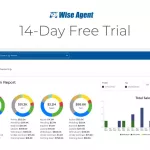
Wise Agent
Wise Agent is a comprehensive real estate CRM offering contact management, transaction tracking, email marketing, and automation tools for agents and brokers.



Contactually
Contactually is a real-estate-ready CRM with list building, skip tracing, calling, texting, automated follow-up, project management and websites under one login.
Table of Contents
- what's CRM Integration for Real Estate?
- Essential CRM Integrations for Real Estate Agencies
- Quick Comparison: CRM Platforms and Integration Capabilities
- Top CRM Platforms with Strong Integration Capabilities
- Zapier and the Middleware Market
- Benefits of an Integrated CRM for Real Estate Teams
- Implementation Best Practices
- Common Integration Challenges and How to Solve Them
- The Future of CRM Integrations in Real Estate
- Conclusion: Build Your Integrated Stack Intentionally
- Frequently Asked Questions
Your real estate business runs on data. Lead sources, property listings, client communications, contracts, commission records — they're all flowing simultaneously across a dozen different tools. And without the right CRM integrations for real estate, that data sits in silos. Agents and investors end up manually copying information between systems, chasing down updates, piecing together client histories from scattered inboxes and spreadsheets. The cost isn't just time — it's missed follow-ups, lost deals, and a client experience that feels clunky. A well-integrated CRM can eliminate most of that friction. The market is moving fast to make it easier than ever.
Here's what's happening at scale: the global real estate CRM software market sits at approximately $5.31 billion in 2026, and it's climbing fast. By 2035, it'll hit $14.98 billion at a 12.2% compound annual growth rate. That's not just hype. Over 55% of U.S. real estate businesses already use CRM software as of 2026. But here's the thing: the agents and investors actually winning the most business aren't just using a CRM — they've connected it to everything else in their tech stack. This guide breaks down the best CRM integrations for real estate, which platforms offer them, and how to implement them without chaos.

what's CRM Integration for Real Estate?
A CRM integration connects your customer relationship management platform to other software tools. Data flows automatically between systems — no manual entry required. Your CRM talks to your MLS feed, email client, e-signature platform, accounting software, and marketing tools in real time. That's the whole game.
Here's what separates a standalone CRM from an integrated one: A standalone CRM is basically a contact database with a pipeline view. It works, but you're still doing the grunt work manually — logging every email, uploading documents one by one, cross-checking your calendar. An integrated CRM becomes your operational nerve center. Leads from Zillow drop straight into your pipeline automatically. Emails log the moment you hit send. Signed contracts attach to the right deal without lifting a finger. Your accounting software updates commission records on its own.
Managing dozens of active clients or juggling multiple acquisition pipelines at once? You need integration. Period. This isn't optional anymore — it's what separates operators who scale from those who stay stuck grinding. If you haven't locked in a CRM platform yet, read our guide to the best CRM for real estate investors in 2026 first. That'll give you the foundation before you start building your integration stack.
Back to topEssential CRM Integrations for Real Estate Agencies
Some integrations move the needle. Others just clutter your dashboard. Here's what actually matters in your real estate workflow and where you should focus your energy and budget.
Property Listing Platforms and MLS Connections
An MLS integration is non-negotiable. It's the single most valuable connection your CRM can make. When a new listing hits that matches a saved client search, your system fires off a personalized email alert automatically. The client's record updates with interest level flagged. A follow-up task gets created. You do nothing, yet everything gets done. Follow Up Boss and Wise Agent both offer direct MLS feeds and IDX connections. Investors get the same treatment from wholesale platforms and driving-for-dollars tools that dump distressed property data straight into your deal pipeline.
Email and Communication Tools
It's 2026. Gmail and Outlook integrations aren't optional. They're the baseline. Every email you send or receive logs automatically to the right contact record — no manual filing, no excuses. Your entire team sees the communication history. And here's what really matters: look for integrations that track email opens and link clicks. That engagement data tells you who's actually interested and who's just noise. SMS and calling integrations work the same way, but pause here — TCPA compliance is serious business. Talk to your attorney before running cold text campaigns or auto-dialers. Need to dig deeper on calling? Check out our breakdown of the best real estate dialers for cold calling in 2026.
Marketing Automation and Lead Generation Tools
Zillow Premier Agent. Realtor.com. Facebook Lead Ads. Google Ads. Connect all of it to your CRM and every lead lands in your pipeline with source attribution baked in. Then plug in your marketing automation layer — HubSpot, Mailchimp, ActiveCampaign — and watch drip campaigns trigger based on behavior, property interest, or deal stage. This is how eight-person teams handle the volume that would take twenty people without it. Hundreds of leads get nurtured in parallel while you sleep. Want to understand the full lead-sourcing picture? Our guide to the best real estate lead generation platforms in 2026 breaks it all down.
Document Management and E-Signature Solutions
DocuSign. Dotloop. Authentisign. These aren't luxuries — they're the difference between closing in 28 days and closing in 35. Send contracts, disclosures, and addenda for signature straight from your deal record. They come back signed and file themselves. The version-control nightmare of PDF email chains disappears. And when that signature hits? Your deal stage advances automatically. That's efficiency.
Calendar and Scheduling Integrations
Google Calendar. Outlook Calendar. Calendly. They all sync bidirectionally with your CRM, which means appointments, client calls, and property inspections stay in sync across the board. Someone books a consultation on your website? Their details populate a new lead record instantly. Automated reminders cut no-shows in half. Your agents in the field see their entire day on mobile without juggling five different apps.
Accounting and Payment Processing Systems
QuickBooks. Real estate-specific platforms. Connect them to your CRM and you close the loop between deals and dollars. Commission disbursements, referral tracking, expense categorization — all automated. You're not reconciling for three hours on the last day of the month anymore. The financial side of your business operates independently. For the full accounting toolkit, see our guide to the best real estate accounting software in 2026.
Back to topQuick Comparison: CRM Platforms and Integration Capabilities
Before we dig into the details of each platform, you need to see how they stack up side-by-side. Look at native integrations, API access, Zapier support, and what each one's actually built for. Pricing shifts constantly — what you're seeing below comes from vendor websites or third-party confirmations as of October 2026. We've flagged the sources where they exist.
| CRM Platform | Native Integrations | API Available | Zapier Support | Best For | Entry Price (as of Oct 2026) |
|---|---|---|---|---|---|
| Follow Up Boss | 200+ | Yes | Yes | Teams and brokerages | $69/user/month (Grow plan) |
| Wise Agent | Moderate | Yes | Yes | Solo agents, budget-conscious teams | $49/month flat |
| HubSpot CRM | 1,500+ | Yes | Yes | Marketing-heavy agencies | Free tier; paid plans vary (check vendor) |
| Salesforce Real Estate Cloud | 3,000+ (AppExchange) | Yes | Yes | Enterprise brokerages | Check vendor for current pricing |
| Pipedrive | 400+ | Yes | Yes | Sales-focused teams | Check vendor for current pricing |
| Contactually (by KDS) | Via Zapier + native | Yes | Yes | All-in-one: calls, texts, email, funnels, pipelines | Visit contactually.net |
| Monday.com CRM | 200+ | Yes | Yes | Visual workflow teams | Check vendor for current pricing |
| REsimpli / FreedomSoft | Investor-specific | Varies | Yes | Real estate investors | Check vendor for current pricing |
Heads up: LionDesk got shut down in September 2025, and everyone got moved over to Lone Wolf Relationships. If you were riding LionDesk, don't build new integrations on that platform without checking your migration path first. Review your options here before you commit.
Back to topTop CRM Platforms with Strong Integration Capabilities

Let's dig into the major players. Which one's right for you depends on what you're actually trying to do — and more importantly, where the platform doesn't pull its weight.
Follow Up Boss
Over 200 native connections. Lead sources, communication tools, transaction management — Follow Up Boss has wired it all together for residential real estate teams. Pricing starts at $69 per user per month (or $58/user/month if you pay annual), with a Pro plan at $499/month for up to 10 users and Platform scaling to $1,000/month for 30 users.
Here's where it shines: lead routing. A new lead lands in any connected source, and it automatically assigns to the right agent based on your rules. A follow-up task fires instantly. But here's the catch — it's built for residential sales teams. Wholesale operators and BRRRR investors looking for deal analysis tools will hit a wall fast. If you're running an investment operation, our guide to the best real estate investor CRMs in 2026 might serve you better.
HubSpot CRM
We're talking 1,500+ native app connections here. Marketing, sales, service, operations — it's all connected. HubSpot's native marketing automation is genuinely powerful if you're running content, SEO, or paid ad campaigns at scale. And that's exactly where it's designed to win.
The tradeoff? It's not built for real estate specifically. MLS connections and transaction workflows need custom configuration or a middleware layer to work smoothly. Start with the free tier if you're solo — that's legitimately useful. But real automation? That's paid-plan territory, and pricing fluctuates. Check HubSpot directly for current numbers.
Salesforce Real Estate Cloud
Thousands of real estate-specific add-ons live on the AppExchange marketplace. Salesforce is the most customizable platform on the market — period. Enterprise brokerages managing multiple offices, large agent rosters, and complex commission splits? This is built for you.
But I'll be straight with you: implementation is messy and expensive. Most mid-size shops will spend more on Salesforce setup and ongoing admin work in year one than they'll actually save. You need dedicated IT resources or budget for a specialist partner to make it worth it.
Pipedrive
The visual pipeline interface is clean. Deal-stage visibility is excellent. And with 400+ integrations plus strong Zapier support, you can wire up Google Workspace, Microsoft 365, and your communication stack without friction.
What it won't do out of the box: real estate-specific automation. Automated showing feedback, commission calculators, MLS feeds — those don't exist natively. You're building it yourself or stringing integrations together.
Monday.com CRM
Started as project management, evolved into CRM. Many real estate teams find the visual boards intuitive and easy to navigate. With 200+ integrations and Zapier at your back, you can connect to almost anything in a real estate tech stack.
It's particularly strong if you're juggling client relationships and operations in the same place — listing prep checklists, renovation tracking, all of it on one board. The catch: you'll spend time customizing to make it act like a real estate CRM. Follow Up Boss and niche investor platforms get you there faster.
Contactually (Real Estate CRM by KDS)
Disclosure: KDS, which publishes this site, created Contactually. Not the old Contactually that Compass bought — this is brand new. All-in-one, built specifically for agents and investors who want to consolidate instead of juggle five subscriptions.
One platform handles list building, skip tracing, project management, texting, calling, email, marketing funnels, websites, deal pipelines, workflow automation, and social posting. Calls, minutes, and texts get billed on usage. This model works especially well for investors running outreach, managing deals, and marketing their business without splitting resources across tools. No free tier. Head to contactually.net for pricing.
Best for investors who want maximum consolidation. But if you need deep MLS automation or investor-specific features like list stacking, compare it carefully against REsimpli or FreedomSoft first.
Niche Investor Platforms: REsimpli, FreedomSoft, IXACT Contact
Purpose-built for real estate investors. List stacking, skip tracing integration, driving-for-dollars, direct mail management, deal analysis — these are native features, not bolt-ons. IXACT Contact serves residential agents who live and breathe relationship marketing and referrals, with built-in newsletters and anniversary reminders baked in.
They won't have the integration depth of HubSpot or Salesforce. But they don't need it. You're productive from day one without heavy customization. Building an investment portfolio? Our guide to finding BRRRR property deals covers the sourcing strategy side of this equation.
Back to topZapier and the Middleware Market
You can't talk about CRM integrations in real estate without mentioning Zapier. It's the connective tissue holding your tech stack together—supporting over 9,000 apps as of 2026. Here's the thing: when two platforms don't have a direct native connection, Zapier fills that gap. A "Zap" is just an automated workflow. App A does something (the trigger), and Zapier makes App B do something in response.
Real estate teams run Zaps like these all day:
- New Facebook Lead Ad submission → create contact in CRM + send welcome text
- New signed DocuSign envelope → update deal stage in CRM + notify team in Slack
- New Calendly booking → create CRM contact + add to drip sequence
- New Zillow lead → assign to agent + create follow-up task in CRM
- Closed deal in CRM → create invoice in QuickBooks + log in accounting software
But here's the critical trade-off you need to understand: native integrations beat Zapier every time when it comes to reliability, speed, and data accuracy. Native integrations live inside the CRM's infrastructure with dedicated sync processes. Zapier, on the other hand, has to poll for changes at intervals—meaning you could see delays of several minutes. And you're adding a third-party dependency into the mix. For mission-critical workflows like lead routing during a hot ad campaign? Go native, no question. Save Zapier for the secondary stuff and for connecting tools that don't have native options.
Back to topBenefits of an Integrated CRM for Real Estate Teams
Skip the "convenience" talk. Here's where integrated CRMs actually move the needle on your bottom line:
Improved Data Accuracy and a Single Source of Truth
Every tool in your stack feeds into one central CRM. No more version-control nightmares. Your entire team sees the same contact history, the same deal status, the same communication log — all in real time. And that matters most when multiple people are touching the same client across different deal stages.
Reduced Administrative Load
Manual data entry. It's the silent killer in most real estate shops. An agent spending 90 minutes per day on calls, updating contact records, moving leads between spreadsheets? That's 30+ hours per month burning away. Integrations automate data capture and record updates. Suddenly your agents are doing deals instead of data entry.


Enhanced Lead Nurturing and Conversion
Speed to lead drives conversion. It's documented. When your CRM integrations let you respond to an inquiry within minutes — automatically but personally — your close rate beats the shop that still has agents manually checking inboxes. Marketing automation tied to your CRM keeps prospects engaged across a months-long nurturing sequence. No manual touches needed. Want to know where those leads come from in the first place? Our guide to the best places to buy real estate leads has the sourcing playbook.
Better Team Collaboration
The "who's handling this client?" problem vanishes. Brokerages and investment teams get shared CRM visibility across the board. Deal stages, task assignments, communication logs — everyone sees it. Managers monitor pipeline health without pestering individual agents for status updates.
Scalability Without Proportional Overhead
A dialed-in CRM lets you scale lead volume without hiring headcount to match. Workflows that needed a dedicated transaction coordinator at 50 deals per year? They can handle 150 deals with the same team, because the system's doing the coordination work instead.
Back to topImplementation Best Practices
Pick the wrong CRM? You'll survive. Execute the integration poorly? That kills your ROI fast. A solid CRM with sloppy implementation loses to a bare-bones setup that's dialed in. Here's the sequence that actually works.
Audit Your Current Tech Stack First
Don't guess at what tools you're using. Document every platform your team touches — and I mean every one, including the random apps your agents downloaded themselves. Where's the data now? Where does it need to be? Pinpoint the manual hand-offs causing errors or slowdowns. This audit will show you which integrations matter most and surface potential conflicts before they blow up your implementation timeline.
Start with Core Integrations, Then Expand
Most agencies blow this. They try to wire up everything simultaneously and then wonder why nothing works.
Lock in your top three or four integrations first — lead sources, email, calendar, e-signature. Validate the data's flowing clean. Only then add the next layer. Debugging ten simultaneous integrations is how you burn through weeks and demoralize your team. Don't do that.
Map and Clean Your Data Before Migration
Your old system's contact records are a mess. Duplicates everywhere. Inconsistent formatting. Dead data. It's way faster to clean this stuff before importing into the new CRM than after it's already synced across multiple tools. Spend the time upfront. You'll save weeks of headaches later.
Define Workflows Before You Build Them
A new lead hits Facebook. What happens next? Then what? Write it down in plain English before you touch Zapier or any automation tool. If you can't describe the workflow clearly, you can't automate it — period. Get the team aligned on the design before you start building. Not after.
Budget Appropriately
Plan to spend 2–3% of gross commission income (GCI) on your CRM. That covers the platform, middleware, connectors, setup, and training. For growing teams, you'll see ROI in the first six months through less admin work and better lead conversion. But only if you execute properly.
Train the Team and Measure Adoption
A perfect integration means nothing if your agents work around it. They'll revert to old habits unless you make the new system easier than the old way — not harder. Track adoption the first 90 days: logins per week, in-system tasks, auto-logged leads versus manual entries. Fix friction points immediately. What metrics matter most to you?
Back to topCommon Integration Challenges and How to Solve Them

Things go sideways. Even with solid planning, real estate teams hit integration problems constantly. Let's talk through the ones you'll actually encounter and what works to fix them.
Data Sync Conflicts and Duplicate Records
Your contact database lives in three places at once. Then both systems update simultaneously. What you get is duplicate records or worse — overwritten data that should've stayed put. The fix? Pick one authoritative system and make it stick. Configure your integrations to write to that platform first, treating it as the single source of truth. Don't just accept the default conflict resolution rules your CRM ships with. Define them explicitly or you'll spend hours cleaning up mess.
API Rate Limits
Most CRM APIs throttle you. Only X requests per minute or per hour. Run a high-volume lead campaign with your 50-agent team and you'll slam into these limits fast. Syncs get delayed. Tasks get dropped. You don't notice until deals fall through the cracks.
Use native integrations for heavy workflows instead of Zapier when you can — they handle rate limiting better. And configure error notifications in Zapier so dropped tasks actually alert you instead of disappearing silently.
User Adoption Resistance
Your top agent built her entire business around a spreadsheet system from 2008. She's not switching because you said so. But here's what works: show her the personal win, not the management benefit. Tell her she'll reclaim 45 minutes daily from admin work. That lands. Give her hands-on training instead of a PDF she'll never read. And find one or two early adopters on your team who'll evangelize the system to everyone else — they're worth their weight in commissions when it comes to driving adoption.
Data Security and Compliance
You're transmitting client financial data and personal information. That's regulated. GDPR, CCPA, state privacy laws — these matter in your market. Every integration that touches that data requires data processing agreements, consent tracking, and retention policies that actually hold up under scrutiny. Before you plug in a new tool, verify compliance. Check those DPAs. And honestly? Spend a couple hundred bucks on a privacy attorney review before you scale this up. It's insurance against real liability.
Scalability for Multi-Office Operations
A 10-agent office is one thing. Add three more offices, different tools in each location, and you're staring down a completely different problem set. Your current integration strategy might collapse. API limits will crack. User licensing won't scale. Data governance falls apart.
Audit your setup before you expand. Can your CRM and integrations handle 100 agents? Will your licensing hold up? This is where Salesforce's cost suddenly makes sense versus cheaper platforms — enterprise infrastructure actually supports multi-office growth without rebuilding everything.
Back to topThe Future of CRM Integrations in Real Estate

Artificial intelligence is reshaping the integration landscape. Software vendors aren't just responding to what you ask anymore — they're anticipating what you need before you ask for it.
AI-Powered Lead Scoring and Recommendations
This isn't coming anymore. It's here. Over 40% of real estate CRM vendors already offered AI-enhanced lead scoring features as of 2026. The best systems analyze behavioral signals — email opens, website clicks, search history, how fast someone responds — and flag which leads are actually ready to transact right now. That's the intel that separates busy work from real follow-up. And as these models get smarter with more data, they'll become table stakes. The agencies using integrated CRMs will pull further ahead from the ones still manually sorting their pipeline.
Agentic AI for Autonomous Workflow Execution
Here's where it gets interesting. The next wave isn't just AI suggesting what to do — it's AI actually doing the work without you touching it. Imagine your CRM spotting a lead who's ghosted for 14 days, automatically drafting a personalized re-engagement message, sending it, then scheduling your follow-up if they respond and updating the deal stage. All autonomous. Most vendors are still in the "AI-assisted" phase right now, but several are building toward full autonomy, and you'll see real implementations roll out through 2026 and beyond.
Predictive Market Data Integration
Want a real competitive edge in client conversations? Pull market data straight into your CRM in real time. Pricing trends. Days on market. Absorption rates. Interest rate shifts. Your CRM assembles the context and serves it to you automatically instead of you digging up reports manually. With a U.S. median home sale price sitting at $393,895 as of September 2026 and conditions shifting month to month, having live data built into your client communications is no longer a nice-to-have. It's how you win advisory conversations.
Enhanced Mobile and Field Integrations
Your agents and investors spend their days on property, not at a desk. That means mobile-first CRM integration isn't optional anymore. You need to log showings, snap photos, record voice notes, and trigger workflows from your phone without ever opening a laptop. The platforms nailing this UX will own the market as the 1.4+ million NAR Realtors keep demanding better tools for work in the field. And if you're investing, here's something emerging: integrating 3D tour capabilities directly into your CRM workflow for remote property evaluation. Check out our guide to the best 3D tour software for real estate in 2026 to see how that's evolving.
Back to topConclusion: Build Your Integrated Stack Intentionally
Here's what separates the winners from everyone else: it's not about having the fanciest tools. It's about connecting them so data actually flows, workflows run on autopilot, and your agents spend time closing deals instead of drowning in admin work. The professionals winning today get this right.
Want to know which integrations move the needle most? Lead source integrations come first — nothing falls through the cracks. Then email and communication sync, so every client touch is logged automatically. E-signature connections speed up closes. And marketing automation keeps leads warm without you lifting a finger. Once those four are locked in, you can layer on accounting integrations and AI features. But get the foundation right first.
Here's the non-negotiable rule: pick a CRM that natively supports your most critical integrations. Don't lean on Zapier for mission-critical workflows — use it only to fill small gaps. Your choice depends on your operation. Follow Up Boss works great for residential teams. REsimpli's built for investors. Contactually gives you everything under one roof. HubSpot dominates if you're marketing-heavy. But remember — the integration strategy matters just as much as the platform itself.
And if you want to see the bigger picture? Our full guide to the best real estate software for investors in 2026 walks through the entire tech stack beyond CRM.
Back to topFrequently Asked Questions
what's the most important CRM integration for a real estate agent?
Lead source connectivity. That's your priority number one. Every inquiry from Zillow, Realtor.com, Facebook, or your own website needs to hit your CRM pipeline automatically—and trigger immediate follow-up without you lifting a finger. Email sync comes in second. It logs every client conversation without manual data entry. These two integrations? They're the difference between closing deals and watching them slip away. Miss follow-up, miss money. It's that simple.
Do I need a real estate-specific CRM, or will a general CRM like HubSpot or Pipedrive work?
General CRMs like HubSpot and Pipedrive give you broader integration options and better marketing automation tools. But here's the catch—you'll spend weeks customizing them to handle MLS feeds, transaction management, and commission tracking. Real estate-built platforms like Follow Up Boss or investor tools like REsimpli? They're plug-and-play. Minimal configuration. And if you're bootstrapping without a tech team, that matters. You've got deals to close, not CRM configuration to manage. On the flip side, if you have dedicated operations staff and serious marketing ambitions, a general CRM can outperform purpose-built tools over time. The choice depends on your bandwidth and growth plans.
Back to top