

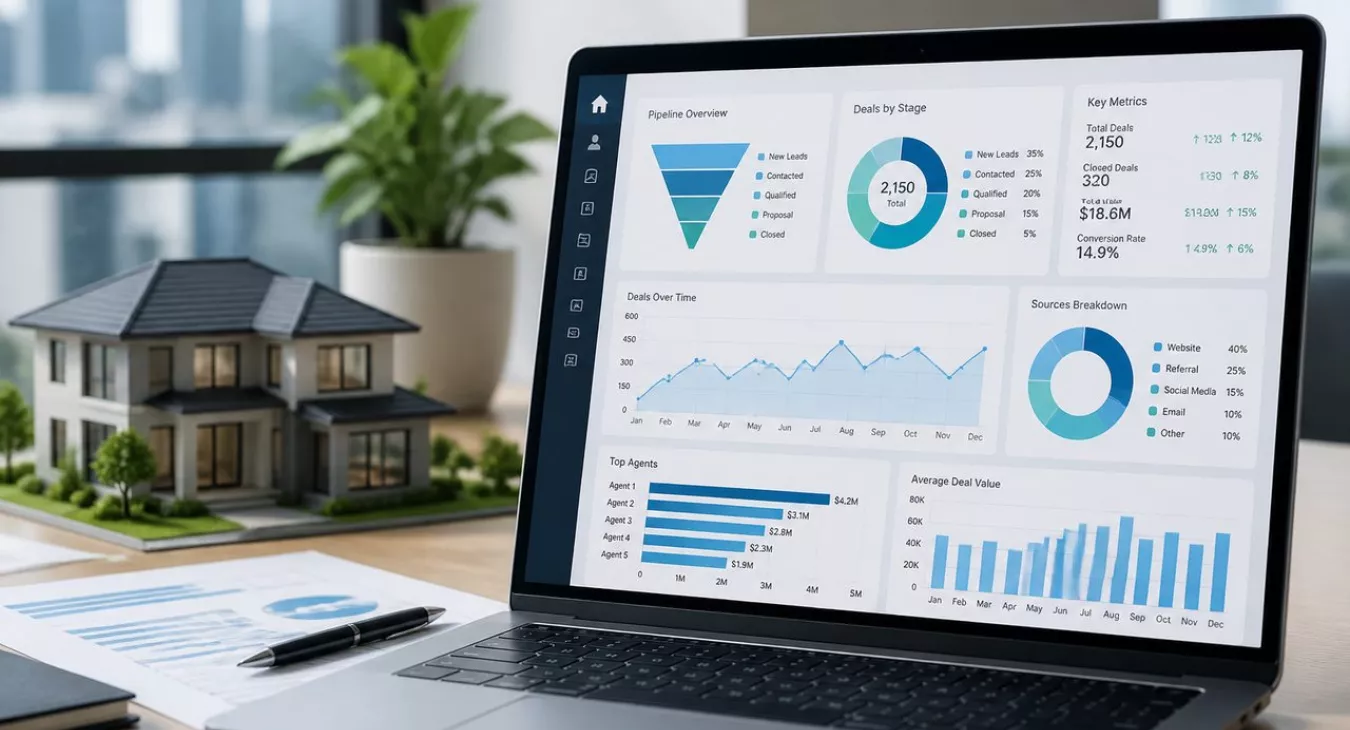
Real estate CRM reporting & analytics transforms raw pipeline data into actionable insights. Discover metrics that drive deals and boost agent productivity
Products and Tools Mentioned in this Post


Contactually
Contactually is a real-estate-ready CRM with list building, skip tracing, calling, texting, automated follow-up, project management and websites under one login.
Table of Contents
- What's Real Estate CRM Reporting and Analytics?
- The 5 Critical Metrics Every Real Estate Team Should Track
- Setting Up Your Real Estate CRM Dashboard
- Advanced Analytics: Finding Hidden Bottlenecks
- Agent Performance Tracking and Coaching
- Revenue Forecasting: From Pipeline to Predictions
- Common CRM Reporting Mistakes to Avoid
- Choosing a Real Estate CRM with Strong Reporting
- Implementing Analytics and Driving Adoption
- Conclusion: Analytics Is a System, Not a Feature
- Frequently Asked Questions
Most real estate teams are sitting on a goldmine of data they never actually use. Leads flow in from a dozen different sources. Agents log notes sporadically. The closest thing to "reporting" is a color-coded Excel sheet that's already two weeks out of date by the time the broker reviews it. And that's where things fall apart — deals slip through the cracks, marketing budgets get wasted on channels that don't convert, and growth decisions get made on gut feel instead of evidence.
Real estate CRM reporting and analytics fix this. They turn the raw activity sitting in your pipeline into decisions you can act on today. You get visibility. You get accountability. You get data instead of guesses.
The numbers back this up. The global real estate CRM market was valued at approximately $5.31 billion in 2026 and is projected to hit nearly $15 billion by 2035 at a 12.2% compound annual growth rate. Translation? The industry's already figured out that this stuff works. Teams are investing because it moves the needle on conversion rates, deal velocity, and bottom-line revenue.
This guide walks you through what actually matters to track, how to build dashboards your team will actually use (not ignore), and how to turn those analytics into closed deals.

What's Real Estate CRM Reporting and Analytics?
Definition and Core Function
Strip it down to basics: CRM reporting pulls structured data from your system and organizes it into something you can actually use. Conversion rates. Pipeline values. Agent activity logs. Analytics is the next layer. It digs into that data to find patterns, uncover what's driving your numbers, and forecast what comes next. The real power? Together they turn raw lead and transaction data into actionable intelligence. You'll know exactly where to focus, which revenue leaks need plugging, and which strategies are genuinely moving the needle.
Why Real Estate Teams Need Reporting Analytics
Real estate lives and dies on relationships. But it's also ruthlessly mathematical. According to NAR's 2026 Member Profile, your average agent closed just 9 transaction sides in 2025 with a median sales volume of $2.7 million. There's no room to waste. Every lead that slips away. Every marketing channel that underperforms in silence. Every deal stalling at offer stage while you're busy elsewhere — that's money gone. Data-driven strategies replace hunches. They're repeatable. They scale. And most importantly, they work.
Common Data Sources in Real Estate CRMs
Your CRM is only as smart as the data flowing into it. Website lead forms. Paid ads from Google and Meta. MLS activity. Call and text logs. Email campaigns. Open house sign-ups. Referrals. Transaction systems. The real problem isn't data shortage — it's fragmentation. You've got information scattered everywhere. And when reporting pulls from disconnected sources, you get a partial picture instead of the full story. That's why data-driven teams invest in integration first. Dashboards come second.
Back to topThe 5 Critical Metrics Every Real Estate Team Should Track

Which metrics actually predict revenue? That's what you need to nail down before building any dashboards. Yeah, real estate spits out dozens of numbers you *could* track — but most of them are noise. The five metrics below? They're the ones that separate teams closing $10M+ annually from the ones stuck at $2M. Use the reference table below to keep score.
| Metric | Definition | How to Calculate | Target Benchmark | What It Reveals |
|---|---|---|---|---|
| Lead-to-Qualification Rate | % of raw leads that become qualified prospects | Qualified leads ÷ Total leads × 100 | 20–35% (varies by source) | Lead source quality and initial screening effectiveness |
| Pipeline Velocity | Speed at which deals move through your pipeline | (# Deals × Avg Deal Value × Win Rate) ÷ Sales Cycle Length | Benchmark against your own 90-day rolling average | Where deals stall and overall pipeline health |
| Conversion Rate by Lead Source | % of leads from each channel that close | Closed deals from source ÷ Total leads from source × 100 | Varies widely by channel; track relative performance | Marketing ROI and channel quality vs. quantity |
| Agent Performance Score | Composite of deals closed, follow-up compliance, conversion rate | Custom weighted formula per team | Compare against team median, not fixed number | Coaching needs, lead allocation fairness, accountability |
| Customer Lifetime Value (CLV) | Total commission revenue expected from a client over time | Avg commission per transaction × Avg transactions per client | Track repeat transaction rate; benchmark ≥ 15–20% | Referral and repeat business potential |
Lead-to-Qualification Conversion Rate
This is where your funnel starts — and it's brutally honest. A lot of leads but a wimpy qualification rate tells you something's broken. Either your lead sources are junk or your screening process isn't working. Don't look at your qualification rate in aggregate. Break it down by source. You might find your paid social is converting at 8% while referrals sit at 45%. That changes your entire cost-per-qualified-lead calculation. For deeper context on which KPIs belong in a real estate performance framework, see our guide to real estate KPIs every investor should track.
Pipeline Velocity and Deal Velocity
Don't confuse this with close rate. Pipeline velocity is about *speed* — how fast revenue flows through your system. It factors in deal count, average deal size, win rate, and sales cycle length. When velocity drops, you've got an early warning before your revenue numbers tank. And here's the thing: stage-level velocity — tracking how long deals sit in "Offer Submitted" versus "Under Contract" — shows you exactly where the bottleneck is.
Conversion Rate by Lead Source
This is pure ROI measurement. Two sources deliver 100 leads each per month. One closes at 12%, the other at 2%. They're not the same investment. Your CRM needs to break this down by channel, then tie those conversions back to actual commission revenue. Track marketing spend against closed deals, not just lead volume. This connects directly to how you evaluate real estate investment performance tracking at a portfolio or team level.
Agent Performance and Productivity Metrics
Leaderboards work. They drive accountability without hovering. But only if you're measuring fairly. Track deals closed, days to close, follow-up compliance, and conversion rate per agent. Here's the trap: don't rank purely on volume. An agent working mostly cold internet leads will always look worse than one working warm referrals — not because they're less skilled, but because the lead quality's different. Account for that.
Customer Lifetime Value and Repeat Business Rate
Most CRMs ignore this. They're built around transactions, not relationships. But here's the reality: repeat clients and referrals cost way less to convert than cold leads. Track what percentage of closed clients return within three to five years, or who send you at least one referral. That number tells you if your post-close relationship management is actually working. Pair this metric with SMART goal frameworks so each agent has realistic repeat-business targets to chase.
Back to topSetting Up Your Real Estate CRM Dashboard

Key Dashboard Components and Visualizations
Your CRM dashboard needs a pipeline summary showing total deals, total value, and where they sit in your sales stages. Add lead volume by source with conversion rates — that's non-negotiable. You'll also want an agent activity feed tracking calls made, emails sent, and follow-ups completed, plus a revenue forecast widget that actually matters. And here's the thing: visualization isn't just pretty. Conversion funnel charts expose bottlenecks instantly. Bar charts work best for comparing sources side by side. Line charts show trends over time. But here's what most teams get wrong — they build 40-widget monstrosities that require endless scrolling. Pick your five to eight data points. Those are the numbers that need action every single week. Everything else is noise.
Real-Time vs. Scheduled Reporting
Forget about weekly Excel reports sitting in someone's email. They're dead weight. Live dashboards mean your agents check if a new lead's been contacted before leaving that voicemail. Your broker knows pipeline health before Monday's team meeting without asking anyone to compile numbers. That's real-time data working for you. Scheduled reports still have their place, though. Daily or weekly email summaries work great for stakeholders who need a digest instead of constant live access. Best practice? Give your field agents real-time mobile access. Send management those automated summaries on a fixed schedule. Both camps get what they actually need.
Customizing Dashboards for Different Roles
Role-based dashboards eliminate information overload. They keep people focused on numbers that move the needle in their job. An individual agent's dashboard should show their own pipeline, follow-up queue, and conversion rates — nothing more. Team leads need visibility into all agent activity, lead distribution, and pipeline value broken down by stage. Brokers and owners? They're looking at revenue forecasts, marketing ROI, and team-level conversion metrics. Building separate views for each role takes work upfront, but adoption rates skyrocket because every user sees data they actually use for decisions.
Power BI and Dynamics 365 Integration Advantages
If you're already running Microsoft tools, integrating your CRM with Power BI and Dynamics 365 gives you something most standalone CRM dashboards can't deliver — cross-department visibility. Marketing spend feeds in. Transaction management records flow through. Financial data stacks on top. All in one analytical layer. Power BI's visual report builder lets you build custom metric combinations that go far beyond native CRM capabilities. That's especially valuable if you're running commercial deals and need to analyze complex commercial real estate metrics right alongside your CRM pipeline data.
Back to topAdvanced Analytics: Finding Hidden Bottlenecks

Conversion Funnel Analysis by Stage
Here's what most teams miss: they close 30 deals from 500 leads and call it a win. But where'd the other 470 go? A conversion funnel report breaks down exactly what percentage of leads make it from each stage to the next — and more importantly, where the hemorrhaging actually happens. Start with 500 leads per month. Thirty percent convert to qualified prospects. Forty percent of those move to active searches. Then it tanks. Only 25% submit an offer. But here's the thing — 80% of those actually close. Your biggest loss isn't at closing. It's at the active search stage, and without funnel analytics, you'd never spot it.
Response Time and Follow-Up Compliance Tracking
Speed kills in real estate. Not metaphorically — literally. Industry data shows that response time to a lead directly determines whether it converts, and the numbers are brutal. An estimated 50% of real estate leads never get followed up on at all. That's half your marketing spend just evaporating. Your CRM's analytics can flag leads sitting untouched past your response window, automatically escalate them, and track compliance by agent. This matters because it tells you whether you've got a systemic problem or an agent problem.
Identifying Pricing and Offer Stage Issues
When your offer stage conversion craters, it's usually one of three culprits. Pricing misalignment with current market conditions. Weak negotiation support. Or you're promising something in the search phase that doesn't actually exist at the buyer's budget. And right now? The pressure's real. The U.S. median existing-home sales price hit $429,100 as of August 2026 — up 1.6% YoY. Factor in 30-year fixed rates at 7.40% as of October 2026, and you're staring at affordability problems that'll tank deals. Surface your offer-stage stall rates through analytics. Fix the structural issues before they drain your entire pipeline.
Document Processing Delays and Contract Stage Analysis
Your contract-to-close timeline stretches beyond what it used to be? That's a process problem hiding in plain sight. Missing signatures. Title delays. Lender backlogs. Your CRM should track average days per pipeline stage so you can spot when your team's normal three-week close has stretched to five weeks. With median days on market sitting at 50 days as of August 2026, internal delays compound the pressure your buyers and sellers are already feeling. Catch these shifts before multiple deals get jammed in the queue at once.
Back to topAgent Performance Tracking and Coaching

Fair Performance Metrics Without Micromanaging
Transparent metrics build accountability. But they only work when agents actually understand what's being measured and why. Before you publish a leaderboard, scrub the data and account for lead quality differences. This matters more than you'd think.
Take two agents who each closed 6 deals last quarter. Agent A pulled a 15% lead conversion rate. Agent B hit 40%. Same output, completely different performance — and they need totally different coaching conversations. One's sitting on a goldmine of leads and leaving money on the table. The other is crushing conversion but probably doesn't have enough pipeline volume to scale.
Context-aware reporting is what separates useful performance management from demoralizing scorecards that kill morale without driving results.
| Agent | Deals Closed (QTD) | Lead-to-Close Rate | Avg Days to Close | Follow-Up Compliance | Repeat/Referral Rate |
|---|---|---|---|---|---|
| Agent A | 8 | 22% | 41 days | 94% | 28% |
| Agent B | 6 | 31% | 38 days | 88% | 35% |
| Agent C | 5 | 14% | 55 days | 71% | 18% |
| Agent D | 9 | 19% | 44 days | 97% | 22% |
Note: This is a sample leaderboard structure. Populate it with your team's live CRM data — benchmarks will vary by market and lead source mix.
Identifying Coaching vs. Lead Allocation Needs
Here's where most brokers go wrong: they treat all underperformance the same. Performance data actually tells you two different stories at once.
Look at Agent C. Low conversion rate at 14%. Even worse — follow-up compliance sitting at 71%. That's a coaching problem. This agent needs skill development, accountability systems, and probably some 1-on-1 rhythm work.
But what if the conversion rate was fine and they were just drowning in cold internet leads while Agent A got the warm referrals? That's not a coaching issue. That's a lead allocation problem, and no amount of motivation fixes a broken distribution system.
Your CRM analytics need to separate these scenarios. Otherwise, you're coaching the wrong people on the wrong problems.
Broker Contribution Rate Analysis
Team-based brokerages, pay attention: track your broker contribution rate. That's the percentage of deals where the broker actually moved the needle versus pure agent autonomy.
And if 70% of your highest-value deals required heavy broker involvement, you've got a scalability crisis on your hands. You're not building leverage. You're building a bottleneck.
Data-driven lead allocation and coaching, rooted in solid CRM analytics, is how you build an operation that runs without your personal signature on every file.
Back to topRevenue Forecasting: From Pipeline to Predictions

30/60/90-Day Revenue Forecasts
Your CRM pipeline isn't just a filing system — it's a forecasting engine. Apply your historical stage-conversion rates to what's actually in the pipeline right now, and you'll get solid 30/60/90-day revenue projections. Here's what this looks like in practice: if "Offer Accepted" deals close at 85% within 30 days on average, and you're sitting on $3.2M in that stage today, that's roughly $2.72M in gross sales volume you can expect to close in the next month. Then multiply by your commission split — average total commission rates hit 5.70% as of February 2026 — and you've got a number you can actually use for budget and staffing decisions.
Pipeline Health Assessment
But here's the thing: a forecast is only as good as the pipeline behind it. Pipeline health tells you if that number is real or if you're about to miss it. Watch for concentration risk — are three deals from one agent going to make or break your month? Look at stage aging next. Deals stuck in the same stage way longer than your average suggest problems you haven't spotted yet. And trend your lead flow over the last 60 days. Is it climbing or falling?
A healthy pipeline spreads risk across multiple agents and deal stages. Leads flow in consistently. Deals move through predictably. For context on what market-level factors might be squeezing your pipeline, check out our guide on real estate market indicators worth tracking.
Predictive Analytics for Deal Closure
Enterprise CRM platforms now use machine learning to score deals based on behavioral data — email opens, response times, contact frequency. It's powerful stuff. But you don't need AI to move the needle. Even a simple rule — flag any deal that's gone 14 days without contact as "at risk" — delivers real value. Pair that with automated follow-up workflows, and you're ensuring your highest-probability deals get attention when it actually matters.
Inventory Coverage vs. Active Pipeline Analysis
Running an investor team or buying side operation in a tight market? Compare your active buyer pipeline against available inventory. This is non-negotiable. As of August 2026, U.S. existing-home inventory sat at 1.62 million homes — that's just 4.9 months' supply. And if you've got 40 active buyers chasing that constrained market, your conversion problem isn't a conversion problem at all — it's a supply problem. Your analytics should surface this inventory-to-pipeline ratio immediately. When the ratio tells you you're underwater on inventory, stop burning effort on lead conversion and pivot toward listings, off-market sourcing, or creative financing strategies that actually expand buyer purchasing power.
Back to topCommon CRM Reporting Mistakes to Avoid
You can have the best tools on the market. But flawed reporting strategy? That'll tank your entire analytics program. Here's what consistently kills real estate CRM data initiatives — and exactly how to fix it.
| Common Mistake | Why It's Harmful | Better Approach |
|---|---|---|
| Tracking vanity metrics (raw lead count, website visits) | It feels like progress. Revenue? Not predicted. | Focus on conversion rates, pipeline value, and close ratios |
| Relying on manual Excel reports | These are always outdated and burn hours of agent/admin time every single week | Automate recurring reports; use live dashboard for daily decisions |
| Poor data hygiene (duplicate contacts, missing fields) | Corrupts every downstream metric and forecast | Enforce required fields; run deduplication quarterly; audit data entry quality |
| Reviewing dashboards but not acting on insights | Your analytics culture dies the moment data stops driving actual decisions | Tie every reporting review to a specific decision or action item |
| One-size-fits-all reporting for all roles | Agents drown in irrelevant metrics; management can't spot team-level patterns | Build role-specific dashboards with relevant KPIs for each user type |
The Data Quality Problem
Poor data hygiene is the silent killer. Your agents log calls differently. Lead source naming conventions are all over the place. Required fields get skipped constantly. And suddenly every report you're running sits on a foundation of garbage data.
Set your data entry standards before you touch dashboard design. Enforce required fields at the CRM configuration level — don't ask nicely, make it mandatory. Build a quarterly data audit into your operations calendar like it's a closed deal review.
Here's the hard truth: your analytics are only as trustworthy as what went into them. The fastest way to destroy confidence in your entire reporting system? Surface a number your team knows is dead wrong.
Back to topChoosing a Real Estate CRM with Strong Reporting

Must-Have Reporting Features
Real-time dashboards beat static exports every time. You need customizable report building so you can track the metrics that actually matter to your business — not what some vendor thinks you should measure. Conversion funnels. Lead source attribution. Automated scheduling. And if your team's bigger than two people, filtering by agent, time period, source, and pipeline stage isn't optional — it's essential. Don't overlook mobile reporting either. Your field agents shouldn't have to wait until they're back at the office to check their pipeline or see who needs a follow-up call.
Comparing CRM Platforms for Analytics
You've got options. Lightweight standalone tools on one end, full enterprise platforms on the other. Here's where the major players actually stand on reporting:
| Platform | Real-Time Dashboards | Custom Report Builder | Lead Source Attribution | Automation | Best For |
|---|---|---|---|---|---|
| Salesforce | Yes (strong) | Yes (extensive) | Yes | Yes (advanced) | Large brokerages with dedicated admin/IT |
| Microsoft Dynamics 365 | Yes + Power BI | Yes (Power BI) | Yes | Yes (Power Automate) | Enterprise teams in Microsoft market |
| REsimpli / REISift | Yes | Limited | Yes | Yes | Real estate investors; list-stacking focus |
| Contactually (by KDS) | Yes | Yes | Yes | Yes (workflows, funnels) | Agents and investors wanting all-in-one |
| Monday.com CRM | Yes | Yes (dashboards) | Partial | Yes | Teams wanting visual pipeline management |
A Note on Contactually
Contactually deserves a direct mention here — full transparency: KDS (the publisher of this site) created this real-estate-focused CRM from the ground up. It's a completely different product from the older Contactually platform that Compass acquired. This one's an all-in-one system. List building, skip tracing, project management, two-way texting and calling, email campaigns, funnel and website building, pipeline management, automated workflows, social posting — it's all there in one interface. The reporting side includes real-time dashboards and custom report builders covering the core metrics you need. Here's the catch: calling, texting, and minutes are usage-based above your plan tier. Build that into your cost model. There's no free tier either. Want current details? Check contactually.net. It's solid for agents and investors who'd rather not stitch together five different tools. But if deep investor-specific list stacking and driving analysis is your main game? REsimpli or REISift might dig deeper into those particular features.
Scalability for Growing Teams
What works for three agents falls apart at 25. And this matters at purchase time, not after you've migrated 50,000 contacts. Can you add roles and permission levels without torching your entire dashboard setup? Will the platform handle hundreds of thousands of contacts without choking on report generation speed? Here's the real question: if you're running separate commercial and residential divisions or dividing by luxury versus standard segments, can you build isolated reporting views for each? These answers matter.
Back to topImplementing Analytics and Driving Adoption
Getting Teams to Buy into a Data-Driven Culture
Your best reporting infrastructure means nothing if agents don't actually use it. Here's the truth: adoption fails because agents don't trust the data or see how it helps them make money — not because they need more training. Agents will use dashboards the moment those dashboards connect directly to their income and daily decisions. Don't frame it as surveillance. Instead, show them how their own metrics stack up against their personal track record from last quarter, not against their colleague's numbers. Position analytics as a time-allocation tool. It's about finding where to focus limited energy, not building a case against underperformance.
Training on Dashboard Interpretation
Numbers without context? That's just noise. When you're rolling out a new reporting system, invest as much effort explaining what the metrics actually mean as you do on navigation training. Walk through a real scenario with your team: "When your follow-up compliance dropped to 78%, your conversion rate tanked three months later." Connect cause and effect using your own historical data. That's infinitely more powerful than generic training slides.
Setting Benchmarks and Goals Based on Data
Wait three to six months. Get clean historical data first. Then you can set real benchmarks tied to your specific market — not some generic industry average that doesn't apply to your deals. What's your actual lead-to-close conversion rate? How many days does a typical deal actually take to close? Use those numbers as your baseline. Now set targets. Push follow-up compliance from 72% to 85% in the next 60 days. And pair these data-driven benchmarks with the goal-setting frameworks in our guide to SMART real estate investing goals for a complete performance management system.
Regular Review Cadence
Analytics drive decisions only when they're reviewed consistently. Build this rhythm: weekly pipeline reviews at the agent level (15 minutes, follow-up queue and stalled deals), monthly team reviews at the broker level (source performance, conversion trends, coaching needs), and quarterly strategic reviews at ownership level (revenue forecast accuracy, marketing ROI, pipeline health versus market conditions). Make these meetings non-negotiable. Tie every single session to at least one concrete action item. And here's the kicker — dashboards that only get opened when problems surface deliver a fraction of their actual value.
Back to topConclusion: Analytics Is a System, Not a Feature
Real estate CRM reporting and analytics isn't a one-time setup. You can't install it and forget it. It's an ongoing system that gets sharper as your data improves, as your team actually uses it, and as you figure out which metrics actually move the needle on deals that close.
Start here. Track these five core metrics: lead-to-qualification rate, pipeline velocity, conversion rate by lead source, agent performance, and customer lifetime value. Build dashboards that make sense for each role. Automate the repetitive stuff—your CRM should be doing the heavy lifting on data collection. Then act on what you see. Hold regular reviews that tie data directly to decisions, not gut calls.
And here's the thing: teams that stay disciplined about this don't just outperform today.
They build compounding advantages. Every decision grounds itself in evidence. No more "this source feels like it works" hunches. You know what's actually converting, where your pipeline velocity is dragging, which agents are crushing it and which ones need support. That's how you scale.
Want the full playbook? Our data-driven real estate guide covers the bigger picture. Then dig into our investment performance tracking guide for the specific metrics that separate winners from the rest.
Back to topFrequently Asked Questions
What's real estate CRM reporting and analytics?
Real estate CRM reporting pulls structured data straight from your system — lead counts, conversion rates, pipeline values, agent activity — and organizes it into summaries that actually show what's happening in your business. Analytics digs deeper. It identifies patterns and uncovers the "why" behind those numbers so you can make forward-looking decisions instead of guessing. Together, they're how you kill gut-feel management and replace it with something that actually works: data-driven lead handling, agent performance tracking, and revenue planning that sticks.
What are the most important metrics to track in a real estate CRM?
Five metrics will predict your revenue better than anything else. Lead-to-qualification conversion rate. Pipeline velocity — how fast deals actually move through your stages. Conversion rate by lead source. Agent performance metrics: deals closed, follow-up compliance, individual conversion rate. And customer lifetime value. Those five matter most.
But don't stop there. Response time to new leads, average days per pipeline stage, and revenue forecast accuracy against actuals are the next tier worth obsessing over.
How do I get my agents to actually use CRM dashboards?
Relevance beats mandates every single time. Build dashboards that show agents what they actually care about — not what management thinks they should care about. An agent wants to see their own pipeline, their conversion rate, what's closing this month, where their next deal is coming from. Give them that, and they'll log in without being asked.
Back to top