

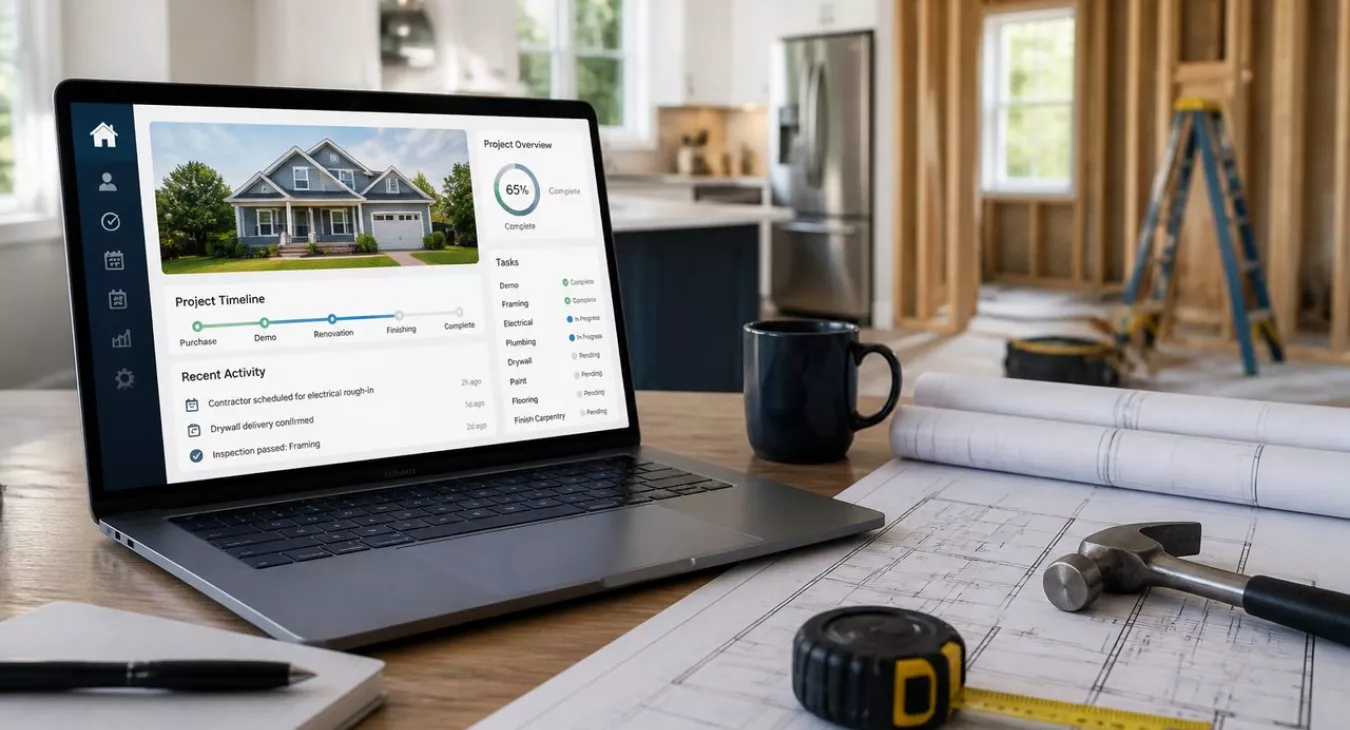
Discover how a CRM for real estate flip projects streamlines contractor communication, project tracking & budgets to protect your margins and scale faster.
Products and Tools Mentioned in this Post

Propstream
Detailed information on Propstream. Get How-To's, reviews, Comparisons, and much more.



Rehab Valuator
Rehab Valuator is fix and flip software that helps real estate investors analyze deals, manage rehab budgets, and create professional reports for lenders.

Contactually
Contactually is a real-estate-ready CRM with list building, skip tracing, calling, texting, automated follow-up, project management and websites under one login.
Table of Contents
- what's a CRM for Real Estate Flip Projects?
- Essential Features for Flip Project CRM Systems
- Best CRM Platforms for Real Estate Flip Projects
- How Flip Project CRMs Simplify Your Workflow
- Integration Capabilities and Market
- Pricing Models and Cost Considerations
- Implementation Tips and Best Practices
- Common CRM Mistakes Flippers Make
- Conclusion
- Frequently Asked Questions
Here's the reality: the average U.S. home flip in Q2 2026 took 161 days from purchase to resale and generated $60,526 on a 21.5% margin. Five months. That's your entire profit window, and one missed contractor call or forgotten permit deadline eats directly into your bottom line.
New to house flipping? Start with our House Flipping Guide.
And here's what separates the pros from the chaos: it's not just better deal sourcing. It's information management. The investors who consistently protect those margins know exactly where every invoice is, which sub is behind schedule, and what permits are still pending. That's where a purpose-built CRM for real estate flip projects becomes your competitive edge. Without it, you're running a chaotic job site. With it, you've got a scalable flipping business.
This guide walks you through what actually matters in a flip-focused CRM, which platforms are worth your money, and how to get up and running without wasting weeks on setup.

what's a CRM for Real Estate Flip Projects?

A CRM (Customer Relationship Management) system, in the context of house flipping, is a centralized platform where you manage every relationship, task, and document tied to a flip — from the first lead on a distressed property straight through closing on the resale. Here's the thing: the name "CRM" doesn't really capture what the best flip-focused tools actually do. They combine deal pipeline management, project tracking, contractor communication, and budget oversight into a single workspace.
How Flip Project CRMs Differ from Traditional Real Estate CRMs
Traditional real estate CRMs are built around the agent-client relationship. Think nurture sequences, showing schedules, referral tracking, long follow-up cycles. Flip project CRMs? They flip the script. The property becomes your primary record, not the contact. Each deal gets its own project card with timelines, budgets, contractor assignments, and document folders attached. Sure, contact management still matters — sellers, lenders, contractors, title companies, buyers. But the project is the hub. The person is secondary.
Key Features Specific to Flipping Operations
These tools are structured around the deal lifecycle, not the sales lifecycle. You need to track acquisition costs, renovation budgets, holding costs, and exit costs all at the same time. And when renovation costs alone run $50,000–$80,000 on a typical flip, with holding costs adding $1,500–$3,000 per month in loan interest, taxes, insurance, and utilities — you can't afford to rely on a spreadsheet you update weekly. Real-time budget visibility isn't optional. It's survival.
Why General CRMs Fall Short for Flippers
Salesforce, HubSpot, and most real estate-branded CRMs don't have native project management built in. You can force it to work. Custom fields, third-party integrations, workarounds — it's all possible. But you're fighting the tool the whole time. What happens instead is you end up with parallel systems: a CRM for contacts and a separate project management app for the actual flip. Data silos. Team members bouncing between platforms. Inefficiency everywhere. For investors managing multiple simultaneous flips, that fragmentation is where deals go sideways. Want to see what actually works? Check out our overview of the best house flipping software in 2026 for a broader look at the tool market.
Back to topEssential Features for Flip Project CRM Systems

Not every platform slapped with a "real estate CRM" label can actually handle a flip operation. Below are the five capability areas that separate the winners from the noise — plus what you should demand in each one.
Project Management and Timeline Tracking
A flip is fundamentally a construction project with a hard money clock ticking. And that clock never stops. Hard money loans typically run 6–12 months at 9%–13% interest. Every day you slip costs real money. Your CRM needs to track milestones with locked-in due dates, build in dependency logic (you can't inspect before demo), and give you Gantt-style visual timelines so you know exactly where each project stands without hunting through email. Once you're running more than two projects? Behind-schedule alerts aren't optional.
Budget and Cost Estimation Tools
This is where flips actually win or fail. Your CRM should let you build a full scope-of-work budget during deal analysis, then compare actual costs to that budget line by line as work progresses. Built-in ARV calculators and after-repair-value templates keep you disciplined from day one. Want the full picture on structuring your numbers? Our house flipping calculator and free spreadsheet walks the entire cost model step by step.
Contractor and Vendor Management
Here's the thing: most general CRMs completely miss contractor management. A flip-ready system won't. You need contact info stored alongside licensing dates, insurance expiration dates, performance ratings, payment terms, and a complete job history for each person. Assign contractors to specific line items and watch their deliverables move through the pipeline. Finding good people is brutal enough. Our guide on finding reliable contractors for house flips details the vetting side. Your platform should make managing them afterward actually systematic instead of chaos.
Document Storage and Transaction Coordination
Each project generates a small mountain of paper: purchase agreements, inspections, permits, lien waivers, invoices, resale listings, closing disclosures. You need a document repository built into each project record. Version control matters. So do team-level access permissions. And here's what most people overlook: permit tracking needs its own dedicated field. You've got to know which permits are open, which are inspected, and which are closed — that's how you stay on schedule and stay legal.
Lead and Deal Pipeline Management
Before the renovations start, you're hunting. A lead becomes a deal, which becomes a project. That whole arc — from first contact with a motivated seller all the way through offer, due diligence, closing, and into active renovation — should live inside the same system. Multi-stage deal pipelines with probability weighting let you forecast deal flow and size your acquisition team to match your renovation capacity. Flips represent 6.2% of all U.S. home sales in Q2 2026. Competition for quality deals is fierce. You need a system that keeps warm leads warm while you're buried in construction, not one that lets them go cold.
Back to topBest CRM Platforms for Real Estate Flip Projects

You've got two distinct paths when picking software for your flips: go with a purpose-built investor platform that includes CRM tools baked in, or grab a flexible CRM and configure it yourself. Here's how the heavy hitters actually perform.
Top Picks for Flip-Specific CRMs
FlipperForce is probably the most flip-native platform on the market. In one interface, you're getting deal analysis, scope-of-work budgeting, project management, and contractor tracking all wired together. Check our full FlipperForce review for 2026 for the deep dive on what works and where it falls short. This one's built for investors who don't want to piece together five different tools just to run a renovation.
REsimpli is a full-stack investor CRM handling lead management, skip tracing, direct mail, and deal analysis. It's designed for operators running high-volume acquisition machines. Your pipeline management is solid. But if you're looking for detailed project-during-renovation tracking? FlipperForce beats it here.
Rehab Valuator specializes in deal analysis and rehab budgeting. It'll underwrite deals fast and generate polished investor presentations that actually impress your team. Our Rehab Valuator review answers the real question: does it work as a full project management solution? The answer is yes for analysis work. Project management features are lighter.
And then there's FreedomSoft. It brings lead management, skip tracing, direct mail, and deal pipeline in one platform. It's acquisition-focused. Renovation management isn't its strength.
Hybrid CRMs Adapted for Flipping
For investors who want one system handling both lead generation and deal management with serious automation muscle, Contactually is worth your time. KDS (this site's publisher) built it as a real-estate-ready platform with a powerful automation backbone underneath everything. List building, skip tracing, project management, pipelines, workflows, texting, calling, email, funnels, websites, and social posting all live in one place. It's not flip-specific, but it's close to an all-in-one for operators who value automation. Usage gets billed separately — calls, minutes, texts stack on top of your base plan. Want current pricing? Head to contactually.net. No free tier here. Quick note: this is different from the old Contactually CRM that Compass bought years ago.
Podio with real estate workspaces appeals to tech-savvy investors willing to do custom build work. The ramp-up is rough, but the ceiling for what you can customize is genuinely high.
General project management tools like Monday.com and ClickUp? Some flippers retrofit them with custom templates. They handle tasks and timelines well. But you're going to spend time building financial deal tracking from scratch.
Feature Comparison: Specialized vs. General Real Estate CRMs
| Platform | Flip Pipeline | Renovation Budget Tracking | Contractor Management | Document Storage | Lead/Skip Trace | Automation | Best For |
|---|---|---|---|---|---|---|---|
| FlipperForce | ✓✓ | ✓✓ | ✓✓ | ✓ | ✗ | ✓ | Active renovators managing job sites |
| REsimpli | ✓✓ | ✓ | ✓ | ✓ | ✓✓ | ✓✓ | High-volume acquisition operators |
| Rehab Valuator | ✓ | ✓✓ | ✓ | ✓ | ✗ | ✓ | Deal analysis & underwriting focus |
| FreedomSoft | ✓✓ | ✓ | ✓ | ✓ | ✓✓ | ✓✓ | Acquisition + disposition pipeline |
| Contactually | ✓✓ | ✓ | ✓ | ✓ | ✓✓ | ✓✓ | All-in-one ops + lead gen automation |
| REISift | ✓✓ | ✗ | ✗ | ✓ | ✓✓ | ✓✓ | List stacking & data-driven acquisition |
| Monday.com | ✓ | ✓ | ✓ | ✓✓ | ✗ | ✓✓ | Multi-project timeline management |
| Podio (custom) | ✓✓ | ✓✓ | ✓✓ | ✓✓ | ✗ | ✓✓ | Tech-savvy teams wanting full control |
✓✓ = strong native feature; ✓ = available/basic; ✗ = not natively available. Verify current pricing and features directly with each vendor, as offerings change frequently.
Back to topHow Flip Project CRMs Simplify Your Workflow

Features on paper look fine. But watch how they actually work together in your business — that's when the magic happens. A solid flip CRM rewires every stage of your operation, and here's exactly how.
Automating Lead Capture and Deal Analysis
Speed kills in acquisition. The motivated seller who gets a callback from three investors closes with whoever answers first and stays persistent. Your CRM needs to grab inbound leads automatically — from your website, direct mail hits, driving-for-dollars apps — and fire off an immediate follow-up sequence without you lifting a finger. Deal analysis templates pre-loaded with your renovation costs, holding costs, and exit fees let you validate a deal before you even dial. You run the numbers in minutes, not hours. And if you want a deeper framework for what those costs actually look like? Check out our breakdown of renovation costs, holding costs, and selling costs. We've also got solid data on whether house flipping is worth it with real numbers to anchor your analysis.
Managing Multiple Projects Simultaneously
Two flips running parallel to each other? Three? Your revenue multiplies. So does the chaos — unless you build the right system. A dashboard showing every active project tells you what's done, what's slipping, spend vs. budget, and days left before your hard money lender gets nervous. Without it, you're flying blind. Projects averaging 161 days can blow past a 12-month loan term in a heartbeat if anything slips. Visual tracking isn't nice-to-have. It's mandatory.
Tracking Expenses and Profitability
Your selling costs alone eat 7%–9% of the deal (5%–6% in agent commissions plus 2%–3% in closing costs). Add renovation, holding costs, and financing, and you're running with razor-thin margins. There's almost nowhere to absorb a surprise. The expense tracking module in your CRM logs every payment — contractor invoices, material receipts, permits, inspections — and stacks it against budget in real time. Some platforms tie straight into QuickBooks or Xero, so bookkeeping and project tracking sync automatically and you're not manually typing numbers twice. Want a structured template to track all of this? Our house flipping worksheet for tracking costs, ROI, and profitability is exactly what you need.
Coordinating Teams and Contractors
Contractor communication breaks down. Then timelines slip. Then budgets explode. Your CRM logs every conversation — texts, emails, calls — tied to the project so nobody can claim they didn't know. Task assignments with clear deadlines create accountability and a paper trail if things go sideways. Give your project manager or GC direct access to update status themselves. You see real progress without making phone calls all day chasing updates. Want to build a bulletproof vetting process first? Our guide on finding reliable contractors for house flips is worth your time.
Documentation and Compliance
Permit management is where flippers without systems get destroyed. Open permits discovered at closing kill deals or blow timelines. Your CRM flags permit status on every project and stores copies of permits, inspections, and certificates of occupancy. All lien waivers from contractors and subs live in the same folder to protect you at the table. At tax time, this layer becomes critical too — you need to nail the distinction between capital improvements and repairs, and document your basis correctly. Short-term capital gains on flips held 12 months or less get taxed at ordinary income rates of 10%–37% in 2026. Accurate records directly impact what you owe.
Back to topIntegration Capabilities and Market
A siloed CRM is dead weight. It'll multiply your work, not cut it. The only platforms worth your capital are the ones that actually talk to your other tools.
MLS and Property Data Integration
Pulling comp sales directly into a deal record changes your workflow. No more flipping between Zillow tabs and your CRM — that saves you real hours during underwriting. Some platforms hook into PropStream or similar services for deeper dives into property history, ownership records, and distressed-property filters that matter to your analysis. Already comparing data sources? Our breakdown of PropStream vs. Flipster can help you pick the right CRM alongside it.
Accounting Software Connections
QuickBooks Online is table stakes here. And Xero works fine for smaller shops too. What you're really looking for is this: invoices logged in your CRM flow straight into your books without manual re-entry. Your accountant stays in the platform they already know. When these systems sync cleanly, your per-project P&L accuracy gets sharper — and that directly improves your underwriting on the next deal.
Project Management Tool Compatibility
Your team already lives in Asana or ClickUp. So you need a CRM that pushes tasks to those platforms — either via Zapier or native integration. The math is simple: fewer tools to check means faster task execution. But here's the real move? Some investors skip the bridge entirely and pick a CRM that does project management in-house instead.
Communication Platform Integration
Slack and Microsoft Teams integrations put your CRM alerts where your team's already paying attention. Overdue tasks. New leads. Budget thresholds hit. They see it all without leaving the chat. Google Workspace and Microsoft 365 compatibility matters too. Calendar sync especially — when you add an inspection or contractor meeting to a project record, it should hit everyone's calendars automatically.
Back to topPricing Models and Cost Considerations

Here's the thing: the sticker price on these platforms barely tells half the story. Pricing structures vary wildly across flip-focused CRM options.
Subscription Pricing Tiers
Most investor CRMs stack on tiered subscriptions. The structure usually hinges on user count, lead volume, or feature access—pick your poison. If you're a solo flipper knocking out three to five deals yearly, entry-level tiers typically have enough horsepower for what you need. But scale that up to a team operation—project manager, acquisitions coordinator, multiple contractors needing access—and per-user pricing bleeds money fast. Some platforms cap your users and charge for additional seats. Others go the opposite route: unlimited users at a flat rate, but they lock down features by tier instead.
Hidden Costs and Implementation Fees
Usage-based billing on top of your subscription base is where most flippers get surprised.
Built-in communication tools—texting contractors, calling sellers—almost always carry per-minute or per-message charges above your monthly allowance. One-time onboarding and setup fees hit harder on the more complex systems. Want API access or advanced integrations? That usually means bumping up to a pricier tier. Before you sign anything, calculate your expected monthly usage: calls, texts, storage, everything. That's your actual all-in cost, not the advertised price.
ROI Analysis for CRM Investment
The math is simple here. You flip a deal, gross profit lands around $60,526. Even one material cost overrun prevented per year and the software pays for itself many times over. Better budget tracking does that.
And there's more. Faster lead follow-up from the same marketing spend means more deals. Tighter contractor coordination cuts delay days—critical when you're carrying a 9%–13% hard money loan. Real-time budget visibility lets you catch overruns early enough to pivot. These aren't hypotheticals. They're the levers that actually move your bottom line. For the full breakdown on flip economics, dig into our analysis of house flipping profit margins and average returns.
Back to topImplementation Tips and Best Practices
Here's the hard truth: a solid platform run poorly beats flashy software every time. Your setup discipline matters just as much as which tool you pick.
Setting Up Your CRM for Flip Projects
Use a phased approach. Week one? Get your deal pipeline stages locked in—and they should mirror your actual acquisition workflow exactly: Lead → Qualified → Offer Sent → Under Contract → Renovation → Listed → Sold.
Week two, build your first project template. This is the standard milestone sequence for a typical rehab using your most common scope of work. Add your contractor roster while you're at it.
Week three, import your active deals and any historical projects you want to reference. And here's the critical part: resist the urge to configure everything before you start actually using it. Overcustomization upfront kills adoption every time.
Custom Fields for Flip-Specific Metrics
Your standard CRM fields won't cut it. You need custom fields that track what actually matters to your business: ARV, purchase price, estimated renovation budget, actual renovation spend, hard money loan origination date, loan maturity date, holding cost per month, and projected net profit. These fields feed your dashboard and keep deal analysis consistent across the entire team. Our house flipping worksheet outlines a full data model if you need a starting point for field design.
Team Training and Adoption
The most common reason CRM implementations fail? Uneven adoption.
You'll have one person logging deals religiously while the rest are still texting and working spreadsheets on their laptops. Fix this with role-based training—your acquisitions person needs deal pipeline management; your project manager needs task and budget features. Then establish one non-negotiable rule: the CRM is the source of truth. If it's not in the system, it didn't happen.
Enforcing that standard takes leadership, but the payoff in team coordination is massive.
Performance Tracking and KPIs
Build your dashboard around metrics that actually drive decisions: average days in each pipeline stage, budget variance per project, number of active projects, lead-to-offer conversion rate, and offer-to-close conversion rate. Review these weekly without fail.
When something drifts—say your average days from offer to close ticks up—you can actually diagnose the problem instead of guessing. Is it a title company bottleneck? Financing delays? A negotiation pattern? Data transforms those conversations from anecdotal complaints into specific, solvable issues.
Back to topCommon CRM Mistakes Flippers Make
Skip these pitfalls and you'll save weeks of headaches. More importantly, you'll dodge thousands in preventable losses.
Underutilizing Project Management Features
Here's what happens: you set up the deal pipeline, feel productive for a week, then slip back into texting contractors and scribbling notes on job site clipboards. Sound familiar? This mistake costs more than you think. The project management layer catches delays before they compound. Budget overruns surface when you can still do something about them. Contractor accountability gets built in — not enforced through angry phone calls three weeks later. If you're only using your CRM as a contact database, you're leaving serious money on the table.
Poor Data Entry and Organization
Your acquisitions person logs "John's Plumbing." Your project manager writes "John Plumbing Services." Your accountant has "Jplumb" in the notes field. Now your reports are useless because the system can't actually track anything. Trust evaporates. Set your naming conventions before you go live. Make them stupid-simple. Designate one CRM admin — one person — and hold them accountable for data quality. Garbage in, garbage out isn't just a cliché. It's your business model failing in real time.
Neglecting Team Collaboration Tools
Your PM knows the foundation issue. Your acquisitions team doesn't. Your accountant's spreadsheet says the reno budget is $40K, but the CRM says $50K. You've got a siloed operation running on incomplete information — and it gets worse the bigger you grow. Everyone touching a project needs real-time access to the same system, with role-appropriate permissions. This matters especially if you're scaling from solo flipping to team operations. The habits that work solo become expensive liabilities fast.
Failing to Track ROI Metrics
You finish a deal. Then what? If you're not logging final actual costs and actual resale price, you're flying blind on the next one. A CRM's real power is institutional memory — knowing your kitchens run 20% over budget, or deals in zone X take 30 extra days to move, makes your underwriting sharper and faster. Check your effective hourly rate and annual income trajectory regularly. Is the business actually scaling where you want it to? And if you're comparing flips against BRRRR holds, the data you capture in your CRM is just as critical for strategy. See our BRRRR vs. flip comparison for how that math plays out.
Back to topConclusion
A solid CRM isn't overhead. It's your flipping business's operating system. Think about it: with average flip timelines hitting 161 days, renovation budgets between $50,000 to $80,000, and holding costs running $1,500–$3,000 per month, the investors tracking everything in one system crush it against those flying blind. And here's the real talk: the best platform is the one your team will actually use every single day. FlipperForce, Rehab Valuator, REsimpli, FreedomSoft, Contactually — they all work if you commit to them. Start simple. Set up your pipeline stages. Build one project template. Add layers as you scale. You'll justify the investment the first time your CRM flags a budget overrun before it tanks your profit margin.
Back to topFrequently Asked Questions
Can I use a standard real estate CRM for flipping?
Technically? Sure. But you'll run into walls fast. Most standard CRMs are built for agents nurturing buyer-seller relationships over months—not investors tracking renovation budgets and contractor performance across multiple simultaneous projects. They don't have native milestone tracking, permit workflows, or scope-of-work management. So you end up bolting on a separate project management tool, which creates data silos and wastes time syncing information between systems. If you're flipping more than one or two deals a year, a purpose-built investor platform pays for itself in the first project.
What's the typical learning curve for flip project CRMs?
Most of these tools are designed by investors for investors, not by software engineers for software engineers. That matters. Your team should be productive within one to two weeks once you've set up your pipeline stages and project templates. Give it another two to four weeks for everyone to develop consistent habits and stop reverting to their old spreadsheet methods. Now, if you go with something like Podio and build custom workspaces, or choose a heavily automated platform, you're looking at four to eight weeks before it runs smoothly. Don't skip the onboarding calls the vendor offers—they're free and actually worth your time.
How do CRMs help with deal analysis?
This is where flip-focused CRMs shine. You get built-in ARV estimators, deal analysis templates, and scope-of-work budgeting tools that let you underwrite a potential acquisition in minutes instead of hours. Plug in the purchase price, your renovation costs, the expected resale value, and your carrying cost assumptions—the system spits out your projected profit and ROI instantly. Better platforms pull comp data straight from the MLS or third-party providers, so you're not manually estimating ARV. And because the analysis is standardized, comparing five opportunities at once becomes easy. You spot your best leads faster.
What metrics should I track in my flip CRM?
Budget variance matters most—actual spend versus estimate on every single project. But you also need: days stalled in each pipeline stage, lead-to-offer conversion rate, offer-to-close conversion rate, and average hold time from purchase to resale. The national average sits at 161 days as of Q2 2026. Track net profit per deal and ROI as a percentage of capital deployed. Run these numbers across all your completed deals over time. Patterns emerge—certain neighborhoods crush it, some contractors consistently blow timelines, specific deal types aren't worth your effort. Your underwriting gets sharper every quarter.
Do I need a separate project management app if I've got a flip CRM?
Ideally, no. And that's exactly why you should pick a flip-specific CRM in the first place. If your platform has solid milestone tracking, contractor task assignment, and permit documentation built in, you don't need a second tool. You reduce friction, eliminate data entry, and everyone works from a single source of truth.
Back to top