

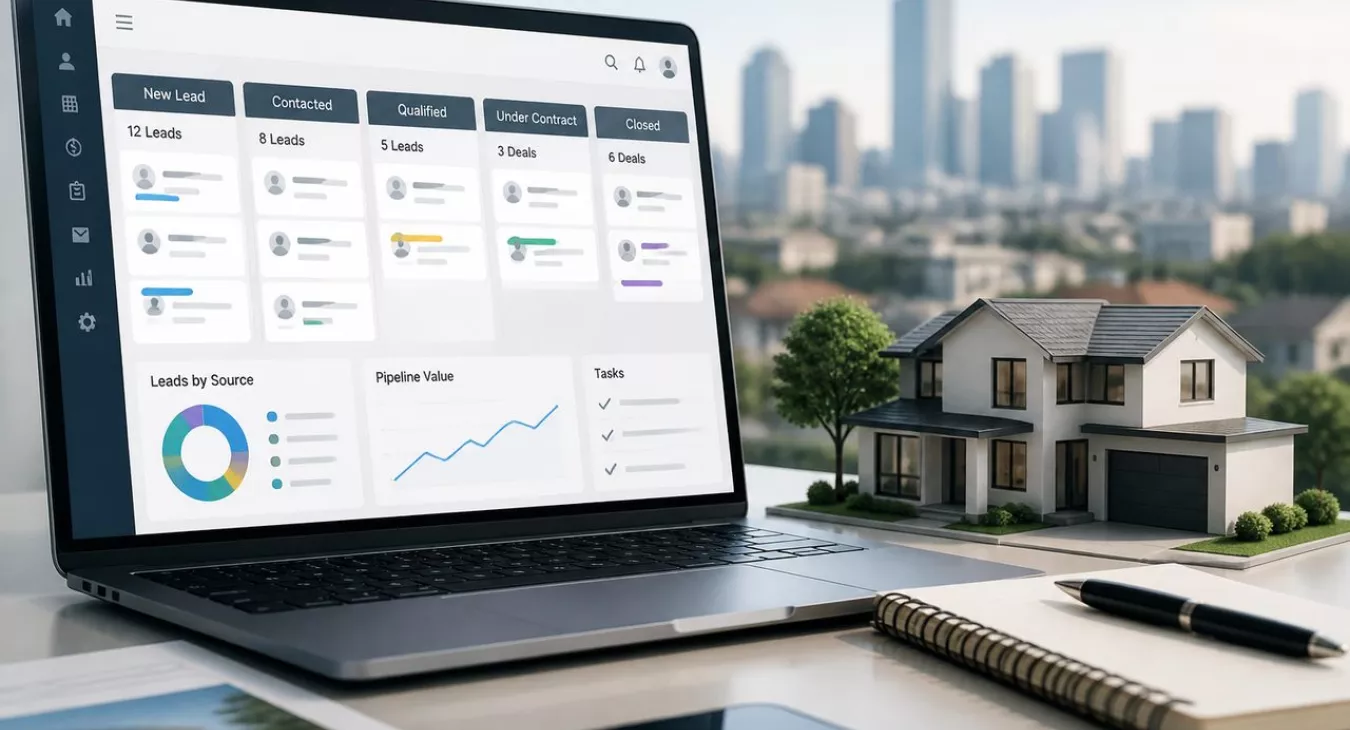
Discover the best CRM for real estate wholesaling operations to streamline leads, contracts & deals. Close more deals faster with automated pipelines.
Products and Tools Mentioned in this Post

Propstream
Detailed information on Propstream. Get How-To's, reviews, Comparisons, and much more.



Contactually
Contactually is a real-estate-ready CRM with list building, skip tracing, calling, texting, automated follow-up, project management and websites under one login.
Table of Contents
- What's a CRM for Real Estate Wholesaling?
- Challenges in Real Estate Wholesaling Without Proper CRM
- Essential Features for Real Estate Wholesaling CRM
- How to Choose the Best CRM for Your Wholesaling Business
- Top CRM Solutions for Real Estate Wholesaling
- Your Wholesaling CRM Needs These Features—Here's What Actually Matters
- Integration and Implementation Best Practices
Wholesaling moves fast. A seller who doesn't hear back in hours? They're calling your competitor. You've got dozens of leads flying in, multiple contracts active, a buyer list pushing 300+ contacts—and you're tracking it all on spreadsheets and sticky notes. That's how deals die and assignment fees slip away. A CRM built for real estate wholesaling fixes this. It pulls every seller inquiry, conversation, contract, and follow-up into one place, giving your team the visibility and automation to close more deals without hiring more people. Here's the math: the 2026 average assignment fee sits around $13,000 per deal. Top operators are pulling $15,000–$20,000 per assignment. One recovered deal per quarter—just one—pays for your platform multiple times over. This guide shows you how to evaluate, pick, roll out, and actually leverage a wholesaling CRM in 2026.
New to wholesaling? Start with our Wholesaling Guide.

What's a CRM for Real Estate Wholesaling?
Definition and Core Purpose
A CRM (Customer Relationship Management) platform in wholesaling is your command center. It tracks every person, property, and deal stage your business touches—all in one place. Here's the critical difference from a generic sales CRM: you're managing two distinct relationship tracks simultaneously. Motivated sellers feed your supply. Cash buyers create your demand. Every lead, follow-up call, offer, contract, and assignment fee should be visible to your whole team in real time. No information silos. No guesswork.
How Wholesaling CRMs Differ from Standard Real Estate CRMs
Traditional real estate CRMs were built for agents and brokers, not wholesalers. They're optimized for long nurture cycles—think 60 to 90 days—plus MLS integration and commission tracking. But wholesaling? It's a different beast entirely.
You're moving fast. High lead volume. Off-market property sourcing. Skip tracing. You need dual-database management (sellers and buyers). Assignment-fee tracking instead of commission math. A standard agent CRM will store contacts, sure. But it won't skip-trace a seller for you. It won't segment your cash buyers by budget or property type. It won't automate assignment contract workflows. You need something purpose-built for the speed and structure of wholesale deals. For a deeper look at what's actually available, check out our guide to Best Real Estate Wholesaling Software 2026.
Key Responsibilities Wholesalers Manage with CRM Software
- Capturing and qualifying inbound and outbound motivated seller leads
- Tracking properties through every pipeline stage—from first contact to closed assignment
- Organizing and segmenting a cash buyer database by location, budget, and property criteria
- Automating follow-up sequences so no lead goes cold by accident
- Logging calls, texts, and emails in one contact record
- Generating and managing contracts with e-signature capabilities
- Tracking assignment fees and deal profitability across the portfolio
Challenges in Real Estate Wholesaling Without Proper CRM

Complex Multi-Property Deal Management
You're juggling 20–50 leads across different pipeline stages. That's just reality when you're scaling. Here's where it gets messy: a property that's got a soft verbal offer gets mixed up with one you've already handed off to a buyer. Or worse, a critical follow-up call falls through the cracks because it's buried in someone's notebook instead of living in a shared system. Each mistake like this? It costs you deals worth thousands. Maybe $5K, maybe $15K per miss. It adds up fast.
Information Silos and Missed Follow-Ups
Your acquisition manager's got seller notes scattered across her personal spreadsheet. The disposition manager runs a separate Google Sheet with the buyer list. Your VA's logging calls in yet another place. Communication breakdown incoming.
What actually happens: A seller who got quoted $185K two weeks ago gets a call with $175K attached to it. Buyers who told you they'd grab anything in Guilford County never hear about the deal that just landed. These information silos aren't just frustrating—they're deal-killers, especially in early-stage wholesaling operations where margins are tight and reputation matters.
Difficulty Tracking Deal Profitability
Want to know which lead sources actually print money? You can't, not without a system that captures the data automatically. Attribution is everything. That $22,000 assignment fee from a top market like North Carolina or Georgia—do you know which marketing channel brought that deal in? If not, you're throwing marketing budget at the wall and hoping something sticks. You can't optimize what you can't measure.
Team Coordination and Speed-to-Lead Disadvantages
Response time wins deals. The data's conclusive on this. In competitive, high-volume markets, the team that moves fastest takes the deal. Without a CRM that fires off instant notifications and auto-assigns new seller leads to the right person, you're already behind. Competitors using automated alerts and assignment workflows will get to that motivated seller first. And in markets where three wholesalers are chasing the same lead list? Speed-to-lead stops being optional. It's your survival.
Administrative Overhead Versus Sales Activities
Data entry. Copy-pasting buyer contact details. Formatting reports in spreadsheets. All of that steals time from actual deal-making—from calls, from offers, from closing. The real ROI of a CRM shows up in how your team's hours shift. Automate your intake forms. Run drip sequences on autopilot. Let the pipeline stage updates happen without manual touch. You'll reclaim hours per week per person. That's hours spent closing deals instead of moving cells around.
Back to topEssential Features for Real Estate Wholesaling CRM


Lead and Property Intake Management
Every channel matters—web forms, inbound calls, SMS keywords, direct mail responses, third-party lead sources. Your CRM should pull them all in and automatically create a new record without you touching a keyboard. No manual data entry. Custom intake fields for property address, condition estimate, motivation level, and asking price let your team triage and prioritize within minutes of first contact. Want to know where to find those leads in the first place? Check out our breakdown on How to Find Wholesale Real Estate Deals: 12 Lead Sources.
Skip Tracing and Motivated Seller Identification
Skip tracing is the backbone of wholesale lead gen. It's how you find contact info for property owners who've ghosted or moved on. Some platforms build it in—REsimpli, for example. Others lean on third-party integrations. PropStream charges $0.12 per contact for skip tracing as an add-on. That's your benchmark when you're comparing cost-per-contact across different platforms. Need a more surgical targeting approach? Our guide on List Stacking for Real Estate: Build Hyper-Targeted Lead Lists walks you through it.
Buyer Database Organization and Segmentation
Your cash buyer list isn't just another spreadsheet. It's revenue.
A wholesaling CRM needs to let you tag and segment buyers by the criteria that actually matter: property type, target zip codes, price range, rehab tolerance, closing speed. You land a deal under contract at 2 p.m. on a Tuesday. Within minutes—not hours—you should be able to filter down to qualified buyers and blast an automated notification to each one.
Wholesale Deal Pipeline Visualization
Think Kanban board for your business. New Lead → Initial Contact → Offer Made → Under Contract → Buyer Found → Closed. Your entire team sees everything in real time. Managers spot the bottlenecks instantly. Too many deals stuck in "Offer Made"? Jump in before the window closes. For a step-by-step look at automating your pipeline, dive into Real Estate CRM Setup: Automate Your Deal Pipeline.
Automated Workflows and Drip Campaigns
This is where a CRM stops being a filing cabinet and starts making you money.
Picture this: seller lead submits a web form. Your CRM creates the record and fires off an automated SMS acknowledgment. Acquisition manager gets a push notification. If no call logs within 2 hours, a second SMS drip kicks off on its own. Cold seller lists—absentee owners, probate properties, pre-foreclosures—can run 6–12 month drip campaigns with zero manual intervention.
One hard stop: Before you deploy any cold SMS campaign, get a TCPA-qualified attorney in the room. SMS is classified as a "call" under the Telephone Consumer Protection Act. A2P 10DLC carrier registration is a technical requirement—but it's not a legal green light for cold outreach.
Profit and Assignment Fee Tracking
Typical single-family assignment fees land between $5,000 and $15,000. Small errors add up fast.
Each deal record should track your contracted purchase price, assigned sale price, estimated closing costs, and calculated assignment fee. A real-time profit dashboard shows your pipeline's projected revenue at a glance. You miss even two fees because they closed outside the CRM? That's real money off your quarterly bottom line. For the full breakdown on how assignment fee structures work, read Assignment Contracts in Real Estate: How Wholesalers Get Paid.
Contracts and E-Signature Capabilities
The fastest wholesalers close the moment a seller says yes. Not tomorrow morning. Not after DocuSign gets sent manually around noon.
Built-in contract generation and e-signature tools eliminate that gap. Your CRM should auto-populate standard fields—seller name, property address, price, closing date—straight from the deal data you've already entered. Looking for a primer on the contracts themselves? Our resource on Real Estate Wholesaling Contracts: Essential Terms & Templates has you covered.
Mobile Accessibility for Field Operations
Your acquisition managers are out doing drive-for-dollars. Knocking on doors. They need full CRM access from their phones—period.
Add a property. Log a conversation. Pull an owner's contact info via skip trace. Send a follow-up text. All from the field. A mobile app that requires you to get back to the office to confirm anything is a bottleneck waiting to cost you deals. Pair a solid mobile CRM with the strategies in our guide on Door Knocking for Real Estate Deals: Face-to-Face Lead Gen.


Regulatory Compliance Features
The rules are tightening. Fast.
As of June 2026, 7 new state laws targeting wholesaling have been enacted in 2025–2026—Oklahoma, Tennessee, Maryland, North Dakota, Ohio, Connecticut, and North Carolina. And they're specific. Ohio's SB 155 kicks in March 2, 2026 with written disclosure requirements. Oklahoma gives sellers a 2-business-day cancellation right under SB 1075. Illinois caps unlicensed wholesalers at 1 assignment per 12 months. A CRM with customizable contract templates and compliance checkpoints helps ensure you're documenting disclosures and hitting deadlines. That said, it's not a substitute for talking to an attorney in your state.
Back to topHow to Choose the Best CRM for Your Wholesaling Business
Assessing Your Specific Business Needs
Start by auditing your current workflow. What's your monthly lead volume? How many active deals are you juggling right now? Are you running a solo show, or do you've got in-house VAs handling outreach? Here's the reality: a one-person operation closing 10 deals monthly needs something completely different than a 10-person team grinding through 30–40 deals. The platform that looks slick in the demo might be total overkill for your actual operation—or painfully limited once you scale. Be honest about what features you'll genuinely use versus what just sounds impressive.
Evaluating Scalability and Customization Options
Think about scalability now, not when you're forced to migrate. And I'm serious about this. A CRM that handles your current volume but chokes when you add users, increase deal flow, or layer in automation will cost you way more than the platform itself when you're moving data around 12 months down the line. Hunt for no-code or low-code customization. You need the ability to add custom fields, rearrange pipeline stages, and build workflows without bugging a developer every time your process shifts. That flexibility matters more than you think when you're evolving your operation.
Comparing Pricing Models and Total Cost of Ownership
The 2026 average for a full-featured CRM across major vendors sits around $67 per user per month. But here's what trips up wholesalers: wholesaling-focused platforms bundle skip tracing, calling, and texting into their pricing structure. Then they hit you with usage-based costs on top. You might be looking at per-minute call charges, per-text fees, skip tracing credits, and mandatory add-ons. Run the math on your actual monthly spend—not just the subscription line item—before you commit to anything.
Integration Capabilities
Your CRM can't operate in a vacuum. It's got to talk to your phone system, email, accounting software, direct mail vendor, and lead sources. That's non-negotiable. Check for native integrations first. Zapier-dependent connections work, but they're slower, less reliable, and they cost extra. Native wins every time. And if you're looking at AI-powered tools to complement your CRM setup, don't miss our breakdown on AI Tools for Real Estate Investors: Complete Guide 2026.
User Adoption and Learning Curve
A feature-packed CRM that nobody actually uses is dead weight. Test it with real people doing real jobs. Put your acquisition manager, disposition manager, VA, and bookkeeper through the trial version. Watch them work. If your VA is confused after 20 minutes, that's a red flag. Weak adoption = workarounds = data gaps = system failure. Platforms with role-specific views and solid mobile interfaces typically see better adoption across teams with mixed technical skills. That's worth more than you'd think.
Back to topTop CRM Solutions for Real Estate Wholesaling
You've got three main buckets here: purpose-built investor platforms, flexible general tools, and all-in-one systems that pack CRM with outreach features into one box. The comparison below pulls pricing from September 2026—but don't rely on it. Hit up each vendor directly and confirm what they're charging before you commit.
| Platform | CRM & Lead Mgmt | Skip Tracing | Buyer Database | Deal Pipeline | Automation | e-Sign / Contracts | Mobile App | Accounting Integration | Starting Price (2026) |
|---|---|---|---|---|---|---|---|---|---|
| REsimpli | ✓ Full | ✓ Built-in | ✓ Full | ✓ Full | ✓ Advanced | ✓ Built-in | ✓ iOS/Android | ✓ QuickBooks | $149/mo (1 user, annual) |
| DealMachine | ✓ Full | ✓ Built-in | ✓ Basic | ✓ Full | ✓ Moderate | ✗ Limited | ✓ Strong | ✓ Limited | Verify at vendor |
| Podio | ✓ Customizable | ✗ Integration needed | ✓ Customizable | ✓ Customizable | ✓ Via GlobiFlow | ✗ Integration needed | ✓ iOS/Android | ✓ Via Zapier | $14–$24/user/mo |
| REISift | ✓ Full | ✓ Built-in | ✓ Full | ✓ Full | ✓ Moderate | ✗ Limited | ✓ Basic | ✓ Limited | Verify at vendor |
| Contactually (KDS) | ✓ Full | ✓ Built-in | ✓ Full | ✓ Full | ✓ Advanced | ✓ Via workflows | ✓ iOS/Android | ✓ Via native integrations | See contactually.net |
| PropStream (data + CRM) | ✓ Basic CRM | ✓ $0.12/contact | ✓ Basic | ✓ Basic | ✓ Limited | ✗ | ✓ iOS/Android | ✗ | $99/mo ($81 annual) |
REsimpli
Want a true all-in-one wholesaling machine? REsimpli's your answer. It's built specifically for investors—no feature creep, no enterprise bloat. You get CRM, skip tracing, driving for dollars, list management, and calling/texting all wrapped up in one subscription. One user runs $149/month; scale to 10–15 users and you're looking at $599/month (annual billing). If you're running a dedicated wholesaling operation and don't need to juggle retail MLS listings or long-term rentals, this is the deepest play. But if your business touches multiple deal types? You might feel limited.
Podio
Podio isn't built for real estate. It's a blank canvas. That's why it's so powerful—and why it'll make you want to tear your hair out. Community templates and GlobiFlow automation mean you can bend it into a wholesaling CRM, but only if you've got the patience and technical chops to build it. Price it out at $14–$24 per user per month, and you've got one of the cheapest options on the market. The tradeoff? Setup hell and limited mobile tools in the field. This works if you've got a dedicated admin who loves building workflows. Otherwise, steer clear.
Contactually (KDS)
Disclosure: KDS, the publisher of this site, built Contactually with us. Here's the thing about Contactually—it's a real estate-focused CRM, built from the ground up for agents and investors. Don't confuse it with the older Contactually that Compass bought; this is a different animal. List building, skip tracing, project management, texting, calling, email, funnels, websites, pipelines, workflows, social posting. It's all in one place. Usage charges (calls, texts, minutes) stack on top of your base plan. Head to contactually.net to see current pricing. Here's the honest comparison: REsimpli and REISift have deeper native investor data tools—think list stacking and driving-for-dollars baked in. Contactually swings toward customizable automation and marketing flexibility instead. If you want to build workflows that scale across multiple deal types, Contactually wins. If you live and die by investor-specific list stacking, you might find purpose-built platforms go deeper. And no—there's no free tier.
PropStream
PropStream is a data play first, CRM second. What it does brilliantly: pull property records, owner intel, skip tracing. The cost per contact? $0.12. That's cheap. The CRM side of the house is lighter—pipeline management and team coordination aren't its strong suits. Plans start at $99/month, drop to $81/month if you commit annually. Use this if you're obsessed with lead sourcing and property research, then hand off to a separate CRM for your pipeline. Want to dive deeper into lead generation tools? Check out our Best Real Estate Lead Generation Platforms 2026 guide.
Back to topYour Wholesaling CRM Needs These Features—Here's What Actually Matters
| Feature Category | Critical | Important | Nice-to-Have | Implementation Complexity |
|---|---|---|---|---|
| Lead intake forms (web + SMS) | ✓ | Low | ||
| Seller/buyer dual database | ✓ | Low–Medium | ||
| Visual deal pipeline | ✓ | Low | ||
| Automated follow-up sequences | ✓ | Medium | ||
| Built-in calling and texting | ✓ | Medium | ||
| Assignment fee / profit tracking | ✓ | Medium | ||
| Skip tracing (built-in or integrated) | ✓ | Low (integration) | ||
| E-signature and contract generation | ✓ | Medium | ||
| Mobile app (full functionality) | ✓ | Low (vendor-dependent) | ||
| Buyer segmentation by criteria | ✓ | Medium | ||
| Accounting software integration | ✓ | Medium | ||
| Driving-for-dollars mapping | ✓ | Low (if built-in) | ||
| AI lead scoring | ✓ | Medium–High | ||
| Multi-user role permissions | ✓ | Low | ||
| Direct mail integration | ✓ | Medium |
Integration and Implementation Best Practices
Preparing Your Data for Migration
Audit everything first. Don't skip this. Pull your seller lead list, buyer database, and open deal records from spreadsheets, your old CRM, or wherever they're currently living. And here's the hard truth: if you've got 500 duplicate buyer contacts sitting in your current system, importing them into a new platform just recreates the same mess with a fresh coat of paint. Deduplicate aggressively before you move anything. Then standardize your field naming conventions—decide right now whether you're calling it "State" or "Property State"—and stick with it across the board.
Workflow Mapping and Customization
Write down your current wholesale process before you even open the CRM's setup screens. What are your pipeline stages? When does a deal move from one stage to the next, and who's making that call? Most operators skip this step and just accept whatever default workflow the platform ships with. That's a mistake. CRM defaults are built for average operations, not yours. Document your actual process first, then customize around it. This is also when you'll spot which steps can be automated and which ones still need a human touch.
You'll save weeks of headaches by doing this work upfront.
Implementation Timeline and Milestones
| Phase | Timeline | Key Activities | Team Involved | Success Metrics |
|---|---|---|---|---|
| Audit & Selection | Weeks 1–2 | Evaluate platforms, run trials, map requirements | Owner, ops lead | Platform selected; requirements documented |
| Data Preparation | Weeks 2–3 | Export, clean, and deduplicate existing data | Admin, VA | Clean data file ready for import |
| Platform Build | Weeks 3–5 | Configure pipeline stages, custom fields, automations, integrations | Ops lead, vendor support | Core workflows live and tested |
| Team Training | Week 5–6 | Role-specific training sessions; create SOPs for each function | All team members | Every user can complete core tasks independently |
| Go-Live & Monitoring | Weeks 6–8 | Full transition; monitor data quality; fix gaps | Owner, ops lead | 100% of new leads entering through CRM |
| Optimization | Days 60–90 | Review automation performance; adjust workflows; measure ROI | Owner, team leads | Measurable reduction in admin time; pipeline visibility confirmed |
Team Training and Role-Specific Onboarding
Generic CRM training doesn't stick. Not because your team isn't sharp—it's because everyone's doing different things. Your acquisition manager needs to log calls, move deals through the pipeline, and get contracts out the door fast. Your VA needs to import lists, run skip traces, and manage drip sequences without breaking a sweat. Your disposition manager's pulling buyer segments and sending property blast notifications to the right people. Build separate training guides for each role. Better yet? Have a VA manage the CRM setup and onboarding process itself. For the full breakdown on structuring this, check out our guide on Hiring Your First VA for Real Estate: Tasks, Tools, Training.
Measuring Success Post-Implementation
Before you go live, lock in your baseline metrics. You need a real before-and-after comparison, not guesswork. Track lead response time—how many hours from lead creation to first contact? Monitor pipeline stage conversion rates. What percentage of leads actually reach "Offer Made"? Measure deal velocity in days from first contact to closed assignment. And count administrative hours per deal. Review all of this at 30, 60, and 90 days post-launch. That's where you'll see whether the CRM is actually working for your operation or if you need to adjust.
Back to top