


Compare the best CRM for real estate teams. Find collaboration tools, automation features, and pricing to streamline your team's workflow.
Products and Tools Mentioned in this Post

Follow Up Boss
Follow Up Boss is a real estate CRM that helps agents manage leads, automate follow-up, and increase conversions. Streamline your sales process today.

Real Geeks
Real Geeks offers real estate agents an all-in-one platform with lead generation, IDX websites, and CRM tools. Grow your business with proven technology.

Wise Agent
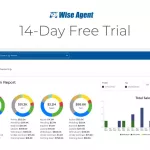
Wise Agent is a comprehensive real estate CRM offering contact management, transaction tracking, email marketing, and automation tools for agents and brokers.


Contactually
Contactually is a real-estate-ready CRM with list building, skip tracing, calling, texting, automated follow-up, project management and websites under one login.
Table of Contents
Real estate teams operate in one of the most relationship-driven, deadline-sensitive environments in business. A lead hits your inbox at 7 PM on Friday. Someone's gotta respond. But who? That depends entirely on whether your team has a system that routes, tracks, and follows up automatically — or if you're still drowning in email threads and sticky notes.
That's where a CRM for real estate teams comes in. The numbers tell the story. According to Business Research Insights, the global real estate CRM software market hit approximately $5.31 billion in 2026 and is projected to reach $14.98 billion by 2035 — a 12.2% CAGR that reflects how critical these platforms have become for teams that actually want to compete. Yet despite this growth, plenty of teams still rely on spreadsheets, email, and hope.
This guide cuts through the noise.
You'll see what the best real estate team CRMs actually deliver, what they cost, and how to pick the right one for your team's size and workflow.

what's a CRM for Real Estate Teams?
Definition and Core Purpose
A Customer Relationship Management (CRM) system centralizes every interaction your team has with leads, prospects, clients, and past customers. Think of it as the single source of truth for all client data — contact information, communication history, property preferences, transaction timelines, and follow-up schedules. Instead of each agent hoarding their own spreadsheet or inbox, everything lives in one shared, searchable, permission-controlled workspace that actually works.
The core purpose sounds simple: make sure no lead falls through the cracks. No forgotten follow-up. No neglected client. But achieving that in practice? It demands a platform that handles lead capture, routing, pipeline management, automated communications, task assignment, and reporting — all accessible in a single interface that your team will actually use every day.
How Real Estate CRM Differs from General CRM
Salesforce and HubSpot are powerful tools. They're also built for everyone, which means they're built for no one in particular. A real estate-specific CRM, by contrast, is designed around the actual workflows you live in: listing appointments, buyer consultations, offer negotiations, transaction coordination, and those long 18-month nurture cycles before a client's ready to buy or sell.
And here's what separates a purpose-built solution from a generic platform. Real estate CRMs ship with MLS integration or IDX website connectivity, transaction management pipelines, lead routing from Zillow and Realtor.com portals, drip campaigns tuned to buyer and seller journeys, and commission tracking. They speak your language — "escrow," "closing date," "listing agreement" — instead of forcing you to translate generic sales terminology into real estate terms.
Why Teams Need Dedicated Real Estate Solutions
Solo agents can sometimes limp along with a basic contact manager. Teams can't. According to NAR data compiled for 2026, 21% of Realtors work on a team, with an average team size of 4 members — and 2024 T3 Sixty survey data puts the median at 6 people. At that scale, complexity explodes. You need lead routing rules that automatically assign new contacts to the right agent. You need visibility into each team member's pipeline without turning into a micromanager. You need shared templates and scripts that keep your brand consistent across the board. And you need accountability dashboards that show exactly who's following up and who's ghosting leads.
That's where accountability gaps kill most teams. When Agent A gets assigned a lead but takes a vacation, does Agent B know? Does your manager get an alert if a lead goes 48 hours without contact? Solo agents never face these problems. Teams do. Only a team-configured CRM solves them systematically. For a broader look at the software market teams and brokers operate within, see our guide to Best Real Estate Brokerage Software: Tools for Teams & Brokers.
Back to topCore Benefits of Real Estate CRM for Teams

Improved Lead Management and Conversion
Here's the hard truth: a slow lead response is a dead lead. Your biggest operational risk isn't losing deals — it's losing them to a competitor who called back faster. A solid team CRM captures leads automatically from every source you've got (website forms, Zillow, Facebook ads, open house sign-ins) and routes them instantly using rules you set up (round robin, geographic territory, lead score, who's actually available). The system fires off a text or email the moment that lead hits your pipeline. And speed matters. The typical agent closes 9 transaction sides per year at a U.S. median home price of $417,700 (April 2026) — that means every missed connection costs you a five- or six-figure commission. You can't afford to leave that on the table.
Enhanced Team Collaboration
When contact records, notes, emails, and call logs all live in one shared CRM, collaboration stops being something you have to work at. It just happens. Your buyer's agent sees the showing history from their colleague without asking. The transaction coordinator pulls signed docs and the task checklist without pinging Slack seventeen times. The broker audits pipeline health across the entire team in two minutes. That's what happens when the CRM becomes the operating system of your business instead of just another app nobody uses.
Time Savings Through Automation
You know what kills agent productivity? Manual busywork.
Sending listing alerts. Scheduling follow-up calls. Moving deals through pipeline stages. Drafting weekly client updates. All of it. A CRM with solid automation workflows handles this stuff on triggers — a lead opens an email, a contract gets signed, closing date is 7 days out. Agents get those hours back. And they don't waste them on admin. They prospect. They show properties. They make money.
Revenue Growth and Deal Acceleration
Consistency and speed at every touchpoint compress your entire sales cycle. But here's the bigger play: pipeline visibility. A team leader watching the board can spot a deal stalled in "offer submitted" for 12 days. That's intervention time. That's where deals die — and where real management actually prevents it. When you can see what's moving and what's stuck, you don't lose momentum.
Better Client Relationships and Retention
This is where CRM ROI gets seriously underrated. A client who closed in 2023? They're a repeat buyer. A referral machine. A refinance conversation in 2026. Most teams leave this money on the table. But a CRM running post-close nurture sequences, anniversary reminders, and market update drips keeps you top-of-mind for years without your agent lifting a finger. That's passive revenue from clients you already know. That's the move.
Back to topEssential Features to Look for in Team CRM Software


Contact and Lead Management
Your CRM's contact management layer is everything. It's where you store, organize, and actually access the leads that matter. You need smart tagging and segmentation — the ability to slice your database by lead source, property type, location, timeline, and status in seconds. But here's what separates team-grade systems from solo agent tools: duplicate detection becomes critical when multiple agents are importing leads from Zillow, Realtor.com, and direct sources simultaneously. Add relationship mapping (connecting co-buyers, referral sources, extended family) and a search function that pulls results instantly, not after a coffee break. Without these, you're flying blind.
Pipeline and Deal Tracking
Visual pipelines let you see deal health across your entire operation at a glance. What separates good systems from great ones? Customizable pipeline stages that match how you actually work — not some generic sales process out of a textbook. Probability-weighted forecasting lets you project closings by month with real accuracy. Stage-gate automation triggers tasks and notifications the moment a deal advances or stalls.
For investor teams juggling acquisitions, rehabs, and dispositions at the same time, multi-pipeline support isn't optional. Our guide to Best Real Estate Software Programs: Tools for Every Investor Type breaks down pipeline tools across different investor strategies.
Communication Tools (Email, SMS, WhatsApp)
Your clients live on multiple channels — email, text, voice, WhatsApp. Your CRM needs to meet them there. Non-negotiable features include two-way email sync that automatically logs every reply, bulk SMS and one-off texting from a local number, ringless voicemail drops, and increasingly, WhatsApp integration for international deals. The kicker? All outbound messages should log themselves against the contact record automatically. Don't rely on agents to remember.
Important compliance note: You're responsible for TCPA compliance on cold outreach — not your CRM vendor. A2P 10DLC registration is required by carriers for business texting, but it doesn't give you legal permission to contact anyone. Talk to a lawyer before you launch any cold SMS or cold calling campaign.
Task Automation and Workflows
Workflows are where team efficiency actually lives. A properly configured automation can enroll a new lead in a 21-day nurture sequence, assign a call task to the right agent, send a welcome text within 60 seconds of opt-in, and alert your team leader if nobody touches that lead within 24 hours — all while you're doing something else. When you're evaluating workflow engines, demand conditional branching (if lead opens email A, send email B; if not, send email C), time-delay controls, and webhook support for plugging in external tools. These aren't nice-to-haves.
AI-Powered Capabilities
AI in 2026 real estate CRMs has finally moved past the marketing hype. Real, usable AI includes lead scoring that ranks contacts by purchase likelihood based on actual behavior signals, conversation intelligence that transcribes and summarizes your call recordings, predictive pipeline alerts flagging deals likely to churn before they do, and AI-generated email drafts agents can personalize before hitting send. For a deeper dive on AI tools across the real estate stack, check our article on Best Real Estate Software With AI: Automation and Intelligence Tools.
Integration Options
A CRM that doesn't sync with your other tools creates data silos — exactly the mess you were trying to fix. Must-haves for most investor teams: Google Workspace and Microsoft 365 for email and calendar sync, Zapier or Make for connecting apps that don't have native connectors, lead source integrations from Zillow and Facebook Lead Ads, transaction management platforms like Dotloop or DocuSign, and dialing tools if you're running high-volume outbound campaigns.
Mobile App Functionality
Your agents aren't sitting at desks. They're at showings, open houses, and listing appointments in the field. A mobile app that only lets you read information is useless for team operations. Demand apps with voice-to-note logging, one-tap calling and texting from any contact, task creation and completion, and push notifications for new lead assignments. The best mobile experiences feel like a real companion tool — not a stripped-down desktop knockoff. For more on mobile tools built for real estate pros, see our roundup of 20 Best Mobile Apps for Real Estate Investors: Tools & Productivity.
Reporting and Analytics
You can't manage what you don't measure. Strong reporting should give you lead volume by source, agent response time averages, conversion rates by pipeline stage, activities per agent per week, revenue closed per team member, and pipeline velocity (days from lead to close). Real-time, customizable, exportable dashboards beat static monthly reports every single time. Want the complete picture? Pair your CRM data with solid real estate investing calculators and suddenly you're connecting deal flow to actual financial performance.
Back to topBest Real Estate CRMs for Team Dynamics

Here's what we're comparing: the strongest CRM options for real estate teams in 2026, broken down across collaboration, automation, pricing, and how they scale. One heads-up — third-party pricing shifts constantly, so we've only included numbers we could verify from current sources with dates attached.
Follow Up Boss — Best for Established Sales Teams
Follow Up Boss earned its stripes as the CRM that high-performing sales teams actually trust. The lead routing engine is rock-solid — round-robin and priority-based assignment work reliably even across massive agent rosters. You get two-way email and SMS built in, plus it plays well with Fello and Zapier. For team leaders? The reporting suite delivers. Response time tracking and lead source ROI reports come standard without requiring custom setup.
Pricing is straightforward for smaller operations. The Grow plan runs $69/user/month (or $58/user/month if you pay annually) per Bounti.ai's 2026 pricing data. But here's where it gets interesting for teams: Follow Up Boss flips to flat-rate pricing once you hit certain thresholds. The Pro plan covers up to 10 users at $499/month, and the Platform plan covers up to 30 users at $1,000/month, according to Real Estate Snapshot's 2026 analysis. Do the math on a 10-person team — that Pro plan works out to about $50/user/month, which is solid value for what you're getting feature-wise. Just verify pricing directly with Follow Up Boss before you sign, especially since the Zillow acquisition has led to periodic plan updates.
Best for: Residential sales teams of 5–30 agents pulling in high inbound lead volume. Not ideal for: Investor teams needing wholesaling-specific tools like list stacking or skip tracing.

Wise Agent — Best Budget-Friendly Team CRM
Want to know the real value leader? Wise Agent delivers a full-featured CRM at a flat $49/month per Parseur's 2026 CRM analysis. That single plan covers up to roughly 5 users, which makes it genuinely affordable for small teams. You're getting transaction management, drip campaigns, landing pages, and a built-in referral tree for tracking where leads come from. They've added AI features more recently and they're getting better. The interface looks dated — no question about it — but Wise Agent's 24/7 customer support actually matters when you're a smaller team without dedicated IT resources.
Best for: Small teams (2–5 agents) watching their bottom line who need solid core CRM functionality without enterprise sticker shock. Not ideal for: Operations requiring sophisticated automation, cutting-edge AI, or a polished mobile app.
Real Geeks — Best for Lead Generation Teams
Real Geeks pairs an IDX website with a built-in CRM. It's the right pick if your team generates leads through organic search and paid digital advertising. The website is built for conversion — property search, home valuation tools, lead forms. Everything feeds directly into your CRM and is optimized to capture inquiries. Agent mobile apps, automated behavioral follow-up (triggered when a lead searches specific properties), and a solid team dashboard complete the picture.
You'll pay $399/month plus a $500 setup fee according to Parseur's 2026 data. That covers your website, CRM, and a baseline number of users — it's one combined cost, not per-seat pricing. Before you commit, double-check the current user limit and what add-ons cost, since Real Geeks has tweaked its pricing structure over time.
Best for: Teams that want one platform combining website and CRM, plus teams pulling significant inbound web traffic. Not ideal for: Teams already invested in a website you love, or investor operations needing acquisition-focused workflows.
IXACT Contact — Best for Relationship-Focused Teams
IXACT Contact isn't built for high-volume inbound leads. It's built for long-term relationship nurturing. Sphere-of-influence marketing, past-client retention, referral generation — this is where it shines. Automated monthly e-newsletters, anniversary and birthday reminders, social stream features. Your agents maintain warm relationships across huge databases with almost no manual work. And if you're a team leader wanting structured performance tracking? The built-in coaching and accountability features are worth the conversation.
Expect to pay $46.75/user/month on annual billing per Parseur's 2026 CRM review. Check their website for current rates, since team plans might differ from per-seat pricing.
Best for: Teams with a referral-driven business model and experienced agents managing large past-client lists. Not ideal for: Teams running aggressive inbound lead operations needing fast routing and high-volume automation.
Contactually — Best All-in-One Platform for Real Estate Teams
Disclosure: KDS, the publisher of this site, partnered to build Contactually. We included it because it genuinely fits many real estate teams' needs — but here's an honest take on what it does well and where it falls short.
Quick clarification: This is not the older Contactually CRM that Compass acquired and shut down years ago. This Contactually (contactually.net) is purpose-built for real estate and was created from scratch through a partnership with KDS.
Contactually works as a true all-in-one for real estate teams. Contact and lead management? Check. List building, skip tracing, project management, two-way texting and calling, email marketing, funnel and website builder, pipeline management, multi-step workflow automation, social media posting — it's all in one roof. If you're currently juggling four or five separate tools (a CRM, a dialer, texting platform, landing page builder, social scheduler), consolidating into Contactually simplifies your tech stack and your monthly bill simultaneously.
The workflow automation engine handles conditional branching, time-delays, and multi-channel sequences. Build a follow-up campaign that starts with a text, escalates to a call task if there's no response, then drops a voicemail, then sends an email — all automatic, zero manual work. This matters most for investor teams running outbound campaigns to motivated seller lists. But here's the reality: if you need deep investor-specific tools like list stacking and advanced skip tracing at scale, compare Contactually against dedicated platforms like REsimpli or REISift. Those tools go deeper on wholesaling-specific workflows.
Usage-based costs (calls, minutes, texts) stack on top of your plan. That's standard for platforms with built-in communication, and your actual bill varies based on outbound volume. Visit contactually.net for current plan pricing — rates update periodically. There's no free tier.
Best for: Real estate teams and investor operations consolidating multiple tools into one platform, with strong workflow automation and built-in communication. Not ideal for: Teams that need deep MLS/IDX integration as a core feature, or those hunting for a free entry point.
REsimpli — Best for Investor Teams
REsimpli is built for real estate investors and wholesalers. Not for traditional agents. It includes features agent-focused CRMs simply don't have: list stacking, driving for dollars integration, direct mail campaign management, skip tracing (billed per record), and disposition pipelines built for wholesalers. Your team dashboard gives you full visibility across acquisitions, dispositions, and marketing spend all at once.
For investor-focused work, REsimpli operates in territory most agent CRMs can't touch. Need a deeper comparison on wholesaling tools? See our guide to Best Real Estate Wholesaling Software 2026: Tools for Wholesalers & Flippers. Pricing moves frequently — check REsimpli's site directly for current team plan costs.
Best for: Wholesaling teams, fix-and-flip operations, and investor teams running outbound motivated-seller campaigns. Not ideal for: Traditional listing-side or buyer's-agent teams.
A Note on LionDesk
LionDesk was the budget choice for individual agents and small teams. As of 2025, Lone Wolf shut LionDesk down and replaced it with Lone Wolf Relationships. If you're still running LionDesk, reach out to Lone Wolf about migration options and current pricing — we can't verify the published plan details right now.
Back to topReal Estate CRM Comparison Table
| CRM Platform | Best For | Starting Price (2026) | Key Team Features | AI Capabilities | Mobile App |
|---|---|---|---|---|---|
| Follow Up Boss | Residential sales teams (5–30 agents) | $499/mo (up to 10 users) — source | Lead routing, 2-way SMS/email, team dashboard, reporting | Growing — AI follow-up suggestions | Yes — strong |
| Wise Agent | Small teams on a budget | $49/mo (up to ~5 users) — source | Transaction management, drip campaigns, referral tracking | Basic AI features | Yes — functional |
| Real Geeks | Lead-gen focused teams | $399/mo + $500 setup — source | IDX website + CRM, behavioral triggers, team dashboard | Moderate AI follow-up | Yes |
| IXACT Contact | Referral-based teams | $46.75/user/mo (annual) — source | Newsletter automation, anniversary reminders, coaching tools | Limited | Yes |
| Contactually | All-in-one team/investor platform | See contactually.net | Texting, calling, email, funnels, pipelines, workflows, social posting | Yes — workflow AI, conversation tools | Yes |
| REsimpli | Investor/wholesaling teams | Check vendor for current team pricing | List stacking, skip tracing, direct mail, disposition pipelines | Growing AI features | Yes |
CRM Features Checklist by Team Size
Here's what actually matters at each stage. Solo operators need different tools than a 20-person shop, and this breakdown shows you exactly where to spend your focus.
| Feature | Solo Agent | Small Team (2–5) | Mid-size Team (6–15) | Large Team (15+) |
|---|---|---|---|---|
| Contact management & tagging | Essential | Essential | Essential | Essential |
| Lead routing & assignment rules | Not needed | Helpful | Essential | Essential |
| Multi-agent pipeline visibility | Not needed | Helpful | Essential | Essential |
| Automated drip campaigns | Helpful | Essential | Essential | Essential |
| Team performance reporting | Not needed | Helpful | Essential | Essential |
| Role-based permissions | Not needed | Helpful | Essential | Essential |
| AI lead scoring | Optional | Optional | Helpful | Essential |
| Transaction management | Optional | Helpful | Essential | Essential |
| API & custom integrations | Optional | Optional | Helpful | Essential |
| Multi-location support | Not needed | Not needed | Helpful | Essential |
| Commission tracking | Optional | Helpful | Essential | Essential |
| Mobile app with full functionality | Helpful | Essential | Essential | Essential |
The pattern's clear: scaling your business demands more automation and visibility. A solo agent spinning up a CRM? Skip AI lead scoring and multi-location features—they're premature. A 20-person shop without lead routing and assignment rules is leaving deals on the table, pure and simple. And commission tracking? That's non-negotiable once you've got multiple people closing business. You can't scale what you can't measure.
Back to topHow to Choose the Right CRM for Your Real Estate Team

Assessing Your Team's Size and Needs
What's actually slowing you down? Lead response speed? Pipeline visibility? Inconsistent follow-up? Disconnected tools bouncing data everywhere? Start there. Don't pick a CRM based on what everyone else uses — pick it based on your specific pain points.
A four-agent referral-based team operates in a completely different universe than a twelve-person shop running paid lead generation at scale. The workflows aren't even close. That's why RealTrends Verified 2026 rankings break teams into categories that matter: Small (2–5 agents), Medium (6–10), Large (11–20), Mega (21–50), and Enterprise (51+). Each tier has meaningfully different workflow complexity, which should inform your feature checklist.
Budget Considerations
You're looking at somewhere between $49/month flat rate for a small team (Wise Agent) and $1,000/month for a larger operation (Follow Up Boss Platform plan). But the sticker price isn't the whole story. Factor in setup fees, usage-based costs for calls and texts, add-on integrations, and the internal time cost of configuration and training.
Here's the thing: a CRM that's $200/month cheaper but eats up 40 hours of your time configuring it properly might not actually be cheaper at all. Now let's talk ROI, because this is where most teams get it wrong. At a median U.S. home sale price of $417,700 as of April 2026 and an average combined commission rate of approximately 5.70%, one additional closing per agent per year generates $23,000+ in gross commission. One extra deal. That's it. And suddenly your premium CRM isn't an expense — it's free. The real question isn't whether a CRM pays for itself. It's whether your team will actually use it.
Implementation Timeline
Plan for 4–8 weeks minimum. Data migration, workflow configuration, integration setup, agent training — it all takes time. And rushing it? That's how you end up with agents who don't understand the system, revert to old habits, and leave you holding an expensive contact database that nobody uses.
Build in a pilot phase first — one or two early-adopter agents running it in production before you roll it out to everyone. You'll catch problems that never show up in a demo.
Integration Requirements
Before selecting a CRM
Back to top